
ESP32 BLE Advertise
ESP32 BLE Advertise is a runnable microcontroller simulation example on SensBench — open the wired circuit, inspect the code, and compile real firmware in your browser, no install needed. Last updated Aug 14, 2026.
FREE SIMULATOR EXAMPLE · INTERMEDIATE
ESP32 BLE Advertise
This example brings up a BLE server on the ESP32, advertises a custom service under the device name sensbench-ESP32, and logs every stage to the Serial Monitor at 115200 baud. One honest caveat up front: the simulator detects the BLE initialization and runs the sketch, but it does not emulate radio traffic — no phone will see the device here. What you get is complete, correct server scaffolding you can flash to real silicon unchanged.
| Board | ESP32 DevKit (Xtensa LX6, 240 MHz) |
|---|---|
| Difficulty | intermediate |
| Category | communication |
| Libraries | None — BLE stack ships with the Arduino core |
| Runs in | Sensbench browser simulator — free, no account |
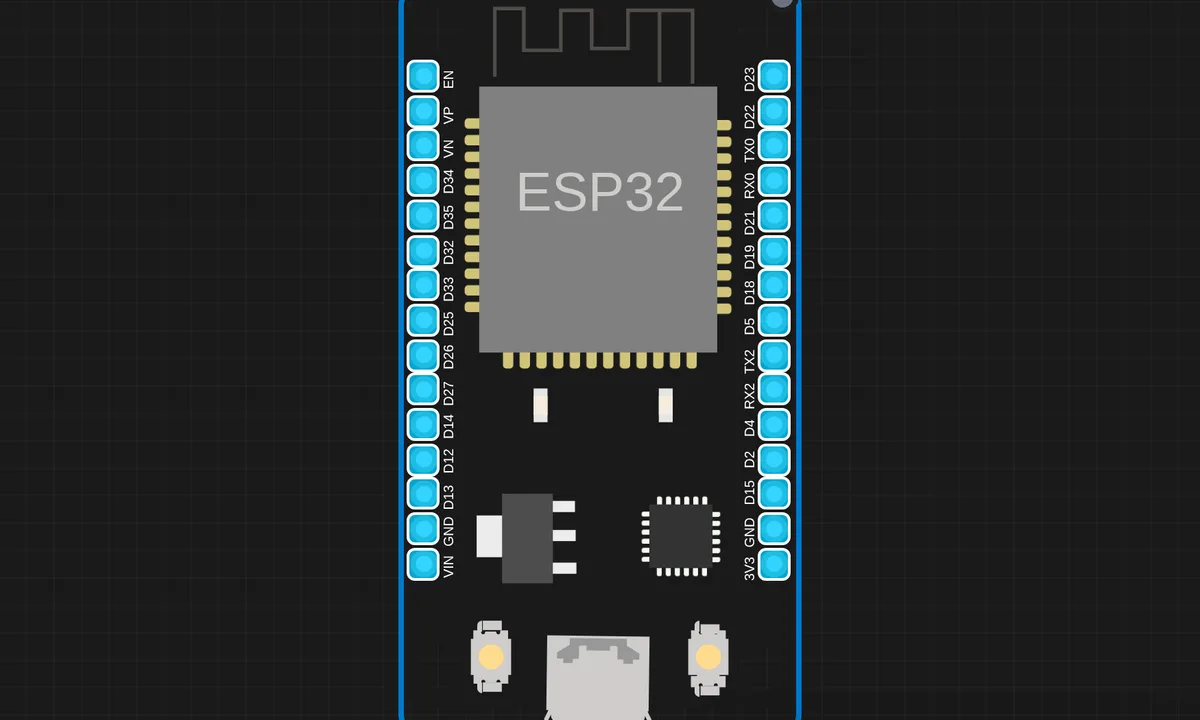
The exact circuit you get when you open this example — already wired, ready to run.
The sketch
#include <BLEDevice.h>
#include <BLEServer.h>
#include <BLEUtils.h>
#include <BLE2902.h>

#define SERVICE_UUID        "4fafc201-1fb5-459e-8fcc-c5c9c331914b"
#define CHARACTERISTIC_UUID "beb5483e-36e1-4688-b7f5-ea07361b26a8"

BLEServer* pServer = nullptr;
BLECharacteristic* pCharacteristic = nullptr;
bool deviceConnected = false;
int counter = 0;

class MyServerCallbacks: public BLEServerCallbacks {
  void onConnect(BLEServer* pServer) {
    deviceConnected = true;
    Serial.println("BLE client connected!");
  }
  void onDisconnect(BLEServer* pServer) {
    deviceConnected = false;
    Serial.println("BLE client disconnected");
    // Restart advertising
    pServer->startAdvertising();
  }
};

void setup() {
  Serial.begin(115200);
  delay(1000);
  Serial.println("ESP32 BLE Advertise Demo");
  Serial.println("========================");
  Serial.println("Note: BLE init is detected but communication");
  Serial.println("is not emulated in the simulator.");
  Serial.println();

  BLEDevice::init("sensbench-ESP32");
  pServer = BLEDevice::createServer();
  pServer->setCallbacks(new MyServerCallbacks());

  BLEService *pService = pServer->createService(SERVICE_UUID);
  pCharacteristic = pService->createCharacteristic(
    CHARACTERISTIC_UUID,
    BLECharacteristic::PROPERTY_READ |
    BLECharacteristic::PROPERTY_WRITE |
    BLECharacteristic::PROPERTY_NOTIFY
  );
  pCharacteristic->addDescriptor(new BLE2902());
  pCharacteristic->setValue("Hello from sensbench!");

  pService->start();
  BLEAdvertising *pAdvertising = BLEDevice::getAdvertising();
  pAdvertising->addServiceUUID(SERVICE_UUID);
  pAdvertising->setScanResponse(true);
  pAdvertising->start();

  Serial.println("BLE advertising started!");
  Serial.println("Device name: sensbench-ESP32");
  Serial.printf("Service UUID: %s\n", SERVICE_UUID);
}

void loop() {
  if (deviceConnected) {
    counter++;
    String value = "Count: " + String(counter);
    pCharacteristic->setValue(value.c_str());
    pCharacteristic->notify();
    Serial.printf("Notified: %s\n", value.c_str());
  }
  delay(2000);
}
How it works
The sketch builds the server bottom-up. BLEDevice::init("sensbench-ESP32") sets the name scanners will see, BLEDevice::createServer() makes the server, and createService(SERVICE_UUID) attaches a 128-bit UUID service. Its one characteristic is created with PROPERTY_READ | PROPERTY_WRITE | PROPERTY_NOTIFY — a client can read it, write it, or subscribe to updates.
The BLE2902 descriptor added to the characteristic is the piece most tutorials forget to explain: it is the Client Characteristic Configuration, and a client must write to it before notify() delivers anything — without it the subscribe silently fails. pAdvertising->setScanResponse(true) is the other quiet detail: it moves the service UUID into the scan-response packet so the 31-byte advertising payload stays under the limit.
Connection state is tracked in MyServerCallbacks. onDisconnect() calls pServer->startAdvertising() again — omit that line and the ESP32 vanishes from scanners forever after the first client drops. In loop(), a counter increments every two seconds and is pushed with setValue() plus notify(), but only while deviceConnected is true.
Before you build it for real
The simulator runs this code but not the radio — treat it as a compile-and-structure check, then validate on hardware with a scanner app like nRF Connect. Two traps wait there. First, BLE draws real current: advertising plus an active link pushes the ESP32’s 3V3 rail in sharp peaks, and a saggy USB cable causes brownout resets that look exactly like random disconnects. Second, the String value = "Count: " + ... pattern is fine for a demo, but building Strings every two seconds on a node meant to run for days fragments the heap — copy into a fixed char buffer for anything long-lived.
Get the parts
Related examples
FAQ
Why can't my phone see the device in the simulator?
Because no radio is emulated. The simulator detects the BLE setup calls and runs the sketch — you get the serial log and the code structure — but no advertising packets exist for a phone to find. Flash the same sketch to a real ESP32 and scan with nRF Connect to test actual connections.
What is the BLE2902 descriptor for?
It is the Client Characteristic Configuration Descriptor. A client subscribes to notifications by writing to it; if the descriptor is missing, the subscribe fails and your notify() calls go nowhere. It is required on any characteristic that notifies or indicates.