
ESP32 HTTP Server
ESP32 HTTP Server is a runnable microcontroller simulation example on SensBench — open the wired circuit, inspect the code, and compile real firmware in your browser, no install needed. Last updated Aug 14, 2026.
FREE SIMULATOR EXAMPLE · INTERMEDIATE
ESP32 HTTP Server
This example connects the ESP32 to WiFi, starts a web server on port 80, and serves two routes: a dark-styled status page at / and a JSON endpoint at /api/hello. The status page shows live request count, uptime and free heap, so every refresh proves the round trip worked. Once WiFi connects, the Serial Monitor prints the server URL — in the simulator you open it through the IoT Gateway link.
| Board | ESP32 DevKit (Xtensa LX6, 240 MHz) |
|---|---|
| Difficulty | intermediate |
| Category | communication |
| Libraries | None — WiFi.h ships with the Arduino core |
| Runs in | Sensbench browser simulator — free, no account |
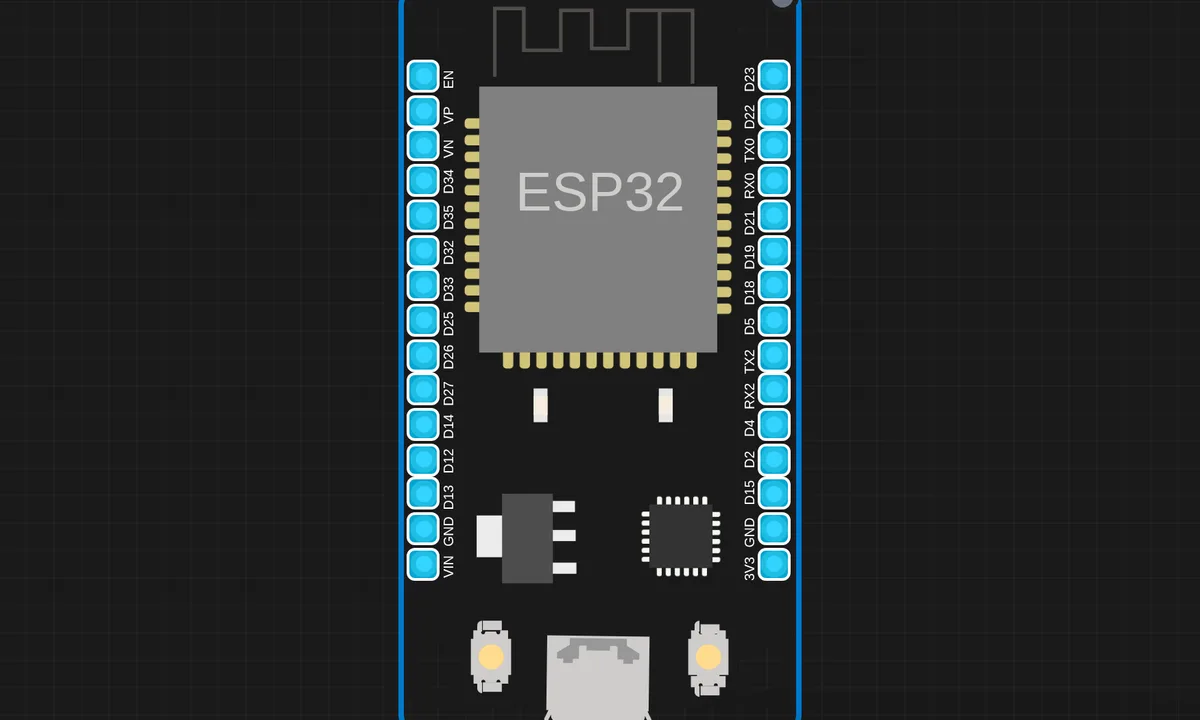
The exact circuit you get when you open this example — already wired, ready to run.
The sketch
#include <WiFi.h>
#include <WebServer.h>

const char* ssid = "sensbench-GUEST";
WebServer server(80);

int requestCount = 0;

void handleRoot() {
  requestCount++;
  String html = "<!DOCTYPE html><html><head>";
  html += "<meta charset='utf-8'>";
  html += "<meta name='viewport' content='width=device-width,initial-scale=1'>";
  html += "<title>ESP32 Web Server</title>";
  html += "<style>body{font-family:sans-serif;max-width:600px;margin:40px auto;padding:0 20px;";
  html += "background:#1a1a2e;color:#e0e0e0}h1{color:#00d4ff}";
  html += ".card{background:#16213e;padding:20px;border-radius:10px;margin:10px 0}";
  html += ".stat{color:#00d4ff;font-size:1.2em}</style></head><body>";
  html += "<h1>Hello from ESP32!</h1>";
  html += "<div class='card'><p>This page is served by an ESP32 running in the sensbench simulator.</p>";
  html += "<p>Requests served: <span class='stat'>" + String(requestCount) + "</span></p>";
  html += "<p>Uptime: <span class='stat'>" + String(millis() / 1000) + "s</span></p>";
  html += "<p>Free heap: <span class='stat'>" + String(ESP.getFreeHeap()) + " bytes</span></p>";
  html += "</div></body></html>";
  server.send(200, "text/html", html);
}

void setup() {
  Serial.begin(115200);
  delay(1000);
  Serial.println("ESP32 HTTP Server");

  WiFi.begin(ssid, "", 6);
  Serial.print("Connecting to WiFi");
  while (WiFi.status() != WL_CONNECTED) {
    delay(500);
    Serial.print(".");
  }
  Serial.println(" Connected!");

  server.on("/", handleRoot);
  server.on("/api/hello", []() {
    server.send(200, "application/json", "{\"message\":\"Hello from ESP32!\"}");
  });
  server.begin();

  Serial.printf("Server started at: http://%s/\n", WiFi.localIP().toString().c_str());
  Serial.println("Open the IoT Gateway link to access it from your browser.");
}

void loop() {
  server.handleClient();
}
How it works
WebServer server(80) creates the server; routing is declared in setup() with server.on("/", handleRoot) and a second route /api/hello written as an inline lambda that answers application/json. Two routes is the whole pattern to learn — a dashboard and an API differ only in content type.
handleRoot() builds the page as one big String with inline CSS, embedding three live values: a request counter, millis() / 1000 for uptime, and ESP.getFreeHeap(). That last one is the sleeper feature — a free-heap readout on every refresh is a genuine diagnostic on ESP32 web servers.
server.handleClient() sits in loop() and that is the entire concurrency model: cooperative, no background task. Nothing is served between calls, so the web UI is exactly as responsive as your loop is fast. The WiFi.begin(ssid, "", 6) call targets the simulator’s open guest network — the empty string is the password.
Before you build it for real
On real hardware this sketch has two debts to repay. First, building pages with the String class fragments the heap — watch ESP.getFreeHeap() on the page drift downward over hours of requests; production servers serve from PROGMEM or a static buffer instead. Second, handleClient() starvation: any blocking code you add to the loop — a delay(5000), a slow sensor read — stalls every in-flight HTTP request. And the open network with an empty password exists only in the simulator; on your bench, use real WPA2 credentials on the 2.4 GHz band.
Get the parts
Related examples
FAQ
How do I open the page when running in the simulator?
Wait for the Serial Monitor to print “Server started at: http://…” after WiFi connects, then use the IoT Gateway link the simulator provides. The simulated network is not your LAN, so pasting that IP into another browser tab will not reach it.
Why does my page take seconds to load after I added sensor code?
Because server.handleClient() only runs once per loop iteration. A blocking delay() or a slow sensor read starves it and every in-flight request stalls. Move slow work into a timed task and keep the loop tight.