
ESP32-C3 BLE Advertise
ESP32-C3 BLE Advertise is a runnable microcontroller simulation example on SensBench — open the wired circuit, inspect the code, and compile real firmware in your browser, no install needed. Last updated Aug 14, 2026.
FREE SIMULATOR EXAMPLE · INTERMEDIATE
ESP32-C3 BLE Advertise
This example brings up BLE 5.0 on the ESP32-C3: a GATT server with one service, one read/write/notify characteristic, and advertising under the name sensbench-ESP32C3. Open it and the Serial Monitor walks through the whole bring-up — device name, service UUID, advertising started. One honest caveat: the initialization is real, but over-the-air BLE traffic is not emulated, so no client ever connects and the notify branch never fires here.
| Board | ESP32-C3 (RISC-V single-core, 160 MHz) |
|---|---|
| Difficulty | intermediate |
| Category | communication |
| Libraries | None — BLE stack ships with the Arduino core |
| Runs in | Sensbench browser simulator — free, no account |
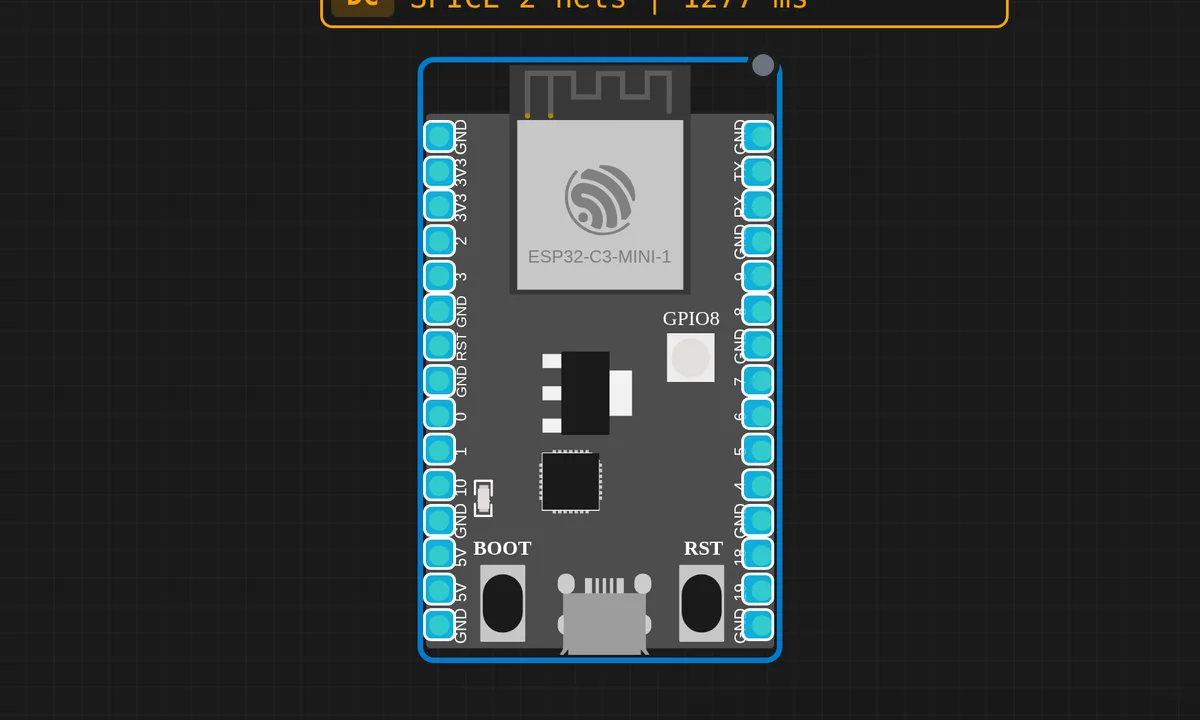
The exact circuit you get when you open this example — already wired, ready to run.
The sketch
#include <BLEDevice.h>
#include <BLEServer.h>
#include <BLEUtils.h>
#include <BLE2902.h>

#define SERVICE_UUID        "4fafc201-1fb5-459e-8fcc-c5c9c331914b"
#define CHARACTERISTIC_UUID "beb5483e-36e1-4688-b7f5-ea07361b26a8"

BLEServer* pServer = nullptr;
BLECharacteristic* pCharacteristic = nullptr;
bool deviceConnected = false;
int counter = 0;

class MyServerCallbacks: public BLEServerCallbacks {
  void onConnect(BLEServer* pServer) {
    deviceConnected = true;
    Serial.println("BLE client connected!");
  }
  void onDisconnect(BLEServer* pServer) {
    deviceConnected = false;
    Serial.println("BLE client disconnected");
    pServer->startAdvertising();
  }
};

void setup() {
  Serial.begin(115200);
  delay(1000);
  Serial.println("ESP32-C3 BLE Advertise Demo");
  Serial.println("===========================");
  Serial.println("Note: ESP32-C3 supports BLE 5.0 only (no Classic BT).");
  Serial.println("BLE init is detected but communication is not emulated.");
  Serial.println();

  BLEDevice::init("sensbench-ESP32C3");
  pServer = BLEDevice::createServer();
  pServer->setCallbacks(new MyServerCallbacks());

  BLEService *pService = pServer->createService(SERVICE_UUID);
  pCharacteristic = pService->createCharacteristic(
    CHARACTERISTIC_UUID,
    BLECharacteristic::PROPERTY_READ |
    BLECharacteristic::PROPERTY_WRITE |
    BLECharacteristic::PROPERTY_NOTIFY
  );
  pCharacteristic->addDescriptor(new BLE2902());
  pCharacteristic->setValue("Hello from sensbench C3!");

  pService->start();
  BLEAdvertising *pAdvertising = BLEDevice::getAdvertising();
  pAdvertising->addServiceUUID(SERVICE_UUID);
  pAdvertising->setScanResponse(true);
  pAdvertising->start();

  Serial.println("BLE advertising started!");
  Serial.println("Device name: sensbench-ESP32C3");
  Serial.printf("Service UUID: %s\n", SERVICE_UUID);
}

void loop() {
  if (deviceConnected) {
    counter++;
    String value = "Count: " + String(counter);
    pCharacteristic->setValue(value.c_str());
    pCharacteristic->notify();
    Serial.printf("Notified: %s\n", value.c_str());
  }
  delay(2000);
}
How it works
Everything hangs off BLEDevice::init("sensbench-ESP32C3"), which starts the Bluedroid host stack and gives the radio its public name. Then comes the classic GATT nesting: createServer(), createService(SERVICE_UUID), and createCharacteristic() with PROPERTY_READ | PROPERTY_WRITE | PROPERTY_NOTIFY. The line that separates a toy from a working peripheral is addDescriptor(new BLE2902()) — that descriptor is the subscription switch a client flips to receive notifications. Without it, clients can read the value but will never be notified.
Connection state lives in the MyServerCallbacks class: onConnect() sets deviceConnected so the loop knows someone is listening, and onDisconnect() calls startAdvertising() again — that re-advertise-on-drop line is the difference between a demo you can reconnect to and one you have to reset. The loop itself is simple: while a client is connected it bumps a counter every two seconds, pushes it with setValue(), and fires notify().
Worth knowing what you are holding: the ESP32-C3 is a single-core RISC-V part at 160 MHz whose radio does BLE 5.0 and nothing else. There is no Classic Bluetooth on this chip, so BluetoothSerial-style SPP sketches copied from classic-ESP32 tutorials will never work here — BLE is the whole menu.
Before you build it for real
The simulator forgives the two things real BLE work punishes. First, a connection is not a subscription: on real hardware a client must also write to the 2902 descriptor to enable notifications, or your notify() calls go nowhere and nothing tells you why — in scanner apps this is the subscribe toggle. Second, this chip is BLE only, no Classic Bluetooth: it will never appear in a phone’s Bluetooth pairing list like a speaker does, and code using BluetoothSerial simply has nothing to run on. A practical note too: the UUIDs in this sketch are the well-known ones from Espressif’s own examples — fine on the bench, but generate your own before shipping anything.
Get the parts
Related examples
FAQ
Why can't I see it in my phone's Bluetooth settings?
BLE peripherals do not appear in the OS pairing list the way Classic Bluetooth devices do. Install a BLE scanner app such as nRF Connect and you will see sensbench-ESP32C3 advertising; from there you can connect, read the characteristic and subscribe to the counter notifications.
Can I test the actual connection in the simulator?
No. The simulator runs the full initialization path and prints every step, but BLE over-the-air traffic is not emulated — no central device exists to connect, so the counter and notify branch never executes. Flash the same sketch to a real C3 board and use a phone as the central to see the whole cycle.