
ESP32-C3 WiFi Connect
ESP32-C3 WiFi Connect is a runnable microcontroller simulation example on SensBench — open the wired circuit, inspect the code, and compile real firmware in your browser, no install needed. Last updated Aug 14, 2026.
FREE SIMULATOR EXAMPLE · BEGINNER
ESP32-C3 WiFi Connect
This example does the one job every connected ESP32-C3 project starts with: join a WiFi network. It associates with the open sensbench-GUEST network on channel 6, prints the IP address, MAC address and RSSI it was given, then keeps watchdog-checking the link every five seconds and re-joins if it drops.
| Board | ESP32-C3 (RISC-V single-core, 160 MHz) |
|---|---|
| Difficulty | beginner |
| Category | communication |
| Libraries | None — WiFi.h ships with the Arduino core |
| Runs in | Sensbench browser simulator — free, no account |
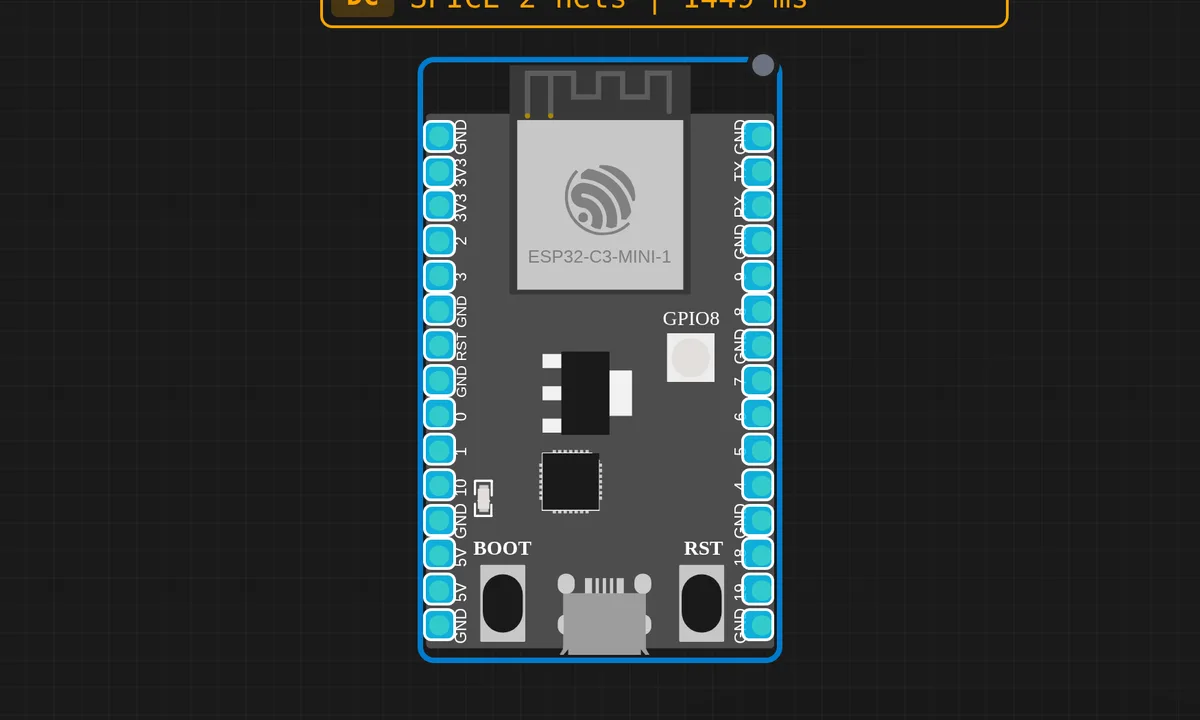
The exact circuit you get when you open this example — already wired, ready to run.
The sketch
#include <WiFi.h>

const char* ssid = "sensbench-GUEST";

void setup() {
  Serial.begin(115200);
  delay(1000);
  Serial.println("ESP32-C3 WiFi Connection Demo");
  Serial.println("=============================");
  Serial.printf("Connecting to %s", ssid);

  WiFi.begin(ssid, "", 6);  // channel 6, no password

  while (WiFi.status() != WL_CONNECTED) {
    delay(500);
    Serial.print(".");
  }

  Serial.println(" Connected!");
  Serial.printf("IP Address: %s\n", WiFi.localIP().toString().c_str());
  Serial.printf("MAC Address: %s\n", WiFi.macAddress().c_str());
  Serial.printf("Signal Strength (RSSI): %d dBm\n", WiFi.RSSI());
}

void loop() {
  if (WiFi.status() == WL_CONNECTED) {
    Serial.println("WiFi still connected - IP: " + WiFi.localIP().toString());
  } else {
    Serial.println("WiFi disconnected! Reconnecting...");
    WiFi.begin(ssid, "", 6);
  }
  delay(5000);
}
How it works
WiFi.begin(ssid, "", 6) takes three arguments here: the SSID, an empty password because the demo AP is open, and a channel number. That third argument matters more than it looks — without it the radio scans all 13 channels hunting for the BSSID before it can associate; with it, the join skips straight to channel 6.
The connect is asynchronous: WiFi.begin() returns immediately while the radio does its handshake in the background, so the sketch waits by polling WiFi.status() in a while loop, printing a dot every 500 ms until it gets WL_CONNECTED. On success, WiFi.localIP(), WiFi.macAddress() and WiFi.RSSI() report what DHCP and the link actually gave you.
The loop() is a tiny watchdog: every five seconds it re-reads WiFi.status() and calls WiFi.begin() again if the association is gone. Production firmware adds backoff and a failure counter, but the instinct is exactly right — a WiFi link is something you supervise, not something you set up once.
Before you build it for real
Real hardware adds two problems the simulator hides. First, the connect loop has no timeout: point this sketch at a mistyped SSID or a dead AP and it prints dots forever — give it ten seconds, then fall back to something useful instead of hanging. Second, the empty password only works on open networks, which barely exist outside demos, and whatever you do join must offer a 2.4 GHz SSID because the C3 radio cannot see 5 GHz. On dual-band routers where both bands share one name, a join failure usually means the 2.4 GHz side is disabled — not that your code is wrong.
Get the parts
Related examples
FAQ
Why pass the channel number to WiFi.begin()?
It is a speed optimization: the radio skips the all-channel scan and associates directly on channel 6, shaving a second or two off the join. Use it when you know the AP’s channel — omit it when you do not, because the connect will fail if the AP ever moves channels.
Can the ESP32-C3 join a 5 GHz network?
No. The radio is 2.4 GHz 802.11b/g/n only and cannot hear 5 GHz beacons at all. If your router merges both bands under one SSID, make sure the 2.4 GHz band is actually enabled — that is the most common reason a C3 refuses a network your phone joins happily.