
ESP32-CAM: Webcam Demo
ESP32-CAM: Webcam Demo is a runnable microcontroller simulation example on SensBench — open the wired circuit, inspect the code, and compile real firmware in your browser, no install needed. Last updated Aug 14, 2026.
FREE SIMULATOR EXAMPLE · BEGINNER
ESP32-CAM: Webcam Demo
This example is the smallest useful ESP32-CAM program: initialise the emulated OV2640, then pull frames in a loop and print each frame’s byte count, dimensions, pixel format and first four bytes to the Serial Monitor. Click Camera in the canvas header and JPEG headers scroll by at roughly ten frames a second — proof that the whole camera pipeline is alive.
| Board | ESP32-CAM (Xtensa LX6, 240 MHz) + OV2640 camera |
|---|---|
| Difficulty | beginner |
| Category | sensors |
| Libraries | None — just the Arduino core |
| Runs in | Sensbench browser simulator — free, no account |
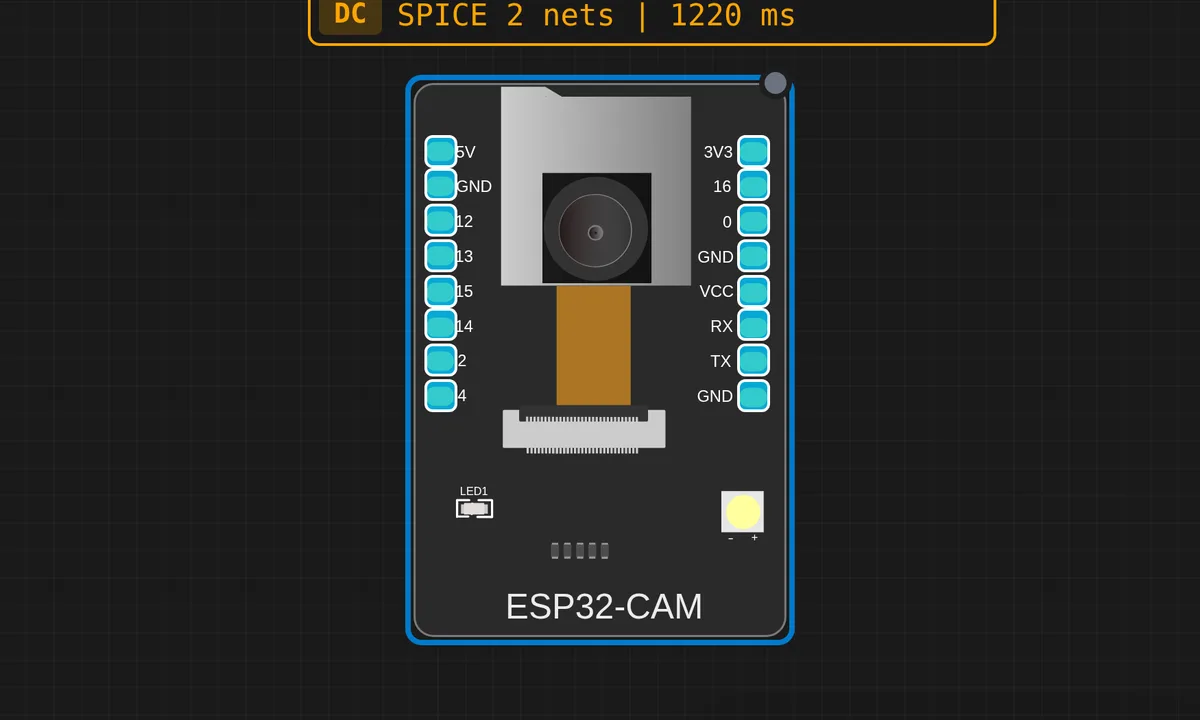
The exact circuit you get when you open this example — already wired, ready to run.
The sketch
// sensbench ESP32-CAM webcam demo — minimal
// Click the "Camera" button in the canvas header to start streaming
// your webcam frames into the emulated OV2640.

#include "esp_camera.h"

// AI-Thinker ESP32-CAM pinout
#define PWDN_GPIO_NUM     32
#define RESET_GPIO_NUM    -1
#define XCLK_GPIO_NUM      0
#define SIOD_GPIO_NUM     26
#define SIOC_GPIO_NUM     27
#define Y9_GPIO_NUM       35
#define Y8_GPIO_NUM       34
#define Y7_GPIO_NUM       39
#define Y6_GPIO_NUM       36
#define Y5_GPIO_NUM       21
#define Y4_GPIO_NUM       19
#define Y3_GPIO_NUM       18
#define Y2_GPIO_NUM        5
#define VSYNC_GPIO_NUM    25
#define HREF_GPIO_NUM     23
#define PCLK_GPIO_NUM     22

void setup() {
  Serial.begin(115200);
  delay(1000);
  Serial.println("=== sensbench ESP32-CAM webcam demo ===");

  camera_config_t cfg = {};
  cfg.ledc_channel = LEDC_CHANNEL_0;
  cfg.ledc_timer   = LEDC_TIMER_0;
  cfg.pin_d0 = Y2_GPIO_NUM; cfg.pin_d1 = Y3_GPIO_NUM;
  cfg.pin_d2 = Y4_GPIO_NUM; cfg.pin_d3 = Y5_GPIO_NUM;
  cfg.pin_d4 = Y6_GPIO_NUM; cfg.pin_d5 = Y7_GPIO_NUM;
  cfg.pin_d6 = Y8_GPIO_NUM; cfg.pin_d7 = Y9_GPIO_NUM;
  cfg.pin_xclk     = XCLK_GPIO_NUM;
  cfg.pin_pclk     = PCLK_GPIO_NUM;
  cfg.pin_vsync    = VSYNC_GPIO_NUM;
  cfg.pin_href     = HREF_GPIO_NUM;
  cfg.pin_sccb_sda = SIOD_GPIO_NUM;
  cfg.pin_sccb_scl = SIOC_GPIO_NUM;
  cfg.pin_pwdn     = PWDN_GPIO_NUM;
  cfg.pin_reset    = RESET_GPIO_NUM;
  cfg.xclk_freq_hz = 20000000;
  cfg.pixel_format = PIXFORMAT_JPEG;
  cfg.frame_size   = FRAMESIZE_QVGA;
  cfg.jpeg_quality = 12;
  cfg.fb_count     = 1;
  cfg.fb_location  = CAMERA_FB_IN_DRAM;

  esp_err_t err = esp_camera_init(&cfg);
  if (err != ESP_OK) {
    Serial.printf("camera_init FAIL: 0x%x\n", err);
    while (1) delay(1000);
  }
  Serial.println("camera_init OK");

  sensor_t* s = esp_camera_sensor_get();
  if (s) {
    Serial.printf("OV2640 PID=0x%02X VER=0x%02X MIDH=0x%02X MIDL=0x%02X\n",
                  s->id.PID, s->id.VER, s->id.MIDH, s->id.MIDL);
  }
  Serial.println("Click 'Camera' in the canvas header to start streaming.");
}

void loop() {
  static uint32_t n = 0;
  camera_fb_t* fb = esp_camera_fb_get();
  if (!fb) {
    static uint32_t nulls = 0;
    if (++nulls % 20 == 0) Serial.printf("waiting... (%u nulls)\n", nulls);
    delay(200);
    return;
  }
  n++;
  Serial.printf("frame %u: %u bytes %ux%u fmt=%d  head=%02X %02X %02X %02X\n",
                n, fb->len, fb->width, fb->height, fb->format,
                fb->buf[0], fb->buf[1], fb->buf[2], fb->buf[3]);
  esp_camera_fb_return(fb);
  delay(100);
}
How it works
Most of setup() is one long camera_config_t — the AI-Thinker pin map. Eight data lines (Y2–Y9 on GPIO 5, 18, 19, 21, 36, 39, 34, 35), pixel clock on 22, vsync on 25, href on 23, the SCCB control bus on 26/27, and XCLK on GPIO0 driven at 20 MHz. esp_camera_init() probes the sensor over SCCB; on success the sketch grabs the sensor_t handle and prints the OV2640’s PID, VER and manufacturer ID registers — the same registers you would check on real hardware to prove the ribbon cable is seated.
The loop is a three-step discipline worth copying into every camera project: esp_camera_fb_get() to borrow a frame buffer, use it (here just printing fb->len, width, height, format and the first four bytes), then esp_camera_fb_return() to hand it back. Forget the return and the driver starves within a couple of frames. NULL returns are counted as nulls rather than treated as fatal, because a camera that has not started yet is a normal state, not an error.
Why print raw bytes at all? The config asks for PIXFORMAT_JPEG and the OV2640 compresses in hardware, so a valid frame always starts with the JPEG SOI marker FF D8 FF — dumping fb->buf[0..3] lets you verify at a glance that the sensor delivers what you configured. A QVGA JPEG lands at a few kilobytes; the same frame as raw RGB565 would be 150 KB. The delay(100) at the bottom throttles the loop to roughly ten frames per second.
Before you build it for real
On a real ESP32-CAM the hard part is not the code, it is the board itself. There is no USB port — you flash through a 3.3 V FTDI adapter with GPIO0 jumpered to GND, then remove the jumper and reset to run; leave it on and the board boots straight back into download mode. If serial shows camera_init FAIL: 0x105, that is ESP_ERR_NOT_FOUND: the SCCB bus could not find the sensor, which on real hardware is almost always a poorly seated OV2640 ribbon or a sagging 3.3 V rail — power-cycle, do not just reset. And the camera’s current spikes brown out cheap FTDI adapters, so a dedicated 5 V / 2 A supply fixes most ‘random’ init failures.
Get the parts
Related examples
FAQ
Why does the Serial Monitor just say 'waiting… (N nulls)'?
Because the emulated camera only produces frames after you click Camera in the canvas header and grant webcam permission — until then esp_camera_fb_get() returns NULL and the sketch counts nulls, printing the tally every 20 so the serial does not flood. On real hardware, persistent nulls mean the sensor was not initialised correctly or XCLK is not running; re-check the config against your board’s pin map.
What are the four hex bytes printed at the end of each frame line?
The first four bytes of the frame buffer. With PIXFORMAT_JPEG every frame must begin with FF D8 FF — the JPEG start-of-image marker — so they are a one-glance integrity check. If you ever see different values there, the sensor is delivering a different pixel format than your code asked for.