
SPI Loopback Test
SPI Loopback Test is a runnable microcontroller simulation example on SensBench — open the wired circuit, inspect the code, and compile real firmware in your browser, no install needed. Last updated Aug 14, 2026.
FREE SIMULATOR EXAMPLE · INTERMEDIATE
SPI Loopback Test
This example exercises the Arduino Uno’s hardware SPI bus: it sends eight test bytes — 0xAA, 0x55, 0xFF, 0x00, 0x42, 0xDE, 0xAD, 0xBE — at 1 MHz and prints each one next to whatever came back on the MISO line. In the simulator every byte echoes, so each line ends with ‘loopback OK’.
| Board | Arduino Uno (ATmega328P, 16 MHz, 5 V logic) |
|---|---|
| Difficulty | intermediate |
| Category | communication |
| Libraries | None — just the Arduino core |
| Runs in | Sensbench browser simulator — free, no account |
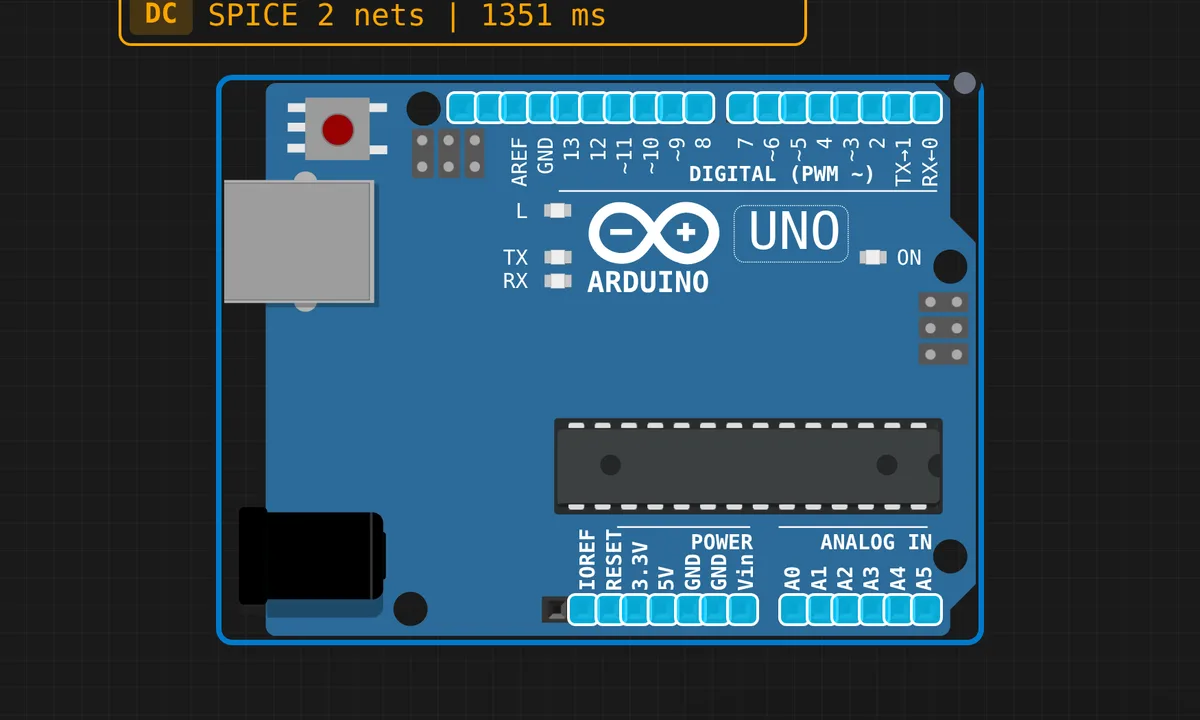
The exact circuit you get when you open this example — already wired, ready to run.
The sketch
// SPI Loopback Test
// Sends bytes via SPI and logs the exchange.
// Without a physical slave, the emulator returns the sent byte.

#include <SPI.h>

#define SS_PIN 10

void setup() {
  Serial.begin(9600);
  Serial.println("========================");
  Serial.println("  SPI Protocol Test");
  Serial.println("========================");
  Serial.println();

  pinMode(SS_PIN, OUTPUT);
  digitalWrite(SS_PIN, HIGH);
  SPI.begin();
  SPI.setClockDivider(SPI_CLOCK_DIV16);

  Serial.println("SPI initialized.");
  Serial.print("Clock divider: 16 (");
  Serial.print(F_CPU / 16);
  Serial.println(" Hz)");
  Serial.println();

  // Send test pattern
  Serial.println("Sending test pattern via SPI:");
  byte testData[] = {0xAA, 0x55, 0xFF, 0x00, 0x42, 0xDE, 0xAD, 0xBE};

  digitalWrite(SS_PIN, LOW);  // Select slave

  for (int i = 0; i < sizeof(testData); i++) {
    byte sent = testData[i];
    byte received = SPI.transfer(sent);

    Serial.print("  TX: 0x");
    if (sent < 16) Serial.print("0");
    Serial.print(sent, HEX);
    Serial.print("  RX: 0x");
    if (received < 16) Serial.print("0");
    Serial.print(received, HEX);

    if (sent == received) {
      Serial.println("  (loopback OK)");
    } else {
      Serial.println();
    }
  }

  digitalWrite(SS_PIN, HIGH);  // Deselect slave

  Serial.println();
  Serial.println("SPI test complete.");
}

void loop() {
  delay(1000);
}
How it works
SPI.begin() claims the Uno’s hardware SPI pins: MOSI on 11, MISO on 12, SCK on 13. SPI.setClockDivider(SPI_CLOCK_DIV16) divides the 16 MHz system clock down to 1 MHz — the sketch prints F_CPU / 16 as 1000000 Hz to prove it. That is deliberately slow: for a first bus test over jumper wires, a conservative clock forgives ugly wiring.
SPI.transfer(sent) is full-duplex — every SCK pulse shifts one bit out on MOSI and one bit in on MISO at the same time, so the single call both sends your byte and returns whatever the slave shifted in. The sketch drives SS on pin 10 LOW before the pattern and HIGH after it, exactly as a real slave select would.
The two lines around SS are doing quiet but important work: pinMode(SS_PIN, OUTPUT) matters because on the ATmega328P, if the SS pin is an input and gets pulled low, the SPI hardware silently drops into slave mode and your master transfers turn to garbage. Forcing it an output keeps the bus in master mode even though no slave is attached.
Before you build it for real
The echo is the simulator being kind. On a real Uno with nothing attached, MISO floats and SPI.transfer() returns garbage — usually 0xFF — so for a true loopback bridge pin 11 (MOSI) to pin 12 (MISO) with one jumper. Second, the Uno’s SPI pins are 5 V logic: SD cards and most SPI sensors are 3.3 V parts whose inputs are not 5 V tolerant, so a real build needs a level shifter or a module with one onboard. Third, 1 MHz survives messy jumpers, but crank the divider down toward 8 MHz and long breadboard leads start corrupting bytes — shorten wires before blaming code.
Get the parts
Related examples
FAQ
Why do I read 0xFF for every byte on my real Uno?
Nothing is driving MISO, so the floating input drifts high and you read all ones. For a genuine loopback, bridge pin 11 (MOSI) to pin 12 (MISO) with one jumper — then every byte you shift out comes straight back, exactly like the simulator shows.
Is setClockDivider the modern way to configure SPI?
It is the legacy API — simple and fine for a quick test like this. Newer sketches pass SPISettings(speed, bitOrder, dataMode) to SPI.beginTransaction(), which also handles bus sharing between multiple devices safely. On the classic Uno both paths configure the same AVR SPI hardware underneath.