
AND Gate Alarm
AND Gate Alarm is a runnable microcontroller simulation example on SensBench — open the wired circuit, inspect the code, and compile real firmware in your browser, no install needed. Last updated Aug 14, 2026.
FREE SIMULATOR EXAMPLE · BEGINNER
AND Gate Alarm
This example is a pure digital circuit with no microcontroller: two slide switches feed an AND gate, and the alarm LED lights only when BOTH are ON. No code, no clock — just the gate doing logic in hardware, evaluated by the simulator’s digital gate engine.
| Board | None — pure 74HC-series logic circuit |
|---|---|
| Difficulty | beginner |
| Category | circuits |
| Libraries | None — just the Arduino core |
| Runs in | Sensbench browser simulator — free, no account |
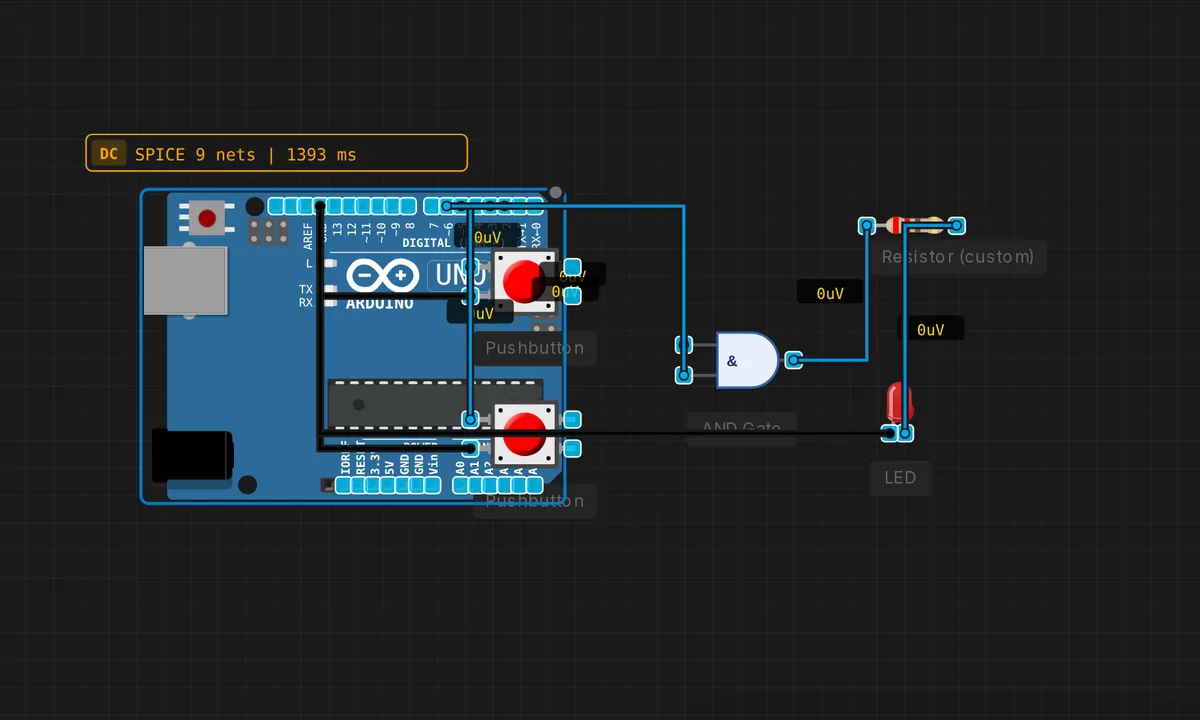
The exact circuit you get when you open this example — already wired, ready to run.
The sketch (deliberately empty — the circuit does all the work)
// Pure digital circuit — no MCU. Slide BOTH switches ON to arm the alarm.
void setup() {}
void loop()  {}
How it works
Two slide switches feed the AND gate’s inputs. The gate’s output is HIGH only when both switches are ON — the alarm LED lights on exactly that combination. The truth table is the entire design: 00, 01, 10 all stay dark, 11 lights the LED.
There is nothing to trace in code — the sketch is empty on purpose. The whole behavior lives in the gate’s physics, and the simulator’s digital gate engine evaluates it instantly whenever a switch moves. Flip one switch at a time and watch the LED stay dark until both are set.
Before you build it for real
Real logic gates need defined input levels at all times: a floating switch input (disconnected or broken wire) sits at an undefined voltage and the gate can read either way — always tie unused or uncommitted inputs to a rail. The gate’s output drive is small (a few milliamps for TTL-class outputs): the LED still needs its series resistor, and heavier loads need a transistor buffer. And the “alarm” here is purely visual — a real alarm adds a latching stage (an SR latch) so the LED stays on after the doors close again, which is the natural next example in this collection.
Get the parts
Related examples
FAQ
Why is there no MCU in this example?
The AND gate IS the logic. Two switches feed it, and the gate does the comparison in hardware — no code, no clock, no boot. The sketch is deliberately empty (setup() and loop() blank) because the entire circuit runs on the digital gate engine. It is electronics at its most fundamental.
Why slide switches instead of buttons?
The description says it: slide switches latch. To arm the alarm you must hold BOTH conditions at once, which is impossible with momentary buttons and your fingers — but a slide switch stays where you leave it. The latching behavior is a property of the component, and the alarm logic depends on it.