
4-bit Binary Counter
4-bit Binary Counter is a runnable microcontroller simulation example on SensBench — open the wired circuit, inspect the code, and compile real firmware in your browser, no install needed. Last updated Aug 14, 2026.
FREE SIMULATOR EXAMPLE · BEGINNER
4-bit Binary Counter
This example counts from 0 to 15 in binary on four LEDs — pins 2 through 5 as the four bit positions. Watch the rightmost LED flip every step, the next every two, and so on: binary place value made visible at 2 counts per second.
| Board | Arduino Uno (ATmega328P) + logic / power circuit |
|---|---|
| Difficulty | beginner |
| Category | circuits |
| Libraries | None — just the Arduino core |
| Runs in | Sensbench browser simulator — free, no account |
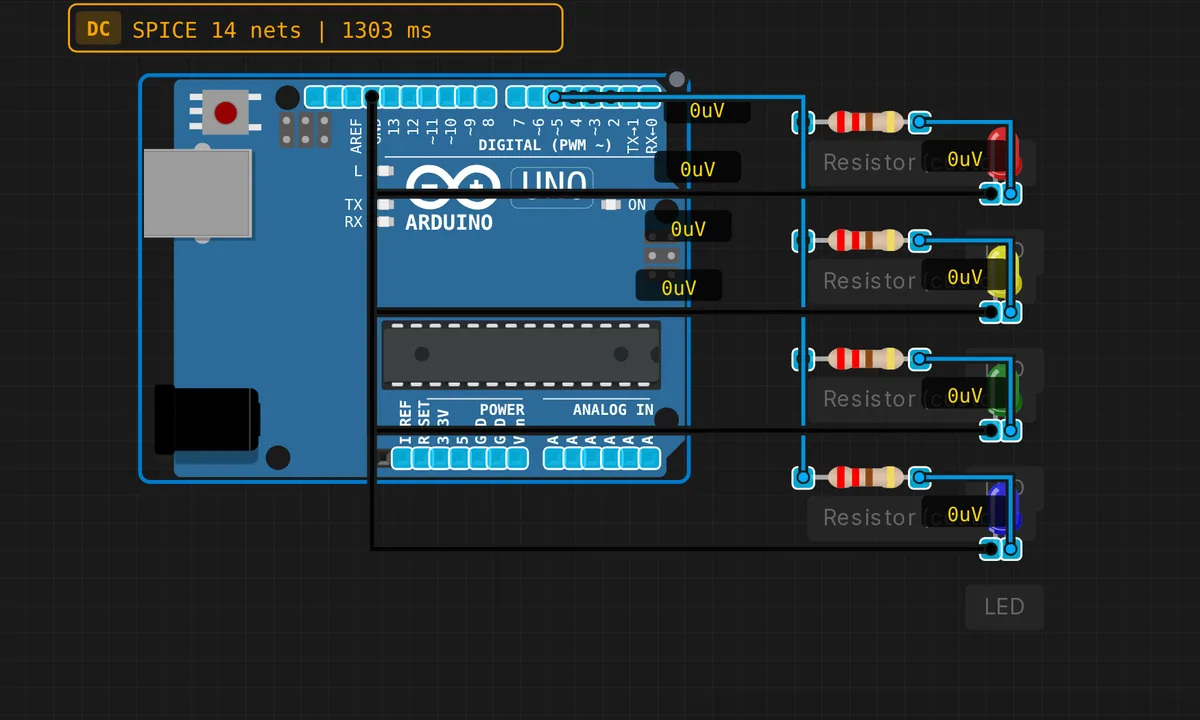
The exact circuit you get when you open this example — already wired, ready to run.
The sketch
// 4-bit binary counter on LEDs
int count = 0;
void setup() { for(int i=2;i<=5;i++) pinMode(i,OUTPUT); }
void loop() {
  for(int i=0;i<4;i++) digitalWrite(i+2, (count>>i)&1);
  count = (count+1) % 16;
  delay(500);
}
How it works
Four pins (2-5) drive four LEDs — the bit positions of a 4-bit counter. The loop extracts each bit with (count >> i) & 1 and writes it to the matching pin, then increments the counter modulo 16. The 500 ms step makes each binary value readable: 0000, 0001, 0010, 0011… up to 1111 and back to 0000.
The bit-shift extraction is the general pattern for driving any binary display — the same loop with 8 pins becomes an 8-bit counter, with 16 pins a 16-bit one. The modulo-16 wrap is binary’s natural rollover: 15 + 1 = 0 in a 4-bit register, which is the same overflow behavior real counters exhibit.
Before you build it for real
The delay(500) blocks the loop — this counter cannot do anything else while counting, which is fine for a demo and the first thing to fix in a real project (millis()-based stepping). Four LEDs means four series resistors on a real bench, and the 50 mA combined draw approaches the rail’s comfortable budget. And binary is unreadable until you learn it — the example is the training: after a minute of watching, 0101 = 5 becomes as obvious as a 7-segment 5.
Get the parts
Related examples
FAQ
Why count in binary instead of decimal?
Four LEDs are four bits, and four bits count 0-15 — the natural language of digital hardware. Watching the count in binary makes the place-value system visible: the rightmost LED flips every step, the next one every two, then four, then eight. Decimal displays hide exactly this.
How does (count>>i)&1 pick the bit?
count >> i shifts the counter right by i positions, and & 1 masks off everything but the lowest bit — extracting bit i. For i from 0 to 3, it pulls out each of the four bits that represent the count, and the loop writes them to the four LED pins.