
Half-Wave Rectifier
Half-Wave Rectifier is a runnable microcontroller simulation example on SensBench — open the wired circuit, inspect the code, and compile real firmware in your browser, no install needed. Last updated Aug 14, 2026.
FREE SIMULATOR EXAMPLE · INTERMEDIATE
Half-Wave Rectifier
This example samples a half-wave rectifier on the Arduino Uno’s A0 at 200 samples per second — open the Serial Plotter and watch the diode pass only the positive half-cycles. It is an oscilloscope made from an ADC and a plotter window.
| Board | Arduino Uno (ATmega328P) + analog SPICE circuit |
|---|---|
| Difficulty | intermediate |
| Category | circuits |
| Libraries | None — just the Arduino core |
| Runs in | Sensbench browser simulator — free, no account |
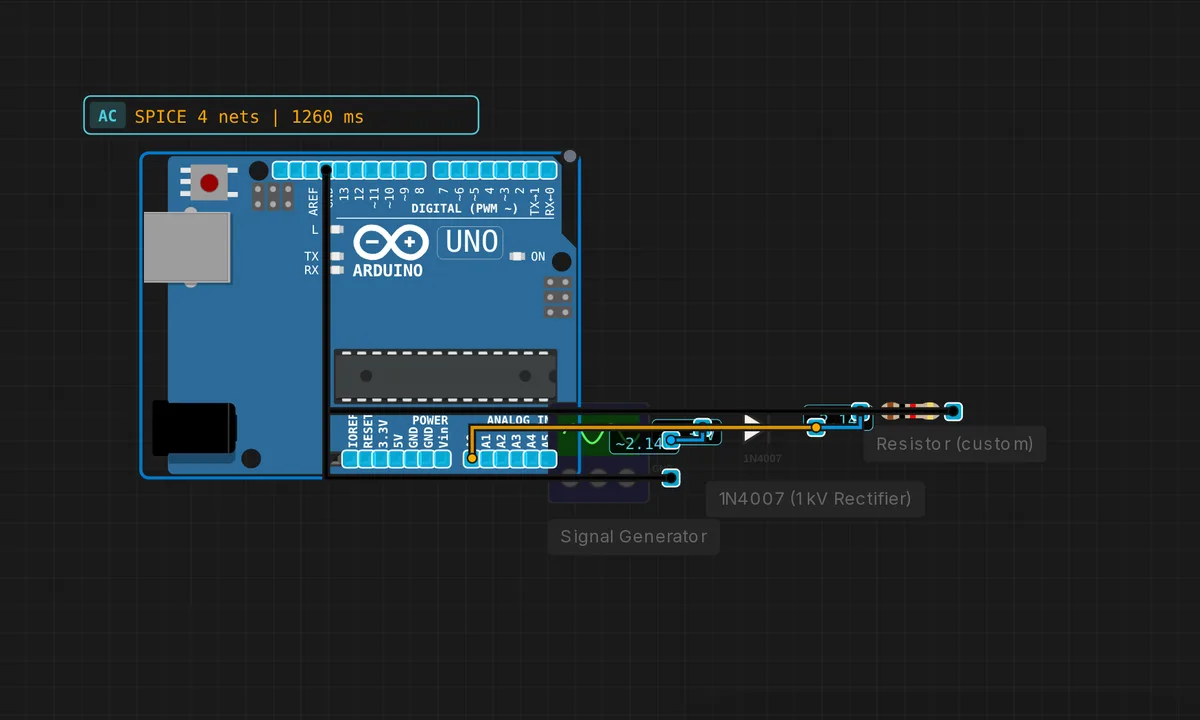
The exact circuit you get when you open this example — already wired, ready to run.
The sketch
// Half-wave rectifier — observe on Serial plotter
void setup() { Serial.begin(115200); }
void loop() {
  int raw = analogRead(A0);
  Serial.println(raw);
  delay(5);
}
How it works
The circuit is a single diode in series with the signal — the simplest possible rectifier. The sketch samples A0 every 5 ms and prints the raw ADC value, relying on the IDE’s Serial Plotter to draw the waveform. No averaging, no filtering — the raw shape is the lesson.
At 200 samples per second the plotter shows the rectified half-sine: rising and falling bumps with flat zero periods in between. The 115200 baud rate keeps the serial stream ahead of the samples so the plotter stays real-time.
Before you build it for real
A real diode drops about 0.7 V (silicon) when conducting — the rectified output is not just half the wave, it is the wave minus 0.7 V, so low-amplitude signals come out nearly flat. The ADC also cannot read negative voltages: the blocked half-cycle reads 0, not the true negative swing, and feeding a negative voltage below -0.5 V can damage the pin. And the 5 ms sampling aliases anything above 100 Hz — faster input signals produce misleading traces; Nyquist applies to your plotter too.
Get the parts
Related examples
FAQ
Why sample every 5 ms?
The rectified waveform is a series of half-sine bumps at the signal frequency. Sampling at 5 ms (200 Hz) captures enough points per bump to see its shape. The Serial Plotter in the Arduino IDE turns the stream into a live oscilloscope trace — this example is designed for the plotter, not the text monitor.
Why does the diode only pass half the wave?
A diode conducts in one direction: forward-biased it passes current, reverse-biased it blocks. An AC input’s positive half-cycles flow through, the negative half-cycles are blocked — hence “half-wave.” The output is DC only in the sense that it never goes negative, not in the sense of being smooth.