
DC Motor Control (L293D)
DC Motor Control (L293D) is a runnable microcontroller simulation example on SensBench — open the wired circuit, inspect the code, and compile real firmware in your browser, no install needed. Last updated Aug 14, 2026.
FREE SIMULATOR EXAMPLE · INTERMEDIATE
DC Motor Control (L293D)
This example drives a DC motor through an L293D H-bridge on the Arduino Uno — forward for two seconds, brake, reverse for two, brake again. The two input pins pick the direction, the enable pin carries the speed PWM: the complete motor-control pattern.
| Board | Arduino Uno (ATmega328P) + logic / power circuit |
|---|---|
| Difficulty | intermediate |
| Category | circuits |
| Libraries | None — just the Arduino core |
| Runs in | Sensbench browser simulator — free, no account |
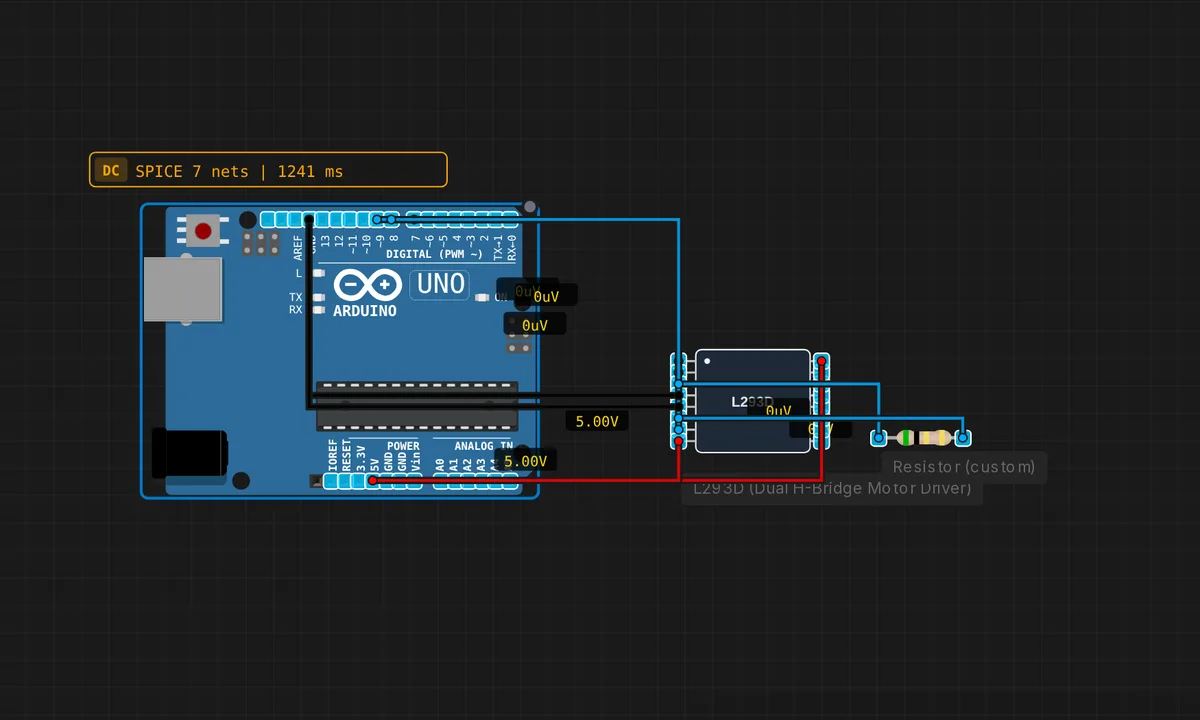
The exact circuit you get when you open this example — already wired, ready to run.
The sketch
// L293D motor control — forward, reverse, brake
#define EN 9
#define IN1 7
#define IN2 8
void setup() { pinMode(EN,OUTPUT); pinMode(IN1,OUTPUT); pinMode(IN2,OUTPUT); }
void forward()  { digitalWrite(IN1,HIGH); digitalWrite(IN2,LOW);  analogWrite(EN,200); }
void reverse()  { digitalWrite(IN1,LOW);  digitalWrite(IN2,HIGH); analogWrite(EN,200); }
void brake()    { digitalWrite(IN1,LOW);  digitalWrite(IN2,LOW);  analogWrite(EN,0);   }
void loop() {
  forward(); delay(2000);
  brake();   delay(500);
  reverse(); delay(2000);
  brake();   delay(500);
}
How it works
Three control lines drive the L293D: IN1 and IN2 set the direction, EN carries the speed PWM. forward() sets IN1 HIGH/IN2 LOW with 200/255 enable, reverse() flips the pair, and brake() grounds both inputs and zeroes the enable. The loop runs forward 2 s, brake 0.5 s, reverse 2 s, brake 0.5 s.
The H-bridge is four switches in an H shape — the two IN pins pick which diagonal conducts, steering the current through the motor either way. The enable pin’s PWM level scales the effective voltage: analogWrite(EN, 200) runs the motor at about 78% of full speed in both directions.
Before you build it for real
The L293D is a bipolar driver with a hefty voltage drop: it loses roughly 1.2-2 V across its output transistors, so a 5 V motor supply delivers only ~3.5 V to the motor — account for the loss in the motor’s voltage rating. The motor needs a separate supply: drawing motor current from the Arduino’s 5 V rail browns out the board on the first stall. And stalling is the worst case — a stalled motor pulls its maximum current through the bridge, so add decoupling capacitors near the driver’s supply pins, and never reverse direction instantly at full speed: the inrush spike is how H-bridges die.
Get the parts
Related examples
FAQ
Why can't the Arduino drive the motor directly?
Two reasons: current and direction. A motor draws hundreds of milliamps (amps when stalled), far past the pin limit. And reversing a motor means reversing the current through it — a microcontroller pin can only source or sink one direction. The H-bridge solves both: four switches arranged so the motor current can flow either way, controlled by two logic inputs.
What is "brake" in an H-bridge?
Braking shorts the motor’s two terminals together (both IN pins LOW with the enable active in some modes, or simply the enable off here). The spinning motor becomes a generator into a short — its rotational energy dumps as current, and it stops far faster than freewheeling. The sketch’s brake() function drives both inputs LOW and cuts the enable.