
[Pico] I2C EEPROM R/W
[Pico] I2C EEPROM R/W is a runnable microcontroller simulation example on SensBench — open the wired circuit, inspect the code, and compile real firmware in your browser, no install needed. Last updated Aug 14, 2026.
FREE SIMULATOR EXAMPLE · INTERMEDIATE
[Pico] I2C EEPROM R/W
This example writes eight bytes to a virtual I2C EEPROM at address 0x50 on the Raspberry Pi Pico, then reads them back and reports how many match. It is a complete round-trip test: wiring, addressing, write-cycle timing, and read-back verification in one sketch.
| Board | Raspberry Pi Pico (RP2040 dual-core Cortex-M0+, 133 MHz) |
|---|---|
| Difficulty | intermediate |
| Category | communication |
| Libraries | None — just the Arduino core |
| Runs in | Sensbench browser simulator — free, no account |
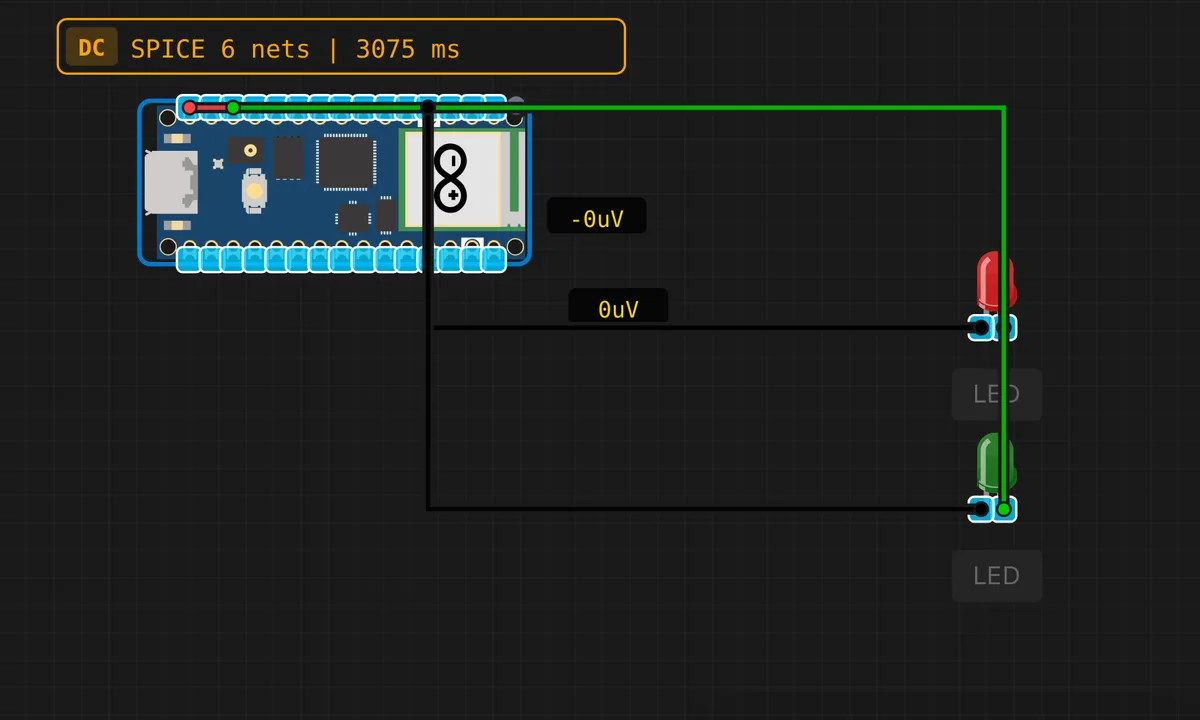
The exact circuit you get when you open this example — already wired, ready to run.
The sketch
// Raspberry Pi Pico — I2C EEPROM Read/Write
// Writes data to virtual EEPROM at 0x50 and reads it back

#include <Wire.h>

#define EEPROM_ADDR 0x50

void eepromWrite(byte memAddr, byte data) {
  Wire.beginTransmission(EEPROM_ADDR);
  Wire.write(memAddr);
  Wire.write(data);
  Wire.endTransmission();
  delay(5); // EEPROM write cycle
}

byte eepromRead(byte memAddr) {
  Wire.beginTransmission(EEPROM_ADDR);
  Wire.write(memAddr);
  Wire.endTransmission();
  Wire.requestFrom(EEPROM_ADDR, 1);
  return Wire.available() ? Wire.read() : 0xFF;
}

void setup() {
  Serial.begin(115200);
  delay(500);
  Wire.begin();
  Serial.println("=== Pico I2C EEPROM Test ===");
  Serial.println();

  // Write 8 bytes
  Serial.println("Writing 8 bytes...");
  byte testData[] = {0xDE, 0xAD, 0xBE, 0xEF, 0xCA, 0xFE, 0xBA, 0xBE};
  for (int i = 0; i < 8; i++) {
    eepromWrite(i, testData[i]);
    Serial.print("  ["); Serial.print(i);
    Serial.print("] = 0x");
    if (testData[i] < 16) Serial.print('0');
    Serial.println(testData[i], HEX);
  }
  Serial.println();

  // Read back
  Serial.println("Reading back...");
  int pass = 0;
  for (int i = 0; i < 8; i++) {
    byte val = eepromRead(i);
    Serial.print("  ["); Serial.print(i);
    Serial.print("] = 0x");
    if (val < 16) Serial.print('0');
    Serial.print(val, HEX);
    if (val == testData[i]) {
      Serial.println(" OK");
      pass++;
    } else {
      Serial.print(" FAIL (expected 0x");
      Serial.print(testData[i], HEX);
      Serial.println(")");
    }
  }

  Serial.println();
  Serial.print("Result: ");
  Serial.print(pass);
  Serial.println("/8 passed");
}

void loop() {
  delay(10000);
}
How it works
The sketch writes eight test bytes — 0xDE 0xAD 0xBE 0xEF 0xCA 0xFE 0xBA 0xBE — to addresses 0-7 using eepromWrite(), which sends the memory address followed by the data byte in one I2C transaction, then waits 5 ms for the write cycle. Then it reads each byte back with eepromRead(): set the pointer, request one byte, compare.
The loop at the end is just delay(10000) — the test runs once in setup() and the sketch goes quiet. The pass/fail summary printed at the end is the whole point: a 8/8 pass proves the write-read round trip survived the EEPROM’s storage layer, not just the I2C wire.
Before you build it for real
Real EEPROMs have limited write endurance — commonly 100,000 to 1,000,000 write cycles per cell. The simulator never wears out, but a logging sketch that writes every minute will kill a real chip in under two years; wear-leveling (spread writes across addresses) is the standard mitigation. Also, some EEPROMs only allow writes to the page the address belongs to — a multi-byte write crossing a 32-byte page boundary can corrupt data. And if you power-cycle the Pico, the EEPROM keeps its contents while the RTC-style volatile memory does not — that persistence is exactly why you use one.
Get the parts
Related examples
FAQ
Why the 5 ms delay after every write?
EEPROM cells physically take time to store a byte — typically 3-5 ms for these chips. The delay(5) after each write gives the cell time to complete before the next operation. Writing faster than the chip can store data silently corrupts it.
Why does the read return 0xFF when no device responds?
0xFF is the I2C bus’s default idle state: with nothing driving the line, the pull-ups hold it high, so every bit read is a 1. The sketch returns 0xFF when Wire.available() is false — a useful sentinel: a missing EEPROM looks like 0xFF in every location.