
Blynk Based IoT Relay Control (MicroPython)
Blynk Based IoT Relay Control (MicroPython) is a runnable microcontroller simulation example on SensBench — open the wired circuit, inspect the code, and compile real firmware in your browser, no install needed. Last updated Aug 14, 2026.
FREE SIMULATOR EXAMPLE · ADVANCED
Blynk Based IoT Relay Control (MicroPython)
This example controls a relay from the Blynk app on the Raspberry Pi Pico W — the app’s switch writes a virtual pin, MQTT carries it to the device, and the relay on GP2 follows. The canonical phone-to-actuator IoT pattern.
| Board | Raspberry Pi Pico W (RP2040 + WiFi) |
|---|---|
| Difficulty | advanced |
| Category | communication |
| Libraries | None — just the Arduino core |
| Runs in | Sensbench browser simulator — free, no account |
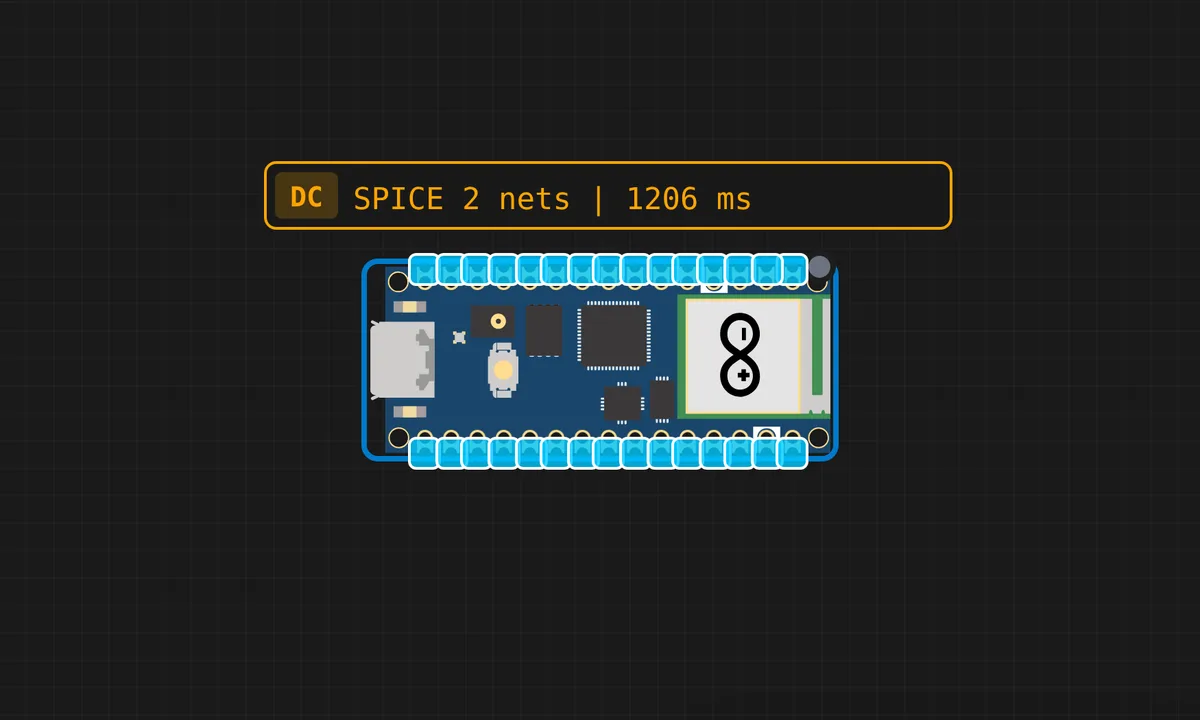
The exact circuit you get when you open this example — already wired, ready to run.
The sketch
# BlynkLib.py
# Copyright (c) 2015-2019 Volodymyr Shymanskyy. See the file LICENSE for copying permission.

__version__ = "1.0.0"

import struct
import time
import sys
import os

try:
    import machine
    gettime = lambda: time.ticks_ms()
    SOCK_TIMEOUT = 0
except ImportError:
    const = lambda x: x
    gettime = lambda: int(time.time() * 1000)
    SOCK_TIMEOUT = 0.05

def dummy(*args):
    pass

MSG_RSP = const(0)
MSG_LOGIN = const(2)
MSG_PING  = const(6)

MSG_TWEET = const(12)
MSG_NOTIFY = const(14)
MSG_BRIDGE = const(15)
MSG_HW_SYNC = const(16)
MSG_INTERNAL = const(17)
MSG_PROPERTY = const(19)
MSG_HW = const(20)
MSG_HW_LOGIN = const(29)
MSG_EVENT_LOG = const(64)

MSG_REDIRECT  = const(41)  # TODO: not implemented
MSG_DBG_PRINT  = const(55) # TODO: not implemented

STA_SUCCESS = const(200)
STA_INVALID_TOKEN = const(9)

DISCONNECTED = const(0)
CONNECTING = const(1)
CONNECTED = const(2)

print("""
    ___  __          __
   / _ )/ /_ _____  / /__
  / _  / / // / _ \\/  '_/
 /____/_/\\_, /_//_/_/\\_\\
        /___/ for Python v""" + __version__ + " (" + sys.platform + ")\n")

class EventEmitter:
    def __init__(self):
        self._cbks = {}

    def on(self, evt, f=None):
        if f:
            self._cbks[evt] = f
        else:
            def D(f):
                self._cbks[evt] = f
                return f
            return D

    def emit(self, evt, *a, **kv):
        if evt in self._cbks:
            self._cbks[evt](*a, **kv)


class BlynkProtocol(EventEmitter):
    def __init__(self, auth, tmpl_id=None, fw_ver=None, heartbeat=50, buffin=1024, log=None):
        EventEmitter.__init__(self)
        self.heartbeat = heartbeat*1000
        self.buffin = buffin
        self.log = log or dummy
        self.auth = auth
        self.tmpl_id = tmpl_id
        self.fw_ver = fw_ver
        self.state = DISCONNECTED
        self.connect()

    def virtual_write(self, pin, *val):
        self._send(MSG_HW, 'vw', pin, *val)

    def send_internal(self, pin, *val):
        self._send(MSG_INTERNAL,  pin, *val)

    def set_property(self, pin, prop, *val):
        self._send(MSG_PROPERTY, pin, prop, *val)

    def sync_virtual(self, *pins):
        self._send(MSG_HW_SYNC, 'vr', *pins)

    def log_event(self, *val):
        self._send(MSG_EVENT_LOG, *val)

    def _send(self, cmd, *args, **kwargs):
        if 'id' in kwargs:
            id = kwargs.get('id')
        else:
            id = self.msg_id
            self.msg_id += 1
            if self.msg_id > 0xFFFF:
                self.msg_id = 1

        if cmd == MSG_RSP:
            data = b''
            dlen = args[0]
        else:
            data = ('\0'.join(map(str, args))).encode('utf8')
            dlen = len(data)

        self.log('<', cmd, id, '|', *args)
        msg = struct.pack("!BHH", cmd, id, dlen) + data
        self.lastSend = gettime()
        self._write(msg)

    def connect(self):
        if self.state != DISCONNECTED: return
        self.msg_id = 1
        (self.lastRecv, self.lastSend, self.lastPing) = (gettime(), 0, 0)
        self.bin = b""
        self.state = CONNECTING
        self._send(MSG_HW_LOGIN, self.auth)

    def disconnect(self):
        if self.state == DISCONNECTED: return
        self.bin = b""
        self.state = DISCONNECTED
        self.emit('disconnected')

    def process(self, data=None):
        if not (self.state == CONNECTING or self.state == CONNECTED): return
        now = gettime()
        if now - self.lastRecv > self.heartbeat+(self.heartbeat//2):
            return self.disconnect()
        if (now - self.lastPing > self.heartbeat//10 and
            (now - self.lastSend > self.heartbeat or
             now - self.lastRecv > self.heartbeat)):
            self._send(MSG_PING)
            self.lastPing = now

        if data != None and len(data):
            self.bin += data

        while True:
            if len(self.bin) < 5:
                break

            cmd, i, dlen = struct.unpack("!BHH", self.bin[:5])
            if i == 0: return self.disconnect()

            self.lastRecv = now
            if cmd == MSG_RSP:
                self.bin = self.bin[5:]

                self.log('>', cmd, i, '|', dlen)
                if self.state == CONNECTING and i == 1:
                    if dlen == STA_SUCCESS:
                        self.state = CONNECTED
                        dt = now - self.lastSend
                        info = ['ver', __version__, 'h-beat', self.heartbeat//1000, 'buff-in', self.buffin, 'dev', sys.platform+'-py']
                        if self.tmpl_id:
                            info.extend(['tmpl', self.tmpl_id])
                            info.extend(['fw-type', self.tmpl_id])
                        if self.fw_ver:
                            info.extend(['fw', self.fw_ver])
                        self._send(MSG_INTERNAL, *info)
                        try:
                            self.emit('connected', ping=dt)
                        except TypeError:
                            self.emit('connected')
                    else:
                        if dlen == STA_INVALID_TOKEN:
                            self.emit("invalid_auth")
                            print("Invalid auth token")
                        return self.disconnect()
            else:
                if dlen >= self.buffin:
                    print("Cmd too big: ", dlen)
                    return self.disconnect()

                if len(self.bin) < 5+dlen:
                    break

                data = self.bin[5:5+dlen]
                self.bin = self.bin[5+dlen:]

                args = list(map(lambda x: x.decode('utf8'), data.split(b'\0')))

                self.log('>', cmd, i, '|', ','.join(args))
                if cmd == MSG_PING:
                    self._send(MSG_RSP, STA_SUCCESS, id=i)
                elif cmd == MSG_HW or cmd == MSG_BRIDGE:
                    if args[0] == 'vw':
                        self.emit("V"+args[1], args[2:])
                        self.emit("V*", args[1], args[2:])
                elif cmd == MSG_INTERNAL:
                    self.emit("internal:"+args[0], args[1:])
                elif cmd == MSG_REDIRECT:
                    self.emit("redirect", args[0], int(args[1]))
                else:
                    print("Unexpected command: ", cmd)
                    return self.disconnect()

import socket

class Blynk(BlynkProtocol):
    def __init__(self, auth, **kwargs):
        self.insecure = kwargs.pop('insecure', False)
        self.server = kwargs.pop('server', 'blynk.cloud')
        self.port = kwargs.pop('port', 80 if self.insecure else 443)
        BlynkProtocol.__init__(self, auth, **kwargs)
        self.on('redirect', self.redirect)

    def redirect(self, server, port):
        self.server = server
        self.port = port
        self.disconnect()
        self.connect()

    def connect(self):
        print('Connecting to %s:%d...' % (self.server, self.port))
        s = socket.socket()
        s.connect(socket.getaddrinfo(self.server, self.port)[0][-1])
        try:
            s.setsockopt(socket.IPPROTO_TCP, socket.TCP_NODELAY, 1)
        except:
            pass
        if self.insecure:
            self.conn = s
        else:
            try:
                import ussl
                ssl_context = ussl
            except ImportError:
                import ssl
                ssl_context = ssl.create_default_context()
            self.conn = ssl_context.wrap_socket(s, server_hostname=self.server)
        try:
            self.conn.settimeout(SOCK_TIMEOUT)
        except:
            s.settimeout(SOCK_TIMEOUT)
        BlynkProtocol.connect(self)

    def _write(self, data):
        #print('<', data)
        self.conn.write(data)
        # TODO: handle disconnect

    def run(self):
        data = b''
        try:
            data = self.conn.read(self.buffin)
            #print('>', data)
        except KeyboardInterrupt:
            raise
        except socket.timeout:
            # No data received, call process to send ping messages when needed
            pass
        except: # TODO: handle disconnect
            return
        self.process(data)


# main.py
'''Copyright (c) 2025 Kritish Mohapatra'''

import network
from machine import Pin
import BlynkLib
from time import sleep

# -------- WIFI DETAILS --------
wifissid = "ssid" # Your Wi-Fi SSID
wifipass = "pass" # Your Wi-Fi password

# Blynk Authorization Token (replace with your Blynk app's token)
auth = "gmETsu4VJeGAjNaoV006ytWOUA"
# -------- RELAY / LED --------
relay = Pin(2, Pin.OUT)   # GP15 (Best for Pico 2 W)
relay.value(1)             # OFF (Active LOW)

# -------- WIFI CONNECT --------
sta_if = network.WLAN(network.STA_IF)
sta_if.active(True)
sta_if.connect(wifissid, wifipass)

while not sta_if.isconnected():
    sleep(1)

print("WiFi Connected:", sta_if.ifconfig())

# -------- BLYNK INIT --------
blynk = BlynkLib.Blynk(auth, insecure=True)

# -------- VIRTUAL PIN V1 --------
@blynk.on("V1")
def v1_handler(value):
    try:
        relay.value(not int(value[0]))
        print("Relay State:", value[0])
    except:
        print("Invalid data")

# -------- MAIN LOOP --------
while True:
    blynk.run()
How it works
The Pico W connects to WiFi and authenticates with Blynk, then subscribes to the virtual pin that the app’s switch widget writes to. The callback receives the pin value and drives the relay on GP2. The loop pumps the MQTT client so messages keep flowing.
The relay is driven through the pin with the standard high/low mapping, and the code echoes state changes back to the app so the widget stays in sync — the request-confirm pattern that makes Blynk interfaces feel responsive.
Before you build it for real
A real relay needs the transistor driver and flyback diode between the pin and the coil — the simulator’s virtual relay hides both, and the Pico W’s 3.3 V logic cannot source coil current directly. The Blynk token in the source is a credential and should not ship in shared firmware. And the MQTT keepalive is mandatory: without pumping the client loop, the connection drops silently and the app’s switch stops doing anything — the most common Blynk support question.
Get the parts
Related examples
FAQ
Why Blynk for a relay?
Blynk provides the app, the cloud and the connection glue — the Pico W only needs to subscribe to a virtual pin and act. A relay is the canonical first IoT load: the phone toggles a virtual pin, the device flips the real one.
How does the Pico W talk to Blynk?
The umqtt-simple client connects to Blynk’s broker and subscribes to the device’s virtual pins. A pin update arrives as an MQTT message; the callback sets the relay. The same pattern drives every Blynk widget — the relay is just the actuator.