
ESP32 BLE LED Control
ESP32 BLE LED Control is a runnable microcontroller simulation example on SensBench — open the wired circuit, inspect the code, and compile real firmware in your browser, no install needed. Last updated Aug 14, 2026.
FREE SIMULATOR EXAMPLE · ADVANCED
ESP32 BLE LED Control
This example controls an LED on the ESP32 over BLE — the board advertises a service, the phone writes a characteristic, and the write callback drives the pin. The BLE GATT pattern in its smallest form.
| Board | ESP32 DevKit (Xtensa LX6, 240 MHz) |
|---|---|
| Difficulty | advanced |
| Category | communication |
| Libraries | None — just the Arduino core |
| Runs in | Sensbench browser simulator — free, no account |
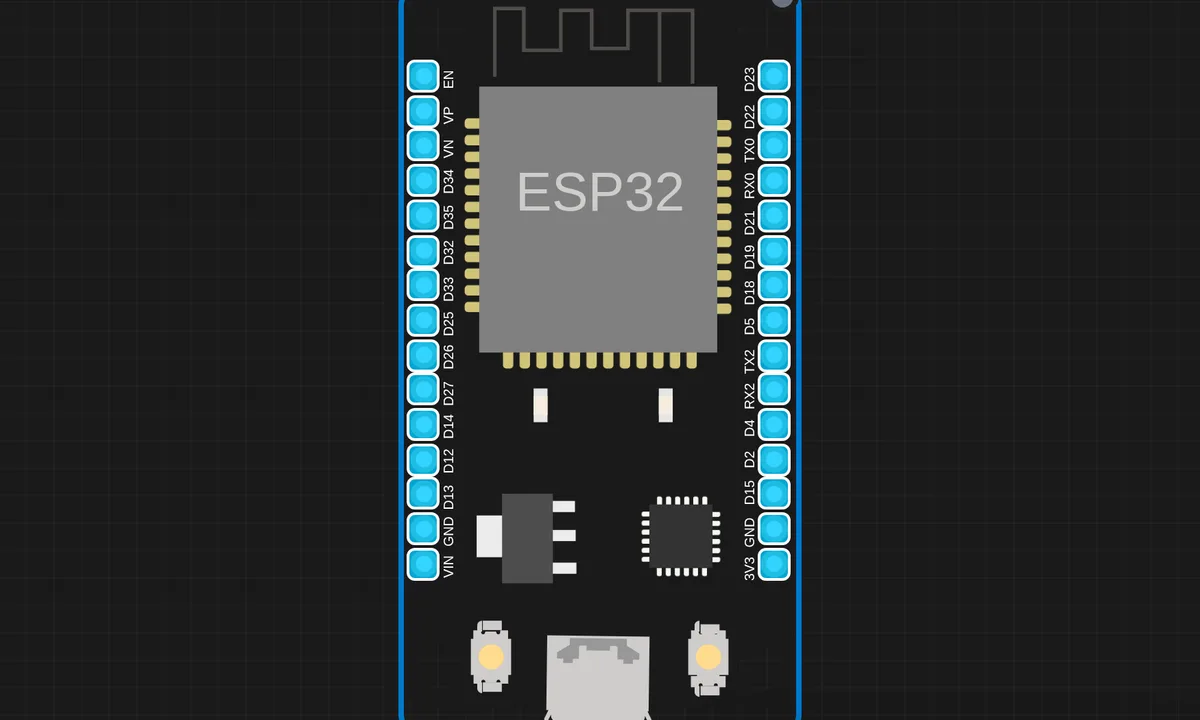
The exact circuit you get when you open this example — already wired, ready to run.
The sketch
# main.py
from machine import Pin, Timer
import ubluetooth
from time import sleep_ms

message = ""
led = Pin(2, Pin.OUT)  # Normal ESP32 onboard LED

class ESP32_BLE():
    def __init__(self, name):
        self.timer = Timer(0)
        self.name = name
        self.is_connected = False
        self.ble = ubluetooth.BLE()
        self.ble.active(True)
        self.disconnected()
        self.ble.irq(self.ble_irq)
        self.register()
        self.advertiser()

    def connected(self):
        self.is_connected = True
        self.timer.deinit()
        led.value(1)  # Solid ON = connected

    def disconnected(self):
        self.is_connected = False
        led.value(0)
        self.timer.init(period=500, mode=Timer.PERIODIC,
                        callback=lambda t: led.value(not led.value()))  # Blink = disconnected

    def ble_irq(self, event, data):
        global message
        if event == 1:
            self.connected()
        elif event == 2:
            self.advertiser()
            self.disconnected()
        elif event == 3:
            buffer = self.ble.gatts_read(self.rx)
            message = buffer.decode('UTF-8').strip()
            print("Received:", message)

    def register(self):
        NUS_UUID = '6E400001-B5A3-F393-E0A9-E50E24DCCA9E'
        RX_UUID  = '6E400002-B5A3-F393-E0A9-E50E24DCCA9E'
        TX_UUID  = '6E400003-B5A3-F393-E0A9-E50E24DCCA9E'

        BLE_NUS = ubluetooth.UUID(NUS_UUID)
        BLE_RX  = (ubluetooth.UUID(RX_UUID), ubluetooth.FLAG_WRITE)
        BLE_TX  = (ubluetooth.UUID(TX_UUID), ubluetooth.FLAG_NOTIFY)

        BLE_UART = (BLE_NUS, (BLE_TX, BLE_RX,))
        SERVICES = (BLE_UART,)
        ((self.tx, self.rx,),) = self.ble.gatts_register_services(SERVICES)

    def send(self, data):
        if not self.is_connected:
            print("Not connected!")
            return
        try:
            if isinstance(data, str):
                data = data.encode('UTF-8')
            self.ble.gatts_notify(0, self.tx, data + b'\n')
        except Exception as e:
            print("Send error:", e)

    def advertiser(self):
        name = bytes(self.name, 'UTF-8')
        adv_data = bytearray(b'\x02\x01\x02') + bytearray((len(name) + 1, 0x09)) + name
        self.ble.gap_advertise(100, adv_data)
        print("Advertising as:", self.name)

ble = ESP32_BLE("ESP32")

while True:
    if message == "LED_ON":
        led.value(1)
        print("LED ON")
        ble.send("LED is ON")
        message = ""
    elif message == "LED_OFF":
        led.value(0)
        print("LED OFF")
        ble.send("LED is OFF")
        message = ""
    elif message == "STATUS":
        status = "LED is ON" if led.value() else "LED is OFF"
        print(status)
        ble.send(status)
        message = ""
    sleep_ms(100)
How it works
The ESP32 advertises a BLE service with a characteristic representing the LED state. When a phone writes the characteristic, the write callback fires and the sketch drives the GPIO. The advertisement and GATT setup are the boilerplate; the callback is the application.
The characteristic’s read/write properties define the protocol: the phone writes 0 or 1, the device reads the same value back to confirm. This round-trip pattern — write a command, read the state — is the BLE version of the serial command loop.
Before you build it for real
BLE’s range and reliability vary wildly with environment — walls, bodies and competing 2.4 GHz traffic all shrink the effective range, and the connection silently drops rather than erroring. The characteristic permissions matter: a write without the right properties is silently ignored by the stack, which looks like broken code. And BLE shares the radio with WiFi — running both on the ESP32 degrades both, so real deployments pick one wireless role per device.
Get the parts
Related examples
FAQ
Why BLE instead of classic Bluetooth?
BLE is the modern choice: lower power, no pairing ritual for many profiles, and every phone supports it. The trade-off is a more complex protocol — services and characteristics instead of a serial stream — which is exactly what this example teaches.
What is a characteristic?
The BLE data model is services containing characteristics — a characteristic is the smallest readable/writable unit, like a register the phone can access. The LED’s state lives in one characteristic that the phone writes to, and the ESP32 reacts to the write.