
Joystick Controlled Servo
Joystick Controlled Servo is a runnable microcontroller simulation example on SensBench — open the wired circuit, inspect the code, and compile real firmware in your browser, no install needed. Last updated Aug 14, 2026.
FREE SIMULATOR EXAMPLE · BEGINNER
Joystick Controlled Servo
This example drives a servo from a joystick on the ESP32 — the stick’s analog axis maps to the servo’s pulse-width range. The one-axis pan control that every pan-tilt rig is built from.
| Board | ESP32 DevKit (Xtensa LX6, 240 MHz) |
|---|---|
| Difficulty | beginner |
| Category | robotics |
| Libraries | None — just the Arduino core |
| Runs in | Sensbench browser simulator — free, no account |
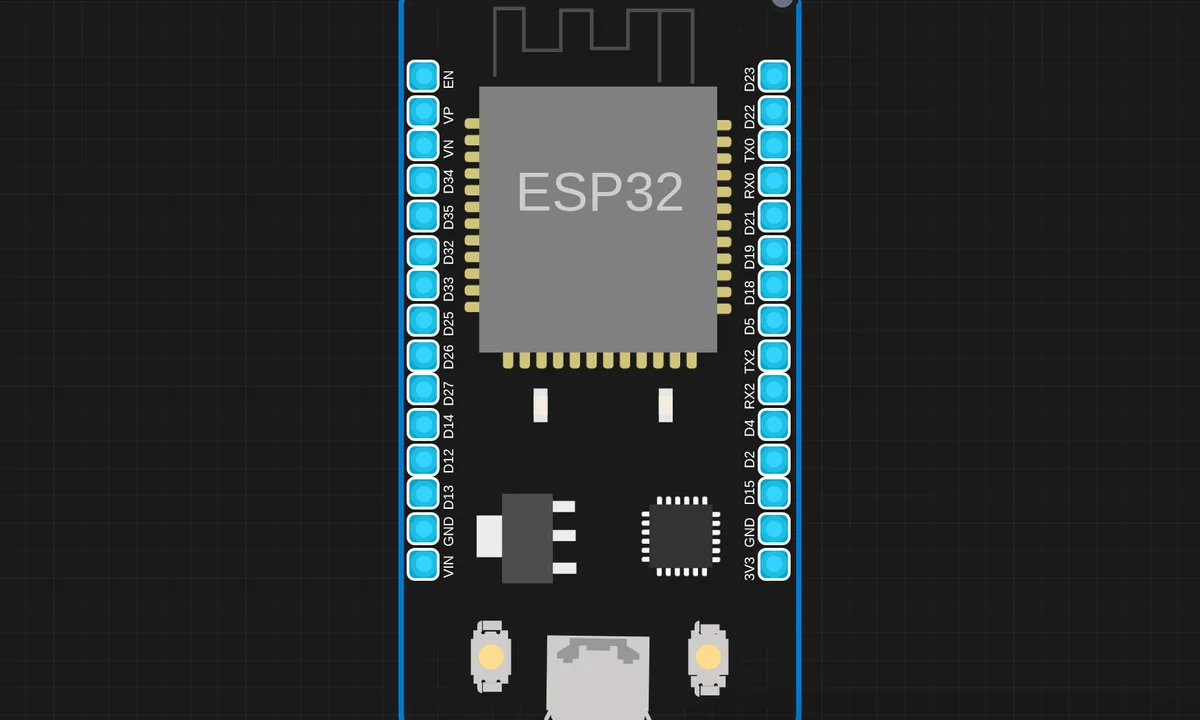
The exact circuit you get when you open this example — already wired, ready to run.
The sketch
# main.py
import machine
import time

# ── Hardware setup ────────────────────────────────────────────
vrx = machine.ADC(machine.Pin(26))  # Joystick X axis
servo = machine.PWM(machine.Pin(0))
servo.freq(50)  # SG90 = 50Hz

# ── Servo helper ──────────────────────────────────────────────
def set_angle(angle):
    # 0° = 1000us, 90° = 1500us, 180° = 2000us
    us = int(1000 + (angle / 180) * 1000)
    duty = int(us * 65535 / 20000)
    servo.duty_u16(duty)

# ── Map helper ────────────────────────────────────────────────
def map_val(x, in_min, in_max, out_min, out_max):
    return int((x - in_min) * (out_max - out_min) / (in_max - in_min) + out_min)

# ── Main loop ─────────────────────────────────────────────────
print("Joystick Servo Control ready!")

while True:
    # Average 5 samples for smooth reading
    x_raw = sum(vrx.read_u16() for _ in range(5)) // 5

    # Map joystick (0-65535) to angle (0-180)
    angle = map_val(x_raw, 0, 65535, 0, 180)

    set_angle(angle)
    print(f"Raw: {x_raw}  Angle: {angle}°")

    time.sleep(0.05)
How it works
The firmware reads the joystick axis on the ADC, maps the raw range to the servo’s pulse-width range, and writes the PWM output. The mapping constants are the calibration knobs — the code scales and clips so stick travel maps to the servo’s real mechanical limits.
The servo updates continuously as the stick moves, giving direct control feel. The ADC noise at the joystick’s center position shows up as a slight servo jitter around neutral, which the mapping’s dead zone can absorb.
Before you build it for real
The joystick’s center position is not exactly mid-range — carbon-track pots center off-axis, so the servo drifts unless the code calibrates the neutral point at startup. The servo power must be separate: motor current through the ESP32’s rail stalls the board at the sweep’s ends. And ADC noise becomes visible servo jitter — the center dead zone is the difference between a steady camera and a nervous one.
Get the parts
Related examples
FAQ
How does the joystick map to the servo?
The joystick’s axis is an analog divider read by the ADC; the firmware maps that range to servo pulse widths. Push the stick and the servo follows — the classic pan-tilt control, reduced to one axis.
Why is the mapping not one-to-one?
The joystick’s raw ADC range rarely spans the full 0-1023 (or 0-4095), and the servo’s useful pulse range is 1-2 ms. The firmware scales and clips both, so the full stick travel covers the full servo sweep without overdriving the endpoints.