
MicroPython Watch
MicroPython Watch is a runnable microcontroller simulation example on SensBench — open the wired circuit, inspect the code, and compile real firmware in your browser, no install needed. Last updated Aug 14, 2026.
FREE SIMULATOR EXAMPLE · INTERMEDIATE
MicroPython Watch
This example runs a MicroPython smartwatch on the ESP32 — NTP-synced time, a rendered watch face and a battery indicator on a small display. The open-source watch pattern in firmware form.
| Board | ESP32 DevKit (Xtensa LX6, 240 MHz) |
|---|---|
| Difficulty | intermediate |
| Category | displays |
| Libraries | None — just the Arduino core |
| Runs in | Sensbench browser simulator — free, no account |
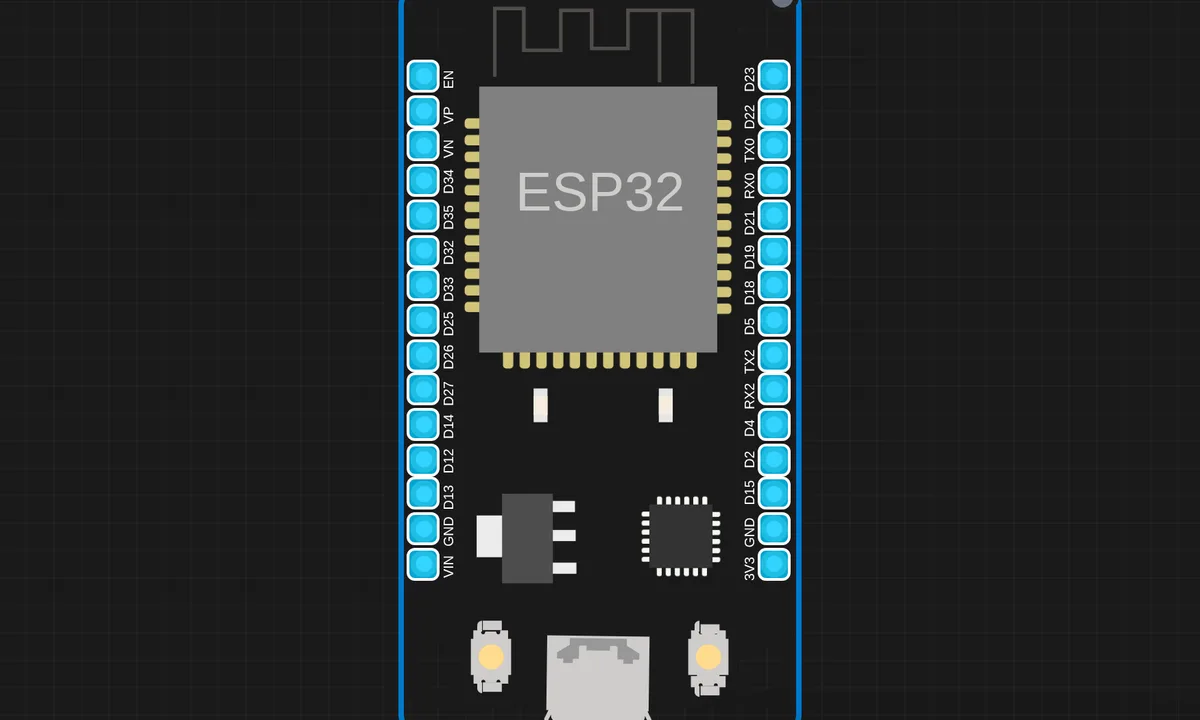
The exact circuit you get when you open this example — already wired, ready to run.
The sketch
# main.py
import network
import ntptime
import urequests
import ssd1306
import utime
from machine import Pin, SoftI2C

last_weather_time = 0
weather_temp = 0

i2c = SoftI2C(sda=Pin(5), scl=Pin(6), freq=100000)
oled=ssd1306.SSD1306_I2C(128, 64, i2c)

ssid="ssid"
password="pass"
API_KEY = "8ac1a66e4d9097"


def connect_wifi():
    wlan=network.WLAN(network.STA_IF)
    wlan.active(True)
    wlan.connect(ssid, password)

    oled.fill(0)
    oled.text("Connecting...", 0, 20, 1)
    oled.show()

    while not wlan.isconnected():
        utime.sleep(1)
    oled.fill(0)
    oled.text("Wifi ok!", 20, 20, 1)
    oled.text(wlan.ifconfig()[0], 0, 35, 1)
    oled.show()
    utime.sleep(2)
def show_greeting():
    oled.fill(0)
    oled.text("Hi Kritish!", 20, 28, 1)
    oled.show()
    utime.sleep(2)
def sync_time():
    try:
        ntptime.settime()
    except:
        pass
def get_time():
    IST=5*3600+30*60
    return utime.localtime(utime.time()+IST)
def show_time():
    lt=get_time()

    h= "{:02d}".format(lt[3])
    m="{:02d}".format(lt[4])
    day="{:02d}".format(lt[2])
    month="{:02d}".format(lt[1])
    yr="{:02d}".format(lt[0])


    oled.fill(0)
    oled.hline(0, 0, 128, 1)   # top line
    oled.hline(0, 63, 128, 1)  # bottom line
    oled.text(h+":"+m,30, 20, 1)
    oled.text(day+"/"+month+"/"+yr, 20, 35, 1)
    global last_weather_time, weather_temp
    if utime.time() - last_weather_time >= 600:
        weather_temp = get_weather()
        last_weather_time = utime.time()
    oled.text(str(int(weather_temp))+" Cel", 45, 50, 1)
    oled.show()

def get_weather():
    url = "http://api.openweathermap.org/data/2.5/weather?q=Bhubaneswar,IN&appid={}&units=metric".format(API_KEY)
    r = urequests.get(url)
    data = r.json()
    r.close()
    temp = data["main"]["temp"]
    return temp
def show_logo():
    oled.fill(0)
    oled.fill_rect(0, 0, 32, 32, 1)
    oled.fill_rect(2, 2, 28, 28, 0)
    oled.vline(9, 8, 22, 1)
    oled.vline(16, 2, 22, 1)
    oled.vline(23, 8, 22, 1)
    oled.fill_rect(26, 24, 2, 4, 1)
    oled.text('MicroPython', 40, 0, 1)
    oled.text('Clock', 40, 12, 1)
    oled.text('By Kritish', 40, 24, 1)
    oled.show()
    utime.sleep(2)
connect_wifi()
show_greeting()
show_logo()
sync_time()
while True:
    show_time()
    utime.sleep(1)


# ssd1306.py
# MicroPython SSD1306 OLED driver, I2C and SPI interfaces

from micropython import const
import framebuf


# register definitions
SET_CONTRAST = const(0x81)
SET_ENTIRE_ON = const(0xA4)
SET_NORM_INV = const(0xA6)
SET_DISP = const(0xAE)
SET_MEM_ADDR = const(0x20)
SET_COL_ADDR = const(0x21)
SET_PAGE_ADDR = const(0x22)
SET_DISP_START_LINE = const(0x40)
SET_SEG_REMAP = const(0xA0)
SET_MUX_RATIO = const(0xA8)
SET_COM_OUT_DIR = const(0xC0)
SET_DISP_OFFSET = const(0xD3)
SET_COM_PIN_CFG = const(0xDA)
SET_DISP_CLK_DIV = const(0xD5)
SET_PRECHARGE = const(0xD9)
SET_VCOM_DESEL = const(0xDB)
SET_CHARGE_PUMP = const(0x8D)

# Subclassing FrameBuffer provides support for graphics primitives
# http://docs.micropython.org/en/latest/pyboard/library/framebuf.html
class SSD1306(framebuf.FrameBuffer):
    def __init__(self, width, height, external_vcc):
        self.width = width
        self.height = height
        self.external_vcc = external_vcc
        self.pages = self.height // 8
        self.buffer = bytearray(self.pages * self.width)
        super().__init__(self.buffer, self.width, self.height, framebuf.MONO_VLSB)
        self.init_display()

    def init_display(self):
        for cmd in (
            SET_DISP | 0x00,  # off
            # address setting
            SET_MEM_ADDR,
            0x00,  # horizontal
            # resolution and layout
            SET_DISP_START_LINE | 0x00,
            SET_SEG_REMAP | 0x01,  # column addr 127 mapped to SEG0
            SET_MUX_RATIO,
            self.height - 1,
            SET_COM_OUT_DIR | 0x08,  # scan from COM[N] to COM0
            SET_DISP_OFFSET,
            0x00,
            SET_COM_PIN_CFG,
            0x02 if self.width > 2 * self.height else 0x12,
            # timing and driving scheme
            SET_DISP_CLK_DIV,
            0x80,
            SET_PRECHARGE,
            0x22 if self.external_vcc else 0xF1,
            SET_VCOM_DESEL,
            0x30,  # 0.83*Vcc
            # display
            SET_CONTRAST,
            0xFF,  # maximum
            SET_ENTIRE_ON,  # output follows RAM contents
            SET_NORM_INV,  # not inverted
            # charge pump
            SET_CHARGE_PUMP,
            0x10 if self.external_vcc else 0x14,
            SET_DISP | 0x01,
        ):  # on
            self.write_cmd(cmd)
        self.fill(0)
        self.show()

    def poweroff(self):
        self.write_cmd(SET_DISP | 0x00)

    def poweron(self):
        self.write_cmd(SET_DISP | 0x01)

    def contrast(self, contrast):
        self.write_cmd(SET_CONTRAST)
        self.write_cmd(contrast)

    def invert(self, invert):
        self.write_cmd(SET_NORM_INV | (invert & 1))

    def show(self):
        x0 = 0
        x1 = self.width - 1
        if self.width == 64:
            # displays with width of 64 pixels are shifted by 32
            x0 += 32
            x1 += 32
        self.write_cmd(SET_COL_ADDR)
        self.write_cmd(x0)
        self.write_cmd(x1)
        self.write_cmd(SET_PAGE_ADDR)
        self.write_cmd(0)
        self.write_cmd(self.pages - 1)
        self.write_data(self.buffer)


class SSD1306_I2C(SSD1306):
    def __init__(self, width, height, i2c, addr=0x3C, external_vcc=False):
        self.i2c = i2c
        self.addr = addr
        self.temp = bytearray(2)
        self.write_list = [b"\x40", None]  # Co=0, D/C#=1
        super().__init__(width, height, external_vcc)

    def write_cmd(self, cmd):
        self.temp[0] = 0x80  # Co=1, D/C#=0
        self.temp[1] = cmd
        self.i2c.writeto(self.addr, self.temp)

    def write_data(self, buf):
        self.write_list[1] = buf
        self.i2c.writevto(self.addr, self.write_list)


class SSD1306_SPI(SSD1306):
    def __init__(self, width, height, spi, dc, res, cs, external_vcc=False):
        self.rate = 10 * 1024 * 1024
        dc.init(dc.OUT, value=0)
        res.init(res.OUT, value=0)
        cs.init(cs.OUT, value=1)
        self.spi = spi
        self.dc = dc
        self.res = res
        self.cs = cs
        import time

        self.res(1)
        time.sleep_ms(1)
        self.res(0)
        time.sleep_ms(10)
        self.res(1)
        super().__init__(width, height, external_vcc)

    def write_cmd(self, cmd):
        self.spi.init(baudrate=self.rate, polarity=0, phase=0)
        self.cs(1)
        self.dc(0)
        self.cs(0)
        self.spi.write(bytearray([cmd]))
        self.cs(1)

    def write_data(self, buf):
        self.spi.init(baudrate=self.rate, polarity=0, phase=0)
        self.cs(1)
        self.dc(1)
        self.cs(0)
        self.spi.write(buf)
        self.cs(1)
How it works
The firmware fetches time from NTP over WiFi, then renders the watch face on the display with the battery level. The UI loop redraws the face periodically, and the time updates from the synced clock between NTP refreshes.
The watch face rendering is the exercise: analog hands or digital digits drawn procedurally, with the time math converting hours, minutes and seconds into screen geometry. The battery readout comes from a divider on an ADC pin.
Before you build it for real
The NTP sync needs WiFi at boot — offline, the watch shows whatever the local clock holds, which drifts without a real RTC chip; a battery-backed RTC is the production fix. The display is the dominant power consumer — a watch face that redraws every second drains the battery hours faster than a minute hand that updates once a minute, which is why real watch firmware redraws lazily. And the battery divider drains continuously — watch designs sample the battery briefly and sleep, rather than measuring constantly.
Get the parts
Related examples
FAQ
Is it really a watch?
A wrist-form-factor firmware demo: time display, battery indicator, and a UI on a small round or square screen. The ESP32 plus a display and a battery is the hardware of the open-source smartwatch projects this example models.
Where does the time come from?
From NTP over WiFi at boot, then a local RTC or the system clock keeps it between syncs. The NTP fetch is the classic IoT time pattern — network time at startup, local timekeeping in between.