
Raspberry Pi Pico 2 W ThingsBoard IoT
Raspberry Pi Pico 2 W ThingsBoard IoT is a runnable microcontroller simulation example on SensBench — open the wired circuit, inspect the code, and compile real firmware in your browser, no install needed. Last updated Aug 14, 2026.
FREE SIMULATOR EXAMPLE · INTERMEDIATE
Raspberry Pi Pico 2 W ThingsBoard IoT
This example publishes telemetry from the Raspberry Pi Pico 2 W to ThingsBoard over MQTT — sensor readings become dashboard charts on the open-source IoT platform. The device-to-platform pattern.
| Board | Raspberry Pi Pico W (RP2040 + WiFi) |
|---|---|
| Difficulty | intermediate |
| Category | communication |
| Libraries | None — just the Arduino core |
| Runs in | Sensbench browser simulator — free, no account |
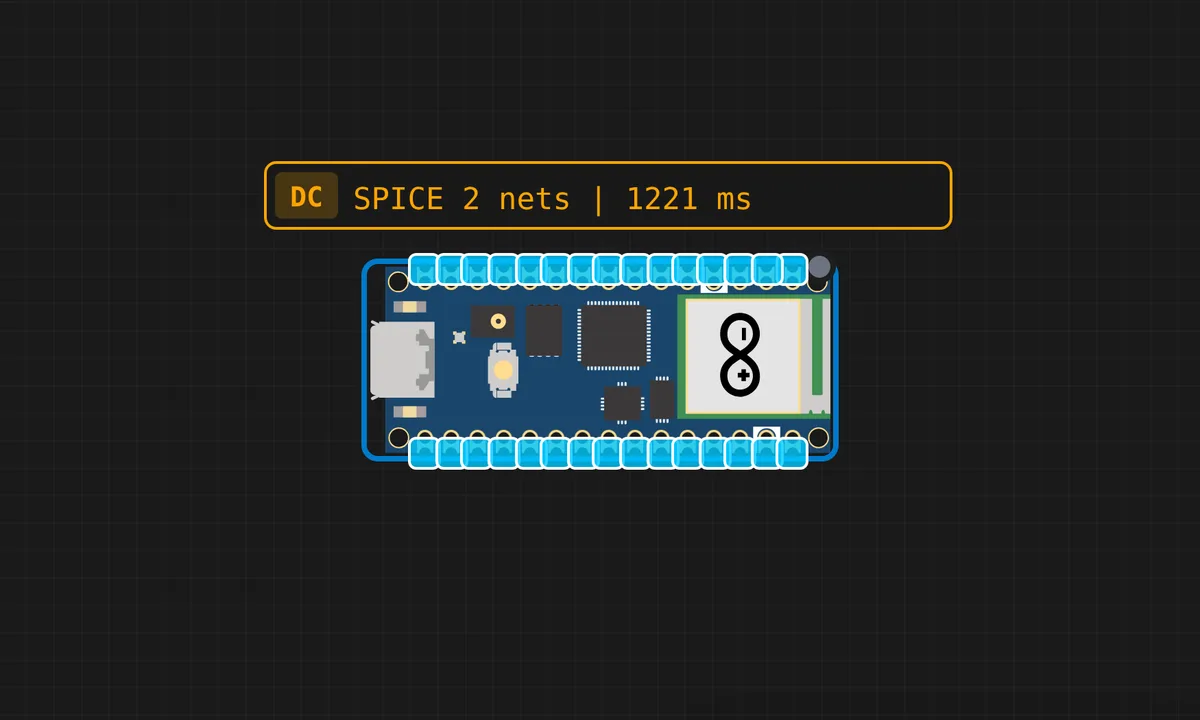
The exact circuit you get when you open this example — already wired, ready to run.
The sketch
# main.py
import network
import time
import json
import dht
from machine import Pin
from umqttsimple import MQTTClient

# --- Configuration ---
WIFI_SSID = "SENSBENCH-GUEST"   # SENSBENCH simulator's built-in WiFi network
WIFI_PASSWORD = ""           # the simulator AP is open
THINGSBOARD_HOST = "eu.thingsboard.cloud"
ACCESS_TOKEN = "tokenn"      # replace with YOUR ThingsBoard device token

# --- Hardware Setup ---
# Using "LED" for Pico W onboard LED, or Pin(15) for an external LED
led = Pin("LED", Pin.OUT)
sensor = dht.DHT11(Pin(4))
led_state = False

# --- MQTT Callback (Handles Switch Commands) ---
def on_message(topic, msg):
    global led_state
    print(f"\n[RPC] Message received: {msg}")

    try:
        data = json.loads(msg)
        method = data.get("method")
        params = data.get("params")

        # Handling 'setState' from your ThingsBoard Switch
        if method == "setState":
            # This check ensures both boolean and string 'true' work
            if params is True or params == "true" or params == 1:
                led_state = True
                led.value(1)
            else:
                led_state = False
                led.value(0)

            print(f"Action: LED is now {'ON' if led_state else 'OFF'}")

        # Handling 'getState' to sync the dashboard switch
        elif method == "getState":
            request_id = topic.decode().split('/')[-1]
            client.publish(f"v1/devices/me/rpc/response/{request_id}", json.dumps(led_state))
            print("Action: Synced state with Dashboard")

    except Exception as e:
        print(f"RPC Error: {e}")

# --- Connection Functions ---
def connect_wifi():
    sta_if = network.WLAN(network.STA_IF)
    sta_if.active(True)
    sta_if.connect(WIFI_SSID, WIFI_PASSWORD)
    print("Connecting to WiFi", end="")
    while not sta_if.isconnected():
        print(".", end="")
        time.sleep(0.5)
    print(f"\nConnected! IP: {sta_if.ifconfig()[0]}")

def connect_mqtt():
    client = MQTTClient("Pico_W_Cuttack", THINGSBOARD_HOST, user=ACCESS_TOKEN, password="")
    client.set_callback(on_message)
    client.connect()
    client.subscribe(b"v1/devices/me/rpc/request/+")
    print("Connected to ThingsBoard MQTT!")
    return client

# --- Main Logic ---
connect_wifi()
client = connect_mqtt()

last_telemetry = 0

print("System Ready. Waiting for commands...")

while True:
    try:
        # Check for incoming RPC (Switch) messages
        client.check_msg()

        # Send Telemetry every 10 seconds (standard for cloud stability)
        if (time.time() - last_telemetry) > 10:
            sensor.measure()
            t = sensor.temperature()
            h = sensor.humidity()

            payload = json.dumps({
                "temperature": t,
                "humidity": h,
                "ledStatus": led_state
            })

            client.publish("v1/devices/me/telemetry", payload)
            print(f"Published: {payload}")
            last_telemetry = time.time()

    except Exception as e:
        print(f"Error in Loop: {e}")
        time.sleep(5)
        import machine
        machine.reset()


# umqttsimple.py
try:
    import usocket as socket
except:
    import socket
import ustruct as struct
from ubinascii import hexlify

class MQTTException(Exception):
    pass

class MQTTClient:

    def __init__(self, client_id, server, port=0, user=None, password=None, keepalive=0,
                 ssl=False, ssl_params={}):
        if port == 0:
            port = 8883 if ssl else 1883
        self.client_id = client_id
        self.sock = None
        self.server = server
        self.port = port
        self.ssl = ssl
        self.ssl_params = ssl_params
        self.pid = 0
        self.cb = None
        self.user = user
        self.pswd = password
        self.keepalive = keepalive
        self.lw_topic = None
        self.lw_msg = None
        self.lw_qos = 0
        self.lw_retain = False

    def _send_str(self, s):
        self.sock.write(struct.pack("!H", len(s)))
        self.sock.write(s)

    def _recv_len(self):
        n = 0
        sh = 0
        while 1:
            b = self.sock.read(1)[0]
            n |= (b & 0x7f) << sh
            if not b & 0x80:
                return n
            sh += 7

    def set_callback(self, f):
        self.cb = f

    def set_last_will(self, topic, msg, retain=False, qos=0):
        assert 0 <= qos <= 2
        assert topic
        self.lw_topic = topic
        self.lw_msg = msg
        self.lw_qos = qos
        self.lw_retain = retain

    def connect(self, clean_session=True):
        self.sock = socket.socket()
        addr = socket.getaddrinfo(self.server, self.port)[0][-1]
        self.sock.connect(addr)
        if self.ssl:
            import ussl
            self.sock = ussl.wrap_socket(self.sock, **self.ssl_params)
        premsg = bytearray(b"\x10\0\0\0\0\0")
        msg = bytearray(b"\x04MQTT\x04\x02\0\0")

        sz = 10 + 2 + len(self.client_id)
        msg[6] = clean_session << 1
        if self.user is not None:
            sz += 2 + len(self.user) + 2 + len(self.pswd)
            msg[6] |= 0xC0
        if self.keepalive:
            assert self.keepalive < 65536
            msg[7] |= self.keepalive >> 8
            msg[8] |= self.keepalive & 0x00FF
        if self.lw_topic:
            sz += 2 + len(self.lw_topic) + 2 + len(self.lw_msg)
            msg[6] |= 0x4 | (self.lw_qos & 0x1) << 3 | (self.lw_qos & 0x2) << 3
            msg[6] |= self.lw_retain << 5

        i = 1
        while sz > 0x7f:
            premsg[i] = (sz & 0x7f) | 0x80
            sz >>= 7
            i += 1
        premsg[i] = sz

        self.sock.write(premsg, i + 2)
        self.sock.write(msg)
        #print(hex(len(msg)), hexlify(msg, ":"))
        self._send_str(self.client_id)
        if self.lw_topic:
            self._send_str(self.lw_topic)
            self._send_str(self.lw_msg)
        if self.user is not None:
            self._send_str(self.user)
            self._send_str(self.pswd)
        resp = self.sock.read(4)
        assert resp[0] == 0x20 and resp[1] == 0x02
        if resp[3] != 0:
            raise MQTTException(resp[3])
        return resp[2] & 1

    def disconnect(self):
        self.sock.write(b"\xe0\0")
        self.sock.close()

    def ping(self):
        self.sock.write(b"\xc0\0")

    def publish(self, topic, msg, retain=False, qos=0):
        pkt = bytearray(b"\x30\0\0\0")
        pkt[0] |= qos << 1 | retain
        sz = 2 + len(topic) + len(msg)
        if qos > 0:
            sz += 2
        assert sz < 2097152
        i = 1
        while sz > 0x7f:
            pkt[i] = (sz & 0x7f) | 0x80
            sz >>= 7
            i += 1
        pkt[i] = sz
        #print(hex(len(pkt)), hexlify(pkt, ":"))
        self.sock.write(pkt, i + 1)
        self._send_str(topic)
        if qos > 0:
            self.pid += 1
            pid = self.pid
            struct.pack_into("!H", pkt, 0, pid)
            self.sock.write(pkt, 2)
        self.sock.write(msg)
        if qos == 1:
            while 1:
                op = self.wait_msg()
                if op == 0x40:
                    sz = self.sock.read(1)
                    assert sz == b"\x02"
                    rcv_pid = self.sock.read(2)
                    rcv_pid = rcv_pid[0] << 8 | rcv_pid[1]
                    if pid == rcv_pid:
                        return
        elif qos == 2:
            assert 0

    def subscribe(self, topic, qos=0):
        assert self.cb is not None, "Subscribe callback is not set"
        pkt = bytearray(b"\x82\0\0\0")
        self.pid += 1
        struct.pack_into("!BH", pkt, 1, 2 + 2 + len(topic) + 1, self.pid)
        #print(hex(len(pkt)), hexlify(pkt, ":"))
        self.sock.write(pkt)
        self._send_str(topic)
        self.sock.write(qos.to_bytes(1, "little"))
        while 1:
            op = self.wait_msg()
            if op == 0x90:
                resp = self.sock.read(4)
                #print(resp)
                assert resp[1] == pkt[2] and resp[2] == pkt[3]
                if resp[3] == 0x80:
                    raise MQTTException(resp[3])
                return

    # Wait for a single incoming MQTT message and process it.
    # Subscribed messages are delivered to a callback previously
    # set by .set_callback() method. Other (internal) MQTT
    # messages processed internally.
    def wait_msg(self):
        res = self.sock.read(1)
        self.sock.setblocking(True)
        if res is None:
            return None
        if res == b"":
            raise OSError(-1)
        if res == b"\xd0":  # PINGRESP
            sz = self.sock.read(1)[0]
            assert sz == 0
            return None
        op = res[0]
        if op & 0xf0 != 0x30:
            return op
        sz = self._recv_len()
        topic_len = self.sock.read(2)
        topic_len = (topic_len[0] << 8) | topic_len[1]
        topic = self.sock.read(topic_len)
        sz -= topic_len + 2
        if op & 6:
            pid = self.sock.read(2)
            pid = pid[0] << 8 | pid[1]
            sz -= 2
        msg = self.sock.read(sz)
        self.cb(topic, msg)
        if op & 6 == 2:
            pkt = bytearray(b"\x40\x02\0\0")
            struct.pack_into("!H", pkt, 2, pid)
            self.sock.write(pkt)
        elif op & 6 == 4:
            assert 0

    # Checks whether a pending message from server is available.
    # If not, returns immediately with None. Otherwise, does
    # the same processing as wait_msg.
    def check_msg(self):
        self.sock.setblocking(False)
        return self.wait_msg()
How it works
The firmware connects to WiFi, authenticates with ThingsBoard over MQTT using a device access token, and publishes telemetry — sensor readings wrapped in JSON — on a schedule. The payload structure maps directly to the dashboard’s data keys.
The MQTT client loop keeps the connection alive between publishes, and the JSON payload is the contract: each key in the published object becomes a chartable field on the platform. The code’s job is measurement plus formatting; the platform does the rest.
Before you build it for real
The access token is a credential — in the source, it is readable by anyone with the firmware, and a leaked token lets strangers publish fake telemetry as your device. The MQTT keepalive must be pumped — without the client loop, the connection silently drops and the dashboard flatlines. And the payload keys are a contract: rename a JSON field in the firmware and the dashboard’s widgets silently stop updating, which is the classic integration bug between device and platform.
Get the parts
Related examples
FAQ
What is ThingsBoard?
An open-source IoT platform: devices publish telemetry, and the platform stores, visualizes and rules on it. Compared to Blynk’s app-first approach, ThingsBoard is dashboard-first — charts, tables and alarms built around device data streams.
How does the Pico 2 W talk to it?
Over MQTT with an access token: the device connects to the ThingsBoard broker, authenticates with its token, and publishes JSON payloads to its telemetry topic. The platform then turns the JSON fields into dashboard widgets.