
Wi Fi Controlled 4WD Robot Car
Wi Fi Controlled 4WD Robot Car is a runnable microcontroller simulation example on SensBench — open the wired circuit, inspect the code, and compile real firmware in your browser, no install needed. Last updated Aug 14, 2026.
FREE SIMULATOR EXAMPLE · INTERMEDIATE
Wi Fi Controlled 4WD Robot Car
This example runs a WiFi-controlled 4WD robot car on the ESP32 — a web page sends direction commands, and the firmware maps them to differential drive. The browser-steered robot pattern.
| Board | ESP32 DevKit (Xtensa LX6, 240 MHz) |
|---|---|
| Difficulty | intermediate |
| Category | robotics |
| Libraries | None — just the Arduino core |
| Runs in | Sensbench browser simulator — free, no account |
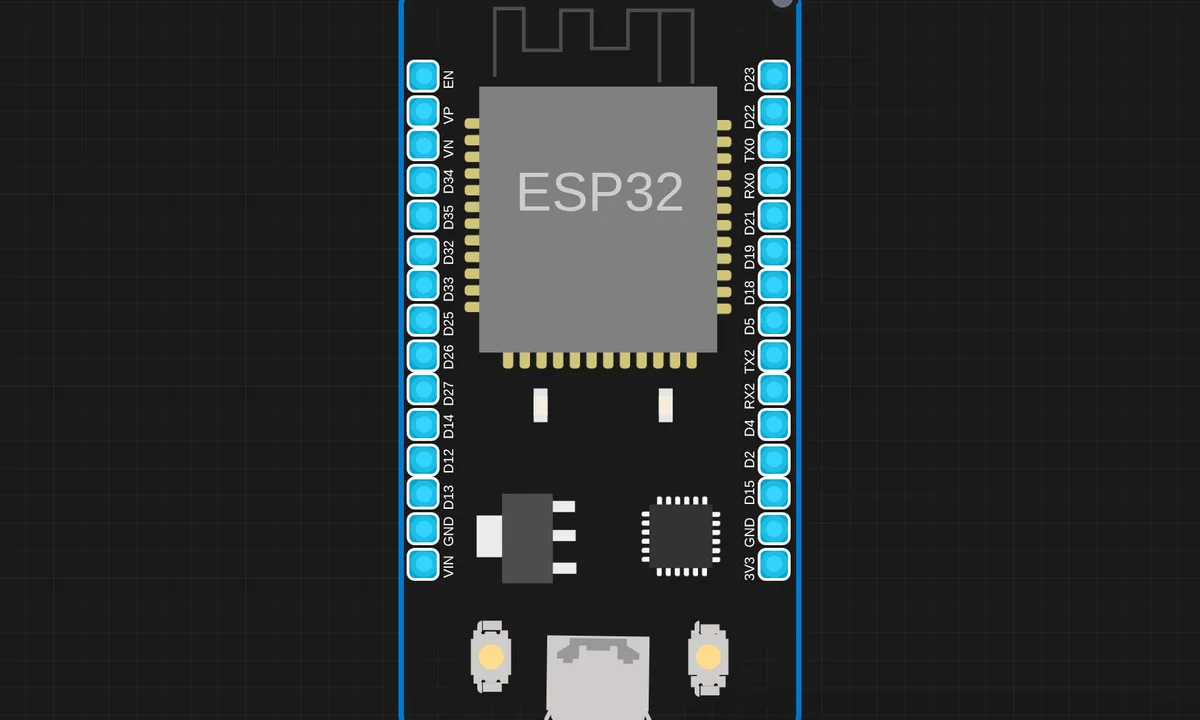
The exact circuit you get when you open this example — already wired, ready to run.
The sketch
# main.py
import network
import socket
from machine import Pin
import time

# Wi-Fi credentials
SSID = "kritish"
PASSWORD = "pass"
# Driver 1 (Front)
IN1 = Pin(27, Pin.OUT)
IN2 = Pin(26, Pin.OUT)
IN3 = Pin(25, Pin.OUT)
IN4 = Pin(33, Pin.OUT)

# Driver 2 (Rear)
IN5 = Pin(19, Pin.OUT)
IN6 = Pin(18, Pin.OUT)
IN7 = Pin(5, Pin.OUT)
IN8 = Pin(17, Pin.OUT)

def forward():
    IN1.value(1); IN2.value(0)
    IN3.value(0); IN4.value(1)
    IN5.value(1); IN6.value(0)
    IN7.value(0); IN8.value(1)

def backward():
    IN1.value(0); IN2.value(1)
    IN3.value(1); IN4.value(0)
    IN5.value(0); IN6.value(1)
    IN7.value(1); IN8.value(0)

def left():
    IN1.value(1); IN2.value(0)
    IN3.value(1); IN4.value(0)
    IN5.value(1); IN6.value(0)
    IN7.value(1); IN8.value(0)

def right():
    IN1.value(0); IN2.value(1)
    IN3.value(0); IN4.value(1)
    IN5.value(0); IN6.value(1)
    IN7.value(0); IN8.value(1)

def stop():
    IN1.value(0); IN2.value(0)
    IN3.value(0); IN4.value(0)
    IN5.value(0); IN6.value(0)
    IN7.value(0); IN8.value(0)

# Wi-Fi Connect
wifi = network.WLAN(network.STA_IF)
wifi.active(True)
wifi.connect(SSID, PASSWORD)

print("Connecting to Wi-Fi...")
while not wifi.isconnected():
    time.sleep(0.5)
    print(".")

print("Connected! IP:", wifi.ifconfig()[0])

# Web Page
def webpage():
    html = """<!DOCTYPE html>
<html>
<head>
    <title>ESP32 Car</title>
    <meta name="viewport" content="width=device-width, initial-scale=1">
    <style>
        body { text-align: center; font-family: Arial; background: #1a1a2e; color: white; }
        h1 { color: #e94560; }
        .btn {
            display: inline-block;
            padding: 20px 30px;
            margin: 10px;
            font-size: 24px;
            background: #16213e;
            color: white;
            border: 2px solid #e94560;
            border-radius: 10px;
            cursor: pointer;
            text-decoration: none;
        }
        .btn:hover { background: #e94560; }
        .row { margin: 10px; }
    </style>
</head>
<body>
    <h1>ESP32 Car Control</h1>
    <div class="row">
        <a class="btn" href="/forward">Forward</a>
    </div>
    <div class="row">
        <a class="btn" href="/left">Left</a>
        <a class="btn" href="/stop">Stop</a>
        <a class="btn" href="/right">Right</a>
    </div>
    <div class="row">
        <a class="btn" href="/backward">Backward</a>
    </div>
</body>
</html>"""
    return html

# Web Server
server = socket.socket(socket.AF_INET, socket.SOCK_STREAM)
server.bind(('', 80))
server.listen(5)
print("Server started!")

while True:
    conn, addr = server.accept()
    request = conn.recv(1024).decode()

    if '/forward' in request:
        forward()
    elif '/backward' in request:
        backward()
    elif '/left' in request:
        left()
    elif '/right' in request:
        right()
    elif '/stop' in request:
        stop()

    conn.send('HTTP/1.1 200 OK\r\nContent-Type: text/html\r\n\r\n')
    conn.send(webpage())
    conn.close()
How it works
The firmware serves a web control page and translates the incoming direction commands into motor driver signals. The differential drive math is the core: turning left means the left motors reverse or slow while the right motors drive forward — speed differences steer the chassis.
The motor drivers take direction and speed per channel, and the firmware maps the four commands onto them. The serial output logs each command, so the mapping from web input to motor behavior is traceable.
Before you build it for real
The motors need their own battery and drivers — four motors draw amps at stall, and the ESP32’s rail is only for logic; the motor driver boards are the real hardware between the firmware and the wheels. The differential steering math assumes matched motors — real motors differ by a few percent, so the car drifts unless the firmware trims each channel. And WiFi latency is the control ceiling — the round trip from browser to motors is tens of milliseconds, which feels instant for a toy and sluggish for anything that needs reflexes.
Get the parts
Related examples
FAQ
Why four-wheel drive?
4WD shares the load across four motors — better traction and redundancy for a small robot chassis. The control side is identical to 2WD: each motor pair gets a driver channel, and the firmware’s job is turning direction commands into motor signals.
How does WiFi control the car?
The ESP32 serves a control page: buttons or a joystick widget send direction commands over HTTP, and the firmware maps them to the motor drivers. Forward, back, left and right become the classic differential-drive outputs.