
Z80 LED Chaser in C (no board)
Z80 LED Chaser in C (no board) is a runnable microcontroller simulation example on SensBench — open the wired circuit, inspect the code, and compile real firmware in your browser, no install needed. Last updated Aug 14, 2026.
FREE SIMULATOR EXAMPLE · ADVANCED
Z80 LED Chaser in C (no board)
This example runs an LED chaser written in C on a programmable Z80 — compiled by SDCC to Z80 machine code and executed on the chip. It proves the Z80 is programmable in C, not just assembly, with the real cross-compile toolchain behind the Run button.
| Board | Programmable Z80 chip (Zilog Z80, standalone — no Arduino) |
|---|---|
| Difficulty | advanced |
| Category | circuits |
| Libraries | None — just the Arduino core |
| Runs in | Sensbench browser simulator — free, no account |
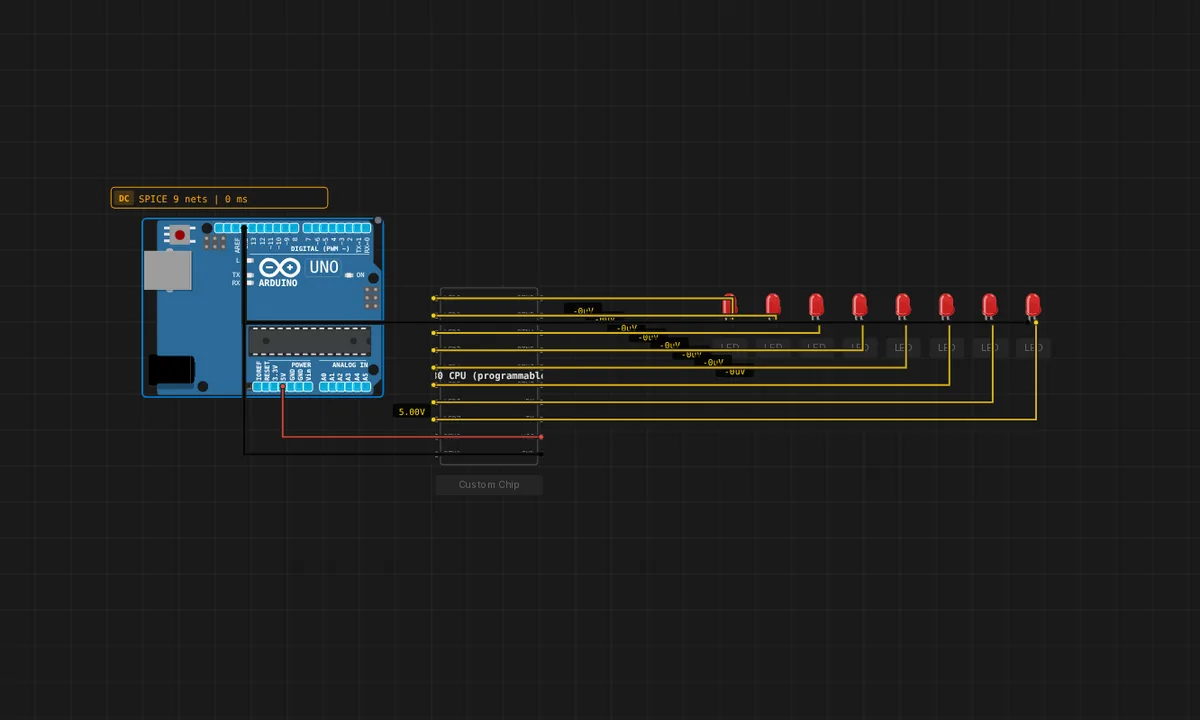
The exact circuit you get when you open this example — already wired, ready to run.
The sketch
* LED chaser written in C, compiled to Z80 by SDCC.
 *
 * Demonstrates that you can program the Z80 chip in C (not just asm).
 * The backend runs:
 *     sdcc -mz80 --data-loc 0x8000 program.c
 * and feeds the resulting Intel HEX into the chip via vx_rom_read.
 *
 * The MMIO addresses (0xC000 LED, 0xC003 BTN, 0xC001 UART_DATA,
 * 0xC002 UART_STAT) match the z80-cpu chip's memory map.
 *
 * Behaviour: walks a single LED back and forth across the 8 outputs
 * (true Larson scanner, with direction reversal).
 */
#define LED_OUT   (*(volatile unsigned char *)0xC000)
#define BTN_IN    (*(volatile unsigned char *)0xC003)

static void delay(unsigned int loops) {
    while (loops--) {
        __asm
        nop
        nop
        nop
        nop
        __endasm;
    }
}

void main(void) {
    unsigned char bit = 0x01;
    /* MUST be signed: SDCC treats plain `char` as unsigned on Z80, so
       dir=-1 would read back as 255, the "walk right" branch would never
       run, and the bit would just shift left off the end and stay dark. */
    signed char dir = 1;   /* +1 = walking left, -1 = walking right */
    while (1) {
        LED_OUT = bit;
        delay(5000);

        if (dir > 0) {
            bit <<= 1;
            if (bit == 0x80) dir = -1;
        } else {
            bit >>= 1;
            if (bit == 0x01) dir = 1;
        }
    }
}
How it works
The program is written in C (chaser.c) and compiled to Z80 machine code by SDCC, then loaded into the chip’s ROM space. The chaser walks a single LED back and forth using memory-mapped IO — writing to address 0xC000 drives the LED port, reading 0xC003 polls the button.
The backend pipeline — SDCC compile, Intel HEX generation, ROM load — is the real toolchain of Z80 development, compressed into the simulator’s run cycle. The C source is editable in the chip’s editor, so the edit-compile-run loop is the same one a 1980s developer used, minus the floppy disks.
Before you build it for real
The MMIO addresses are fixed hardware: write to the wrong address and the program corrupts its own RAM or jumps into data — there is no memory protection on a Z80. The C code is small but the compiler output is not: SDCC’s Z80 code is larger than hand assembly, so the comfortable RAM budget of the demo would tighten fast in a real product. And the –data-loc 0x8000 flag matters: Z80 address space is segmented by design, and the wrong data segment puts globals where the stack expects to live.
Related examples
FAQ
Can you really compile C for a Z80?
Yes — SDCC (sdcc -mz80 --data-loc 0x8000 program.c) compiles C to Z80 machine code. The example exists to prove it: the same chaser logic that assembly would hand-write, expressed in C and cross-compiled. The MMIO addresses (0xC000 LED, 0xC003 BTN, UART at 0xC001/0xC002) are the chip’s port map.
Why would anyone choose C over assembly on a Z80?
Readability and portability. The compiled output is larger and slower than hand assembly, but the source is maintainable and the same logic ports to other targets. For a chaser demo the trade is invisible; for a 1 KB ROM game, assembly still wins.