
AQI ESP
AQI ESP is a runnable microcontroller simulation example on SensBench — open the wired circuit, inspect the code, and compile real firmware in your browser, no install needed. Last updated Aug 14, 2026.
FREE SIMULATOR EXAMPLE · INTERMEDIATE
AQI ESP
This example runs the AQI ESP project on the ESP32 — DHT sensor readings, an OLED display, and an HTTP API, all in MicroPython. A complete environmental monitoring station in three modules: sense, show, serve.
| Board | ESP32 DevKit (Xtensa LX6, 240 MHz) |
|---|---|
| Difficulty | intermediate |
| Category | displays |
| Libraries | None — just the Arduino core |
| Runs in | Sensbench browser simulator — free, no account |
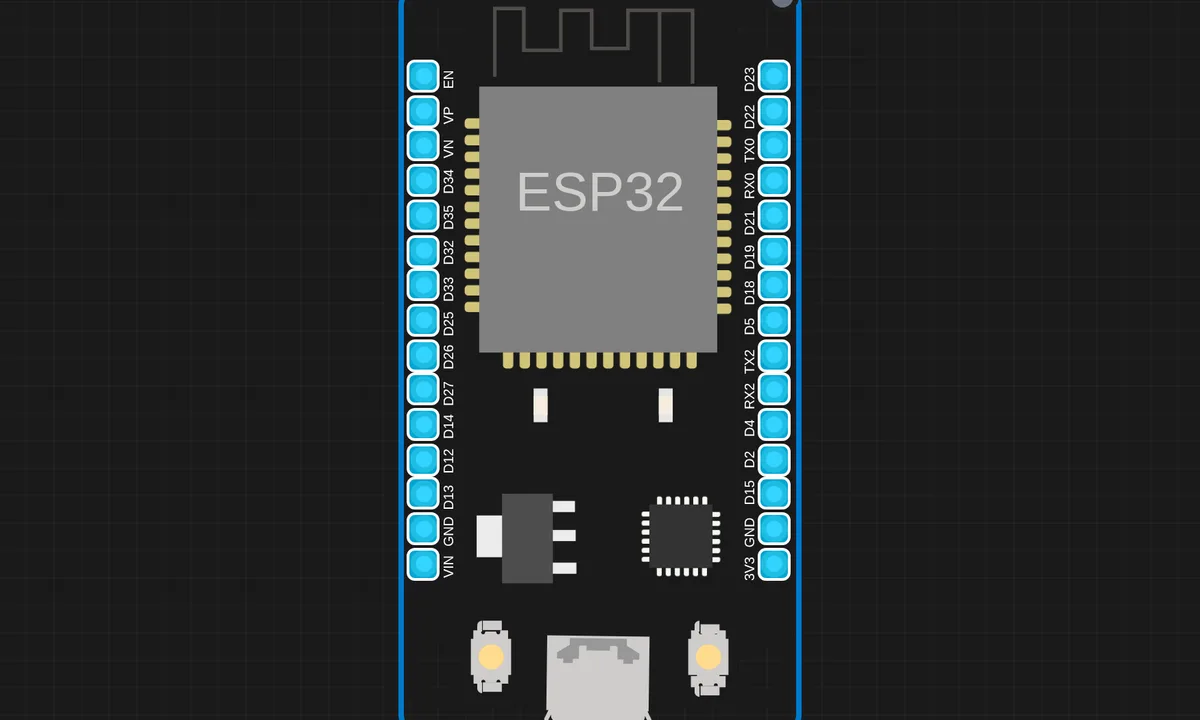
The exact circuit you get when you open this example — already wired, ready to run.
The sketch
# app.py
from flask import Flask, request, jsonify

app = Flask(__name__)

@app.route("/predict", methods=["POST"])
def predict():
    data = request.get_json()

    pm25 = data.get("pm25", 0) * 100
    co   = data.get("co",   0) / 1000
    no   = data.get("no",   0) / 1000
    nox  = data.get("nox",  0) / 1000

    aqi = round((pm25 + co + no + nox) / 4, 2)

    if aqi <= 50:    status = "Good"
    elif aqi <= 100: status = "Moderate"
    elif aqi <= 200: status = "Unhealthy"
    else:            status = "Hazardous"

    return jsonify({"predicted_aqi": aqi, "status": status})

if __name__ == "__main__":
    app.run(host="0.0.0.0", port=5000, debug=True)

# main.py
import network
import urequests
import time
from machine import Pin, ADC, I2C
import dht
import ssd1306

# ================= WIFI =================
SSID = "kritish"
PASSWORD = "@Kpass"
SERVER_URL = "http://ip:5000/predict"

wifi = network.WLAN(network.STA_IF)
wifi.active(True)
wifi.connect(SSID, PASSWORD)

while not wifi.isconnected():
    time.sleep(1)

print("WiFi Connected:", wifi.ifconfig())

# ================= OLED =================
i2c = I2C(0, scl=Pin(22), sda=Pin(21))
oled = ssd1306.SSD1306_I2C(128, 64, i2c)

# ================= DHT11 =================
dht_sensor = dht.DHT11(Pin(27))
last_temp = 0
last_hum = 0

# ================= SENSORS =================
mq135 = ADC(Pin(34))   # NO / NOx (estimated)
mq7   = ADC(Pin(33))   # CO
pm_adc = ADC(Pin(35))
pm_led = Pin(4, Pin.OUT)

for adc in [mq135, mq7, pm_adc]:
    adc.atten(ADC.ATTN_11DB)
    adc.width(ADC.WIDTH_12BIT)

# ================= FUNCTIONS =================
def read_avg(adc, n=10):
    return sum(adc.read() for _ in range(n)) // n

def read_pm25():
    pm_led.off()
    time.sleep_us(280)
    val = pm_adc.read()
    time.sleep_us(40)
    pm_led.on()
    time.sleep_us(9680)
    return round(val * (3.3 / 4095), 3)

# ================= MAIN LOOP =================
print("System Initializing...")
time.sleep(5)
print("System Ready")

while True:
    # ---- DHT11 (LOCAL DISPLAY ONLY) ----
    try:
        dht_sensor.measure()
        last_temp = dht_sensor.temperature()
        last_hum = dht_sensor.humidity()
    except:
        pass  # keep last valid value

    payload = {
        "no": read_avg(mq135),
        "co": read_avg(mq7),
        "nox": read_avg(mq135),
        "pm25": read_pm25()
    }

    try:
        response = urequests.post(SERVER_URL, json=payload)
        result = response.json()
        response.close()

        aqi = round(result["predicted_aqi"], 2)
        status = result["status"]

        # ---- OLED DISPLAY ----
        oled.fill(0)
        oled.text("AQI MONITOR", 0, 0)
        oled.text("AQI: {}".format(aqi), 0, 14)
        oled.text(status, 0, 26)
        oled.text("Temp: {} C".format(last_temp), 0, 42)
        oled.text("Hum : {} %".format(last_hum), 0, 54)
        oled.show()

        print("Sent:", payload)
        print("AQI:", aqi, status)

    except Exception as e:
        print("Error:", e)

    time.sleep(5)
How it works
The ESP32 reads the DHT sensor, renders the values on the OLED, and serves them over an HTTP endpoint. The MicroPython code organizes the three jobs — sensing, display, serving — into a small API the same way a desktop project would, with the route handler doing the JSON responses.
The file structure matters here: the main script plus the API module show how MicroPython projects stay organized when one file would turn into spaghetti. The simulator runs both files together, so the module imports behave like the real device.
Before you build it for real
The DHT sensor on a real build wants the 10 kOhm pull-up on the data line that the breakout modules include and bare sensors do not. The OLED and DHT share the 3.3 V rail, and both are slow I2C/one-wire devices — the HTTP server must not block on sensor reads or the web responses stall. And the readings are raw, not calibrated: the AQI-style output is a demonstration of the pipeline, not a certified air-quality measurement.
Get the parts
Related examples
FAQ
What does AQI ESP measure?
Air Quality Index style readings from the onboard sensors: the DHT contributes temperature and humidity, the OLED shows the readings, and the HTTP server exposes them as a web API. It is a compact environmental station pattern — sense, display, serve.
Why Flask-style routing in MicroPython?
The project uses a Flask-like API layer (@app.route style) to keep the HTTP interface clean. MicroPython has no real Flask, so the code implements the familiar routing pattern on a lightweight socket server — same shape, tiny footprint.