
DC Motor Speed Control (Web Slider)
DC Motor Speed Control (Web Slider) is a runnable microcontroller simulation example on SensBench — open the wired circuit, inspect the code, and compile real firmware in your browser, no install needed. Last updated Aug 14, 2026.
FREE SIMULATOR EXAMPLE · INTERMEDIATE
DC Motor Speed Control (Web Slider)
This example controls a DC motor’s speed from a web page slider on the ESP32 — the browser sends the slider value, the ESP32 converts it to PWM on the driver. The web-remote motor control pattern in one script.
| Board | ESP32 DevKit (Xtensa LX6, 240 MHz) |
|---|---|
| Difficulty | intermediate |
| Category | robotics |
| Libraries | None — just the Arduino core |
| Runs in | Sensbench browser simulator — free, no account |
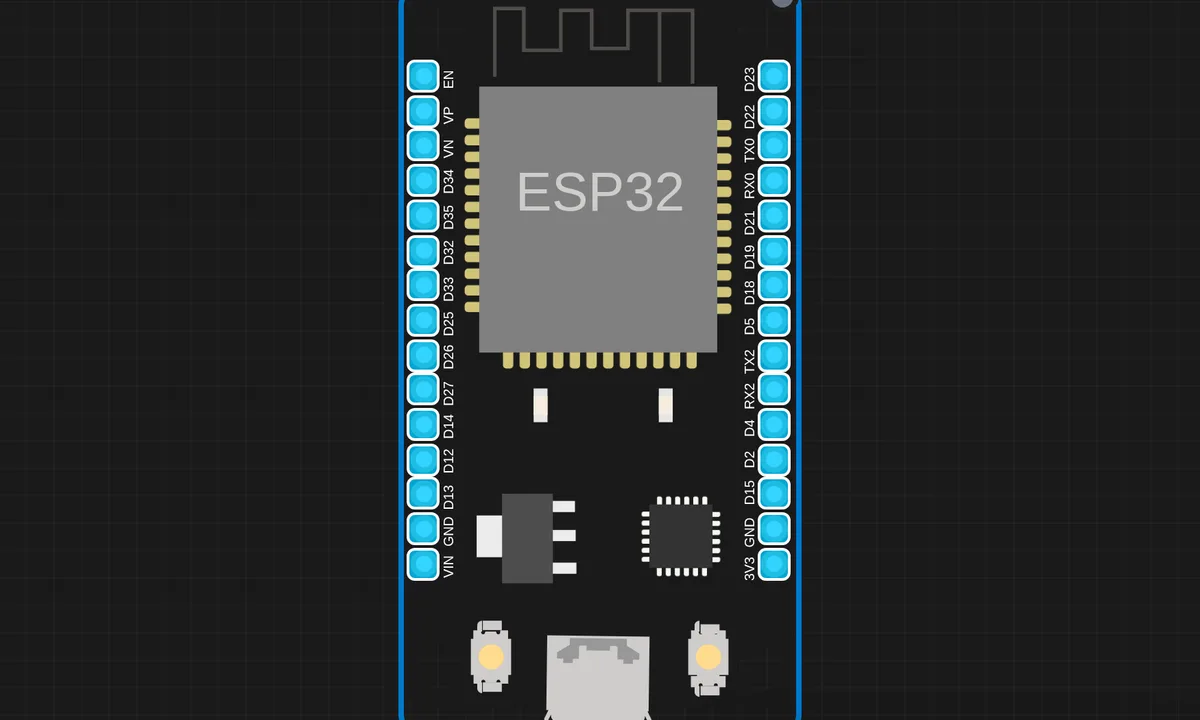
The exact circuit you get when you open this example — already wired, ready to run.
The sketch
# main.py
import network
import socket
from machine import Pin, PWM
from time import sleep_ms

# -------- WiFi --------
ssid = "kritish"
password = "pass"

wlan = network.WLAN(network.STA_IF)
wlan.active(True)
wlan.connect(ssid, password)

while not wlan.isconnected():
    pass

print("Open:", wlan.ifconfig()[0])

# -------- Motor --------
ENA = PWM(Pin(13), freq=1000)
IN1 = Pin(12, Pin.OUT)
IN2 = Pin(14, Pin.OUT)

IN1.on()
IN2.off()
ENA.duty(0)

def set_motor(speed):
    speed = int(speed)

    if speed <= 0:
        ENA.duty(0)
        return

    # kick start for 6V + L298N
    ENA.duty(1023)
    sleep_ms(150)
    ENA.duty(speed)

# -------- HTML --------
html = """<!DOCTYPE html>
<html>
<body>
<h2>ESP32 DC Motor Control</h2>
<input type="range" min="0" max="1023" value="0"
oninput="send(this.value)">
<p>Speed: <span id="v">0</span></p>

<script>
function send(val){
 document.getElementById("v").innerHTML = val;
 fetch("/set?speed=" + val);
}
</script>
</body>
</html>
"""

# -------- Server --------
addr = socket.getaddrinfo('0.0.0.0', 80)[0][-1]
s = socket.socket()
s.bind(addr)
s.listen(1)

print("Server running")

while True:
    cl, addr = s.accept()
    req = cl.recv(1024).decode()

    if "/set?speed=" in req:
        try:
            part = req.split("/set?speed=")[1]
            spd = part.split(" ")[0]
            set_motor(spd)
            print("Speed set:", spd)
        except:
            pass

        cl.send("HTTP/1.1 200 OK\r\n\r\nOK")
        cl.close()
        continue

    cl.send("HTTP/1.1 200 OK\r\nContent-Type: text/html\r\n\r\n")
    cl.send(html)
    cl.close()
How it works
The script serves a page with a slider and listens for updates. Each update maps the slider value to a PWM duty cycle and writes it to the driver’s control pin. The motor speed follows the slider with the latency of one HTTP round trip.
The PWM frequency and resolution are the hidden parameters: too low a frequency and the motor whines, too low a resolution and the speed steps are audible. The example’s defaults sit in the comfortable middle that real projects converge on.
Before you build it for real
The motor needs its separate supply and driver — the ESP32’s pin drives the driver’s logic input, never the motor itself, and sharing the rail browns out the board on the first stall. The PWM frequency is audible at default rates: the motor whines at the switching frequency, which is why real designs push it above 20 kHz. And no feedback loop exists — the slider sets the duty, not the speed: under load the motor runs slower than the unloaded mapping suggests, which is the difference between open-loop and closed-loop control.
Get the parts
Related examples
FAQ
How does the web slider reach the motor?
The ESP32 serves a web page with an HTML slider; moving it sends the value to the device over HTTP, and the script converts it to a PWM duty on the motor driver’s enable pin. The browser is the remote, the ESP32 is the motor controller.
Why PWM for speed instead of voltage?
PWM switches the motor supply at high frequency, and the motor’s inertia averages the pulses into an effective voltage. It is efficient (the driver is either fully on or off) and linear enough for demo control — the same technique as LED dimming, applied to a bigger load.