
DHT11 Web Server using ESP32 & MicroPython
DHT11 Web Server using ESP32 & MicroPython is a runnable microcontroller simulation example on SensBench — open the wired circuit, inspect the code, and compile real firmware in your browser, no install needed. Last updated Aug 14, 2026.
FREE SIMULATOR EXAMPLE · INTERMEDIATE
DHT11 Web Server using ESP32 & MicroPython
This example serves live DHT11 readings from the ESP32 over HTTP — open the page in any browser and see the current temperature and humidity. The ESP32 as sensor, server and dashboard in one MicroPython script.
| Board | ESP32 DevKit (Xtensa LX6, 240 MHz) |
|---|---|
| Difficulty | intermediate |
| Category | communication |
| Libraries | None — just the Arduino core |
| Runs in | Sensbench browser simulator — free, no account |
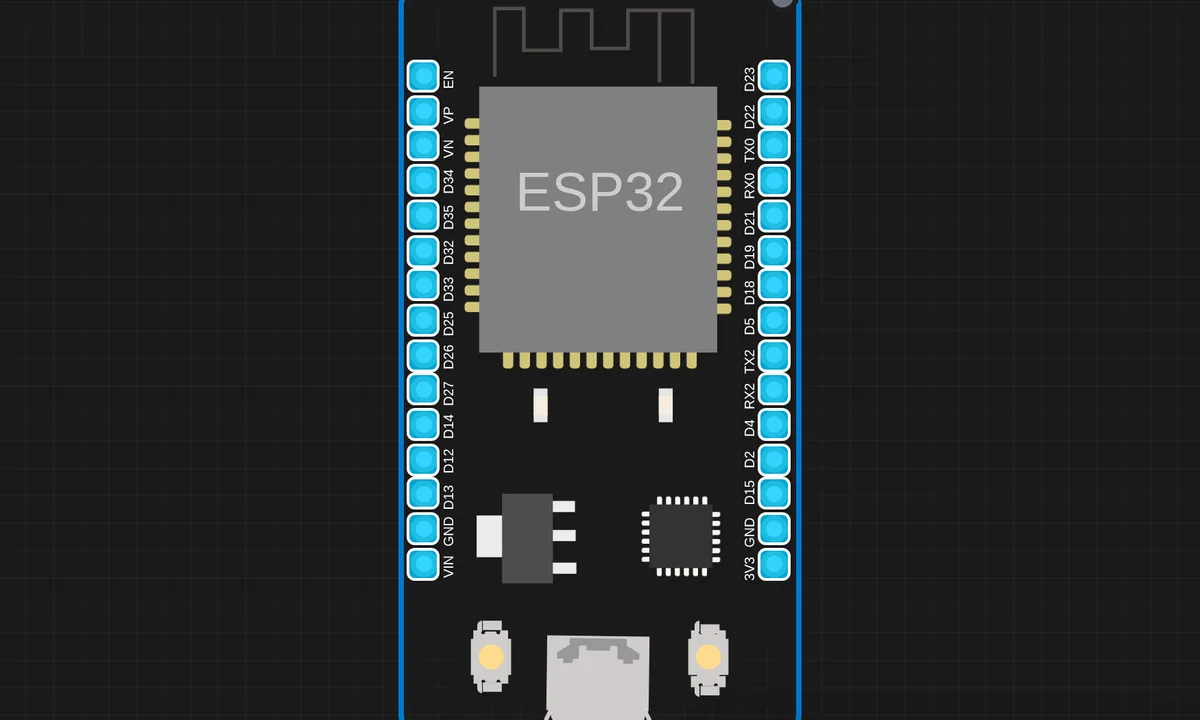
The exact circuit you get when you open this example — already wired, ready to run.
The sketch
# main.py
import machine
import network
import time
import socket
import dht

# DHT11 sensor setup
sensor = dht.DHT11(machine.Pin(4)) # GPIO4 connected

# Wi-Fi credentials
SSID = "kritish"
PASSWORD = "@Krrs2069"

# Wi-Fi connection
wifi = network.WLAN(network.STA_IF)
wifi.active(True)
if not wifi.isconnected():
    print("Connecting to WiFi...", end="")
    wifi.connect(SSID, PASSWORD)
    while not wifi.isconnected():
        time.sleep(1)
        print(".", end="")
    print("\nConnected to WiFi:", wifi.ifconfig()[0])
else:
    print("Already connected to WiFi:", wifi.ifconfig()[0])

def web_page(temp, hum):
    # Corrected HTML with proper humidity unit and a cleaner f-string format.
    html = f"""<!DOCTYPE html>
<html lang="en">
<head>
    <meta charset="UTF-8">
    <meta name="viewport" content="width=device-width, initial-scale=1.0">
    <title>ESP32 DHT11 SERVER</title>
    <meta http-equiv="refresh" content="3">
    <style>
        body {{
            font-family: 'Segoe UI', Tahoma, Geneva, Verdana, sans-serif;
            text-align: center;
            background: linear-gradient(to right, #f6ff00, #a600ff);
            color: white;
            margin: 0;
            padding: 0;
        }}
        h1 {{
            margin-top: 20px;
            font-size: 2.5em;
            text-shadow: 2px 2px 4px rgba(0, 0, 0, 0.5);
        }}
        .container {{
            display: flex;
            justify-content: center;
            align-items: center;
            gap: 20px;
            margin-top: 50px;
        }}
        .card {{
            background: rgba(255, 255, 255, 0.15);
            padding: 30px;
            border-radius: 20px;
            box-shadow: 0 8px 16px rgba(0,0,0,0.3);
            width: 250px;
            transition: transform 0.2s;
        }}
        .card:hover {{
            transform: scale(1.05);
        }}
        .value {{
            font-size: 2em;
            margin-top: 10px;
            font-weight: bold;
        }}
    </style>
</head>
<body>
    <h1>ESP32 DHT11 WEBSERVER</h1>
    <div class="container">
        <div class="card">
            <h2>🌡 Temperature</h2>
            <div class="value">{temp} °C</div>
        </div>
        <div class="card">
            <h2>💧 Humidity</h2>
            <div class="value">{hum} %</div>
        </div>
    </div>
    <p style="margin-top:40px;">Auto-refreshing every 3 seconds ⏳</p>
    <p class="footer">© 2025 Kritish. Powered by MicroPython.</p>
</body>
</html>"""
    return html

# Start web server
addr = socket.getaddrinfo("0.0.0.0", 80)[0][-1]
server = socket.socket()
server.bind(addr)
server.listen(1)
print("Web server running on:", wifi.ifconfig()[0])

while True:
    try:
        # Read sensor
        sensor.measure()
        temp = sensor.temperature()
        hum = sensor.humidity()

        # Handle client
        client, addr = server.accept()
        print("Client connected from", addr)
        request = client.recv(1024)

        # Check for valid sensor readings before serving the page
        if isinstance(temp, (int, float)) and isinstance(hum, (int, float)):
            response = web_page(temp, hum)
        else:
            # Handle cases where sensor reading fails
            response = "<h1>Sensor reading failed. Please try again.</h1>"

        client.send("HTTP/1.1 200 OK\r\nContent-Type: text/html\r\n\r\n")
        client.sendall(response)
        client.close()

    except OSError as e:
        print("Failed to read sensor or a socket error occurred:", e)
        time.sleep(10) # Wait a bit before trying again
    except Exception as e:
        print("An unexpected error occurred:", e)
        time.sleep(10)
How it works
The script reads the DHT11 on a GPIO and serves a small web page that displays the temperature and humidity, refreshed on each request. The HTTP handler does the sensor read inline, so every page load shows a fresh measurement.
The DHT11’s one-wire protocol is handled by the MicroPython dht module — the script only calls measure() and reads the values. The 1-second minimum between reads is enforced by the request rate in practice, but the module’s internal timing guards against faster polling.
Before you build it for real
The DHT11’s 1-second minimum interval is a hard limit — poll faster and the readings go stale or the sensor returns errors; the module enforces it, but a busy server can still serve the same reading to ten clients. The sensor wants the pull-up resistor that breakout boards include and bare parts do not. And the web server has no authentication: anyone on the network reads the values — fine for a room thermometer, wrong for anything sensitive.
Get the parts
Related examples
FAQ
Why DHT11 instead of DHT22?
The DHT11 is the cheaper sibling: integer-only readings, ±2 °C accuracy, and a 1-second minimum interval. For a web demo the lower cost and simpler protocol win. The DHT22 examples elsewhere in the collection show the upgrade path when decimal precision matters.
Why serve the readings over HTTP?
A web server is the zero-install dashboard: any browser on the same network opens the page and sees the numbers. No app, no cloud account — the ESP32 is the sensor, the server and the display endpoint in one.