
IoT Based DSM Smart Metering
IoT Based DSM Smart Metering is a runnable microcontroller simulation example on SensBench — open the wired circuit, inspect the code, and compile real firmware in your browser, no install needed. Last updated Aug 14, 2026.
FREE SIMULATOR EXAMPLE · ADVANCED
IoT Based DSM Smart Metering
This example runs a demand-side management smart meter on the ESP32 — energy measurement, consumption logging and DSM logic in one firmware. The largest project in this collection, at metering-industry scope.
| Board | ESP32 DevKit (Xtensa LX6, 240 MHz) |
|---|---|
| Difficulty | advanced |
| Category | communication |
| Libraries | None — just the Arduino core |
| Runs in | Sensbench browser simulator — free, no account |
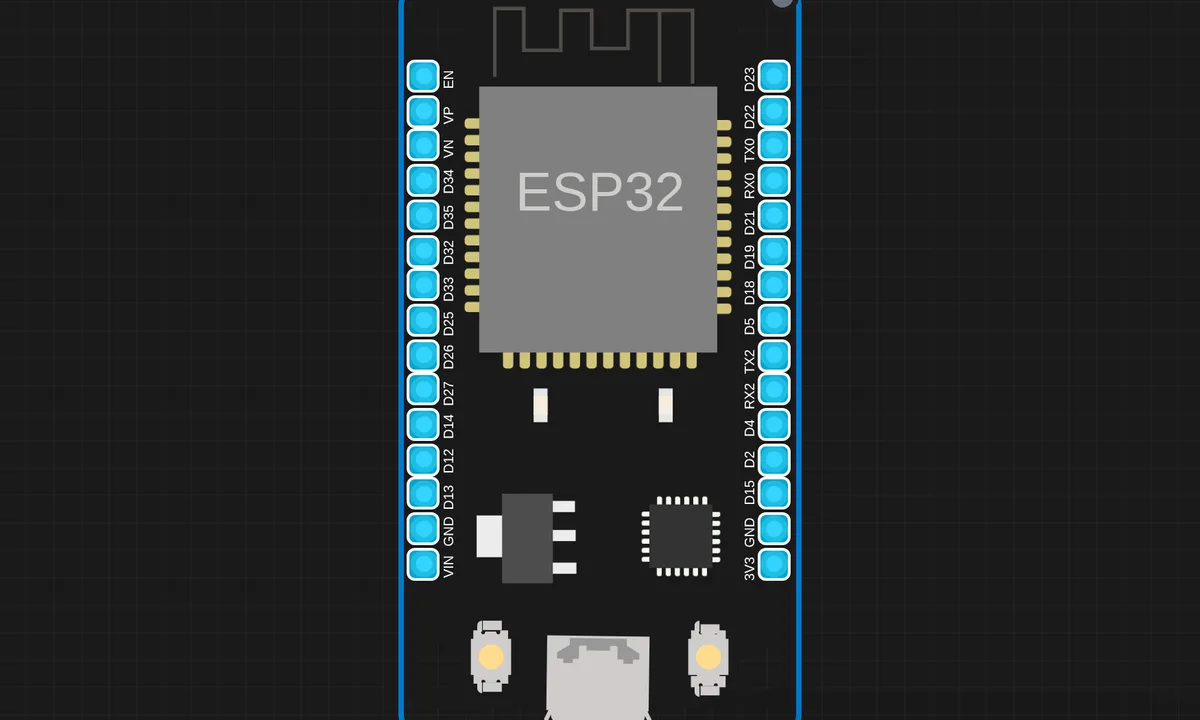
The exact circuit you get when you open this example — already wired, ready to run.
The sketch
# BlynkLib.py
# Copyright (c) 2015-2019 Volodymyr Shymanskyy. See the file LICENSE for copying permission.

__version__ = "1.0.0"

import struct
import time
import sys
import os

try:
    import machine
    gettime = lambda: time.ticks_ms()
    SOCK_TIMEOUT = 0
except ImportError:
    const = lambda x: x
    gettime = lambda: int(time.time() * 1000)
    SOCK_TIMEOUT = 0.05

def dummy(*args):
    pass

MSG_RSP = const(0)
MSG_LOGIN = const(2)
MSG_PING  = const(6)

MSG_TWEET = const(12)
MSG_NOTIFY = const(14)
MSG_BRIDGE = const(15)
MSG_HW_SYNC = const(16)
MSG_INTERNAL = const(17)
MSG_PROPERTY = const(19)
MSG_HW = const(20)
MSG_HW_LOGIN = const(29)
MSG_EVENT_LOG = const(64)

MSG_REDIRECT  = const(41)  # TODO: not implemented
MSG_DBG_PRINT  = const(55) # TODO: not implemented

STA_SUCCESS = const(200)
STA_INVALID_TOKEN = const(9)

DISCONNECTED = const(0)
CONNECTING = const(1)
CONNECTED = const(2)

print("""
    ___  __          __
   / _ )/ /_ _____  / /__
  / _  / / // / _ \\/  '_/
 /____/_/\\_, /_//_/_/\\_\\
        /___/ for Python v""" + __version__ + " (" + sys.platform + ")\n")

class EventEmitter:
    def __init__(self):
        self._cbks = {}

    def on(self, evt, f=None):
        if f:
            self._cbks[evt] = f
        else:
            def D(f):
                self._cbks[evt] = f
                return f
            return D

    def emit(self, evt, *a, **kv):
        if evt in self._cbks:
            self._cbks[evt](*a, **kv)


class BlynkProtocol(EventEmitter):
    def __init__(self, auth, tmpl_id=None, fw_ver=None, heartbeat=50, buffin=1024, log=None):
        EventEmitter.__init__(self)
        self.heartbeat = heartbeat*1000
        self.buffin = buffin
        self.log = log or dummy
        self.auth = auth
        self.tmpl_id = tmpl_id
        self.fw_ver = fw_ver
        self.state = DISCONNECTED
        self.connect()

    def virtual_write(self, pin, *val):
        self._send(MSG_HW, 'vw', pin, *val)

    def send_internal(self, pin, *val):
        self._send(MSG_INTERNAL,  pin, *val)

    def set_property(self, pin, prop, *val):
        self._send(MSG_PROPERTY, pin, prop, *val)

    def sync_virtual(self, *pins):
        self._send(MSG_HW_SYNC, 'vr', *pins)

    def log_event(self, *val):
        self._send(MSG_EVENT_LOG, *val)

    def _send(self, cmd, *args, **kwargs):
        if 'id' in kwargs:
            id = kwargs.get('id')
        else:
            id = self.msg_id
            self.msg_id += 1
            if self.msg_id > 0xFFFF:
                self.msg_id = 1

        if cmd == MSG_RSP:
            data = b''
            dlen = args[0]
        else:
            data = ('\0'.join(map(str, args))).encode('utf8')
            dlen = len(data)

        self.log('<', cmd, id, '|', *args)
        msg = struct.pack("!BHH", cmd, id, dlen) + data
        self.lastSend = gettime()
        self._write(msg)

    def connect(self):
        if self.state != DISCONNECTED: return
        self.msg_id = 1
        (self.lastRecv, self.lastSend, self.lastPing) = (gettime(), 0, 0)
        self.bin = b""
        self.state = CONNECTING
        self._send(MSG_HW_LOGIN, self.auth)

    def disconnect(self):
        if self.state == DISCONNECTED: return
        self.bin = b""
        self.state = DISCONNECTED
        self.emit('disconnected')

    def process(self, data=None):
        if not (self.state == CONNECTING or self.state == CONNECTED): return
        now = gettime()
        if now - self.lastRecv > self.heartbeat+(self.heartbeat//2):
            return self.disconnect()
        if (now - self.lastPing > self.heartbeat//10 and
            (now - self.lastSend > self.heartbeat or
             now - self.lastRecv > self.heartbeat)):
            self._send(MSG_PING)
            self.lastPing = now

        if data != None and len(data):
            self.bin += data

        while True:
            if len(self.bin) < 5:
                break

            cmd, i, dlen = struct.unpack("!BHH", self.bin[:5])
            if i == 0: return self.disconnect()

            self.lastRecv = now
            if cmd == MSG_RSP:
                self.bin = self.bin[5:]

                self.log('>', cmd, i, '|', dlen)
                if self.state == CONNECTING and i == 1:
                    if dlen == STA_SUCCESS:
                        self.state = CONNECTED
                        dt = now - self.lastSend
                        info = ['ver', __version__, 'h-beat', self.heartbeat//1000, 'buff-in', self.buffin, 'dev', sys.platform+'-py']
                        if self.tmpl_id:
                            info.extend(['tmpl', self.tmpl_id])
                            info.extend(['fw-type', self.tmpl_id])
                        if self.fw_ver:
                            info.extend(['fw', self.fw_ver])
                        self._send(MSG_INTERNAL, *info)
                        try:
                            self.emit('connected', ping=dt)
                        except TypeError:
                            self.emit('connected')
                    else:
                        if dlen == STA_INVALID_TOKEN:
                            self.emit("invalid_auth")
                            print("Invalid auth token")
                        return self.disconnect()
            else:
                if dlen >= self.buffin:
                    print("Cmd too big: ", dlen)
                    return self.disconnect()

                if len(self.bin) < 5+dlen:
                    break

                data = self.bin[5:5+dlen]
                self.bin = self.bin[5+dlen:]

                args = list(map(lambda x: x.decode('utf8'), data.split(b'\0')))

                self.log('>', cmd, i, '|', ','.join(args))
                if cmd == MSG_PING:
                    self._send(MSG_RSP, STA_SUCCESS, id=i)
                elif cmd == MSG_HW or cmd == MSG_BRIDGE:
                    if args[0] == 'vw':
                        self.emit("V"+args[1], args[2:])
                        self.emit("V*", args[1], args[2:])
                elif cmd == MSG_INTERNAL:
                    self.emit("internal:"+args[0], args[1:])
                elif cmd == MSG_REDIRECT:
                    self.emit("redirect", args[0], int(args[1]))
                else:
                    print("Unexpected command: ", cmd)
                    return self.disconnect()

import socket

class Blynk(BlynkProtocol):
    def __init__(self, auth, **kwargs):
        self.insecure = kwargs.pop('insecure', False)
        self.server = kwargs.pop('server', 'blynk.cloud')
        self.port = kwargs.pop('port', 80 if self.insecure else 443)
        BlynkProtocol.__init__(self, auth, **kwargs)
        self.on('redirect', self.redirect)

    def redirect(self, server, port):
        self.server = server
        self.port = port
        self.disconnect()
        self.connect()

    def connect(self):
        print('Connecting to %s:%d...' % (self.server, self.port))
        s = socket.socket()
        s.connect(socket.getaddrinfo(self.server, self.port)[0][-1])
        try:
            s.setsockopt(socket.IPPROTO_TCP, socket.TCP_NODELAY, 1)
        except:
            pass
        if self.insecure:
            self.conn = s
        else:
            try:
                import ussl
                ssl_context = ussl
            except ImportError:
                import ssl
                ssl_context = ssl.create_default_context()
            self.conn = ssl_context.wrap_socket(s, server_hostname=self.server)
        try:
            self.conn.settimeout(SOCK_TIMEOUT)
        except:
            s.settimeout(SOCK_TIMEOUT)
        BlynkProtocol.connect(self)

    def _write(self, data):
        #print('<', data)
        self.conn.write(data)
        # TODO: handle disconnect

    def run(self):
        data = b''
        try:
            data = self.conn.read(self.buffin)
            #print('>', data)
        except KeyboardInterrupt:
            raise
        except socket.timeout:
            # No data received, call process to send ping messages when needed
            pass
        except: # TODO: handle disconnect
            return
        self.process(data)


# dsm_code1_csv.py
# ============================================================
#  DSM Smart Meter — Code 1: Data Collection
#  CSV Serial Output → Copy → MATLAB Plot
#  Author : Kritish Mohapatra
#
#  ZMPT101B  → GPIO34 (Voltage)
#  ACS712 #1 → GPIO35 (Fan / Light Load)
#  ACS712 #2 → GPIO32 (Iron / Heavy Load)
#  Relay 1   → GPIO26 (Fan)
#  Relay 2   → GPIO27 (Iron)
# ============================================================

import network
import machine
import math
import BlynkLib
from time import time

# ─── WiFi Credentials ────────────────────────────────────────
WIFI_SSID = "Kritish"
WIFI_PASS = "@pass"

# ─── Blynk Auth ──────────────────────────────────────────────
AUTH = "oizEb24"

# ─── ADC Setup ───────────────────────────────────────────────
adc_voltage  = machine.ADC(machine.Pin(34))
adc_current1 = machine.ADC(machine.Pin(35))
adc_current2 = machine.ADC(machine.Pin(32))
adc_voltage.atten(machine.ADC.ATTN_11DB)
adc_current1.atten(machine.ADC.ATTN_11DB)
adc_current2.atten(machine.ADC.ATTN_11DB)

# ─── Relay + LED ─────────────────────────────────────────────
r1  = machine.Pin(26, machine.Pin.OUT)
r2  = machine.Pin(27, machine.Pin.OUT)
led = machine.Pin(2,  machine.Pin.OUT)
r1.value(1)
r2.value(1)
led.value(0)

# ─── Calibration ─────────────────────────────────────────────

ADC_MAX            = 4095
ADC_VREF           = 3.3
ZMPT_SENSITIVITY   = 133.8    # voltage calibrated: actual=216V
ACS712_SENSITIVITY = 0.100    # V/A for 20A variant
ACS_ZERO_FAN       = 0.8736
ACS_ZERO_IRON      = 0.8746
CURR_FACTOR_FAN    = 0.005
CURR_FACTOR_IRON   = 0.055
CURRENT_THRESHOLD  = 0.01     # below this → 0.00A
SAMPLE_COUNT       = 500
# ─── Fake Time ───────────────────────────────────────────────
FAKE_START_HOUR = 18   # 6 PM
FAKE_START_MIN  = 0
fake_total_min  = FAKE_START_HOUR * 60 + FAKE_START_MIN

# ─── State ───────────────────────────────────────────────────
fan_on  = False
iron_on = False

# ─── WiFi Connect ────────────────────────────────────────────
sta_if = network.WLAN(network.STA_IF)
sta_if.active(True)
sta_if.connect(WIFI_SSID, WIFI_PASS)
print("Connecting to WiFi...")
while not sta_if.isconnected():
    pass
print("WiFi Connected:", sta_if.ifconfig())

# ─── Blynk Init ──────────────────────────────────────────────
blynk = BlynkLib.Blynk(AUTH, insecure=True)

# ─── Blynk Switch Handlers ───────────────────────────────────
@blynk.on("V3")
def v3_handler(value):
    global fan_on
    fan_on = value[0] == '1'
    r1.value(0 if fan_on else 1)
    led.value(1 if (fan_on or iron_on) else 0)
    print(f"# FAN {'ON' if fan_on else 'OFF'}")

@blynk.on("V4")
def v4_handler(value):
    global iron_on
    iron_on = value[0] == '1'
    r2.value(0 if iron_on else 1)
    led.value(1 if (fan_on or iron_on) else 0)
    print(f"# IRON {'ON' if iron_on else 'OFF'}")

# ─── Sensor Functions ────────────────────────────────────────
def read_voltage_rms():
    sum_sq = 0.0
    for _ in range(SAMPLE_COUNT):
        raw = adc_voltage.read()
        v = (raw / ADC_MAX) * ADC_VREF
        centered = v - (ADC_VREF / 2.0)
        scaled = centered * ZMPT_SENSITIVITY
        sum_sq += scaled * scaled
    return math.sqrt(sum_sq / SAMPLE_COUNT)

def read_current_rms(adc, zero_offset, factor):
    sum_sq = 0.0
    for _ in range(SAMPLE_COUNT):
        raw = adc.read()
        v = (raw / ADC_MAX) * ADC_VREF
        centered = v - zero_offset
        amps = centered / ACS712_SENSITIVITY
        sum_sq += amps * amps
    rms = math.sqrt(sum_sq / SAMPLE_COUNT) * factor
    return 0.0 if rms < CURRENT_THRESHOLD else rms

def get_readings():
    v  = read_voltage_rms()
    i1 = read_current_rms(adc_current1, ACS_ZERO_FAN,  CURR_FACTOR_FAN)
    i2 = read_current_rms(adc_current2, ACS_ZERO_IRON, CURR_FACTOR_IRON)

    if r1.value() == 1: i1 = 0.0
    if r2.value() == 1: i2 = 0.0
    if r1.value() == 1 and r2.value() == 1: v = 0.0

    p1 = v * i1
    p2 = v * i2
    pt = p1 + p2
    return v, p1, p2, pt

# ─── Fake Time ───────────────────────────────────────────────
def get_fake_time():
    global fake_total_min
    h = (fake_total_min // 60) % 24
    m = fake_total_min % 60
    fake_total_min += 1
    return h, m

# ─── Main Loop ───────────────────────────────────────────────
# CSV Header
print("# DSM Smart Meter — Code 1 Data Collection")
print("# Copy everything below (except lines with #) to data.csv")
print("Time,Voltage,FanPower,IronPower,TotalPower,FanStatus,IronStatus")

timer = 0

while True:
    blynk.run()
    timer += 1

    if timer >= 3000:
        timer = 0

        v, p1, p2, pt = get_readings()
        h, m = get_fake_time()
        time_str = f"{h:02d}:{m:02d}"

        # CSV line — copy this to MATLAB
        print(f"{time_str},{v:.2f},{p1:.1f},{p2:.1f},{pt:.1f},{1 if fan_on else 0},{1 if iron_on else 0}")

        # Blynk upload
        blynk.virtual_write(0, round(v,  2))
        blynk.virtual_write(1, round(p1, 1))
        blynk.virtual_write(2, round(p2, 1))
        blynk.virtual_write(3, 1 if fan_on  else 0)
        blynk.virtual_write(4, 1 if iron_on else 0)
        blynk.virtual_write(5, round(pt, 1))
        blynk.virtual_write(6, round(pt, 1))

# dsm_code2_peakshift.py
# ============================================================
#  DSM Smart Meter — Code 2: Peak Shifting (With DSM)
#  Auto Iron OFF during peak hour
#  Author : Kritish Mohapatra
#
#  ZMPT101B  → GPIO34 (Voltage)
#  ACS712 #1 → GPIO35 (Fan / Light Load)
#  ACS712 #2 → GPIO32 (Iron / Heavy Load)
#  Relay 1   → GPIO26 (Fan)
#  Relay 2   → GPIO27 (Iron)
#
#  BLYNK VIRTUAL PINS
#  V0 → Voltage gauge
#  V1 → Light Load power (Fan)
#  V2 → Heavy Load power (Iron)
#  V3 → Switch 1 (Fan ON/OFF)
#  V4 → Switch 2 (Iron ON/OFF)
#  V5 → Power Graph (SuperChart)
#  V6 → Total Power gauge
#
#  FAKE TIME SCHEDULE (IST):
#  18:00 – 18:06  → All OFF
#  18:06           → Fan ON
#  18:17 – 18:48  → PEAK ZONE → Iron AUTO OFF
#  18:49           →  Iron AUTO restore
#  18:57           → Fan OFF
# ============================================================

import network
import machine
import math
import BlynkLib
from time import time

# ─── WiFi Credentials ────────────────────────────────────────
WIFI_SSID = "kritish"
WIFI_PASS = "pass"

# ─── Blynk Auth ──────────────────────────────────────────────
AUTH = "auth"

# ─── ADC Setup ───────────────────────────────────────────────
adc_voltage  = machine.ADC(machine.Pin(34))
adc_current1 = machine.ADC(machine.Pin(35))
adc_current2 = machine.ADC(machine.Pin(32))
adc_voltage.atten(machine.ADC.ATTN_11DB)
adc_current1.atten(machine.ADC.ATTN_11DB)
adc_current2.atten(machine.ADC.ATTN_11DB)

# ─── Relay + LED ─────────────────────────────────────────────
r1  = machine.Pin(26, machine.Pin.OUT)
r2  = machine.Pin(27, machine.Pin.OUT)
led = machine.Pin(2,  machine.Pin.OUT)
r1.value(1)
r2.value(1)
led.value(0)

# ─── Calibration ─────────────────────────────────────────────
ADC_MAX            = 4095
ADC_VREF           = 3.3
ZMPT_SENSITIVITY   = 133.8    # voltage calibrated: actual=216V
ACS712_SENSITIVITY = 0.100    # V/A for 20A variant
ACS_ZERO_FAN       = 0.8736
ACS_ZERO_IRON      = 0.8746
CURR_FACTOR_FAN    = 0.005
CURR_FACTOR_IRON   = 0.055
CURRENT_THRESHOLD  = 0.01     # below this → 0.00A
SAMPLE_COUNT       = 500

# ─── Fake Time ───────────────────────────────────────────────
FAKE_START_HOUR = 18
FAKE_START_MIN  = 0
fake_total_min  = FAKE_START_HOUR * 60 + FAKE_START_MIN

# ─── Peak Window (fake IST minutes) ──────────────────────────
PEAK_START = 18 * 60 + 17   # 18:17
PEAK_END   = 18 * 60 + 49   # 18:49

# ─── State ───────────────────────────────────────────────────
fan_on          = False
iron_on         = False
iron_wanted     = False
dsm_active      = False
# ─── WiFi Connect ────────────────────────────────────────────
sta_if = network.WLAN(network.STA_IF)
sta_if.active(True)
sta_if.connect(WIFI_SSID, WIFI_PASS)
print("Connecting to WiFi...")
while not sta_if.isconnected():
    pass
print("WiFi Connected:", sta_if.ifconfig())

# ─── Blynk Init ──────────────────────────────────────────────
blynk = BlynkLib.Blynk(AUTH, insecure=True)

# ─── Blynk Switch Handlers ───────────────────────────────────
@blynk.on("V3")
def v3_handler(value):
    global fan_on
    fan_on = value[0] == '1'
    r1.value(0 if fan_on else 1)
    led.value(1 if (fan_on or iron_on) else 0)
    print(f"# FAN {'ON' if fan_on else 'OFF'}")

@blynk.on("V4")
def v4_handler(value):
    global iron_wanted
    iron_wanted = value[0] == '1'
    print(f"# IRON {'ON' if iron_wanted else 'OFF'} (requested)")

# ─── Sensor Functions ────────────────────────────────────────
def read_voltage_rms():
    sum_sq = 0.0
    for _ in range(SAMPLE_COUNT):
        raw = adc_voltage.read()
        v = (raw / ADC_MAX) * ADC_VREF
        centered = v - (ADC_VREF / 2.0)
        scaled = centered * ZMPT_SENSITIVITY
        sum_sq += scaled * scaled
    return math.sqrt(sum_sq / SAMPLE_COUNT)

def read_current_rms(adc, zero_offset, factor):
    sum_sq = 0.0
    for _ in range(SAMPLE_COUNT):
        raw = adc.read()
        v = (raw / ADC_MAX) * ADC_VREF
        centered = v - zero_offset
        amps = centered / ACS712_SENSITIVITY
        sum_sq += amps * amps
    rms = math.sqrt(sum_sq / SAMPLE_COUNT) * factor
    return 0.0 if rms < CURRENT_THRESHOLD else rms

def get_readings():
    v  = read_voltage_rms()
    i1 = read_current_rms(adc_current1, ACS_ZERO_FAN,  CURR_FACTOR_FAN)
    i2 = read_current_rms(adc_current2, ACS_ZERO_IRON, CURR_FACTOR_IRON)

    if r1.value() == 1: i1 = 0.0
    if r2.value() == 1: i2 = 0.0
    if r1.value() == 1 and r2.value() == 1: v = 0.0

    p1 = v * i1
    p2 = v * i2
    pt = p1 + p2
    return v, p1, p2, pt

# ─── Fake Time ───────────────────────────────────────────────
def get_fake_time():
    global fake_total_min
    h = (fake_total_min // 60) % 24
    m = fake_total_min % 60
    current = fake_total_min
    fake_total_min += 1
    return h, m, current

# ─── DSM Peak Shifting Logic ─────────────────────────────────
def run_dsm(current_min):
    global iron_on, dsm_active

    is_peak = (PEAK_START <= current_min < PEAK_END)

    if is_peak and iron_wanted and not dsm_active:
        # Peak hour mein iron OFF karo
        iron_on = False
        r2.value(1)
        dsm_active = True
        led.value(1 if fan_on else 0)
        print("# DSM: PEAK HOUR → Iron AUTO OFF!")
        blynk.virtual_write(7, "⚠ PEAK! Iron AUTO OFF")

    elif not is_peak and dsm_active:

        if iron_wanted:
            iron_on = True
            r2.value(0)
        dsm_active = False
        led.value(1 if (fan_on or iron_on) else 0)
        print("# DSM: Peak over → Iron RESTORED!")
        blynk.virtual_write(7, "✓ Peak over. Iron restored!")

    elif not is_peak and iron_wanted and not dsm_active:

        iron_on = True
        r2.value(0)

    elif not iron_wanted:
        iron_on = False
        r2.value(1)
        dsm_active = False

# ─── Main Loop ───────────────────────────────────────────────
print("# DSM Smart Meter — Code 2: Peak Shifting Mode")
print(f"# Peak window: 18:17 – 18:49 (fake IST)")
print("Time,Voltage,FanPower,IronPower,TotalPower,FanStatus,IronStatus,DSM")

timer = 0

while True:
    blynk.run()
    timer += 1

    if timer >= 3000:
        timer = 0

        h, m, current_min = get_fake_time()

        # DSM logic
        run_dsm(current_min)

        v, p1, p2, pt = get_readings()
        time_str = f"{h:02d}:{m:02d}"
        dsm_flag = 1 if dsm_active else 0

        # CSV output
        print(f"{time_str},{v:.2f},{p1:.1f},{p2:.1f},{pt:.1f},{1 if fan_on else 0},{1 if iron_on else 0},{dsm_flag}")

        # Blynk upload
        blynk.virtual_write(0, round(v,  2))
        blynk.virtual_write(1, round(p1, 1))
        blynk.virtual_write(2, round(p2, 1))
        blynk.virtual_write(3, 1 if fan_on  else 0)
        blynk.virtual_write(4, 1 if iron_on else 0)
        blynk.virtual_write(5, round(pt, 1))
        blynk.virtual_write(6, round(pt, 1))
How it works
The project combines an energy measurement front-end, consumption logging, and DSM logic — the device tracks usage against thresholds and applies the management rules. The code size reflects the domain: metering firmware is measurement math, scheduling and reporting stacked together.
The communication layer publishes readings and receives management signals, closing the DSM loop: measure, report, receive, adjust. The serial output shows the meter’s running totals and any threshold events.
Before you build it for real
Real metering has regulatory accuracy requirements — the demo’s measurement math is illustrative, and a utility-grade meter needs certified front-ends and calibration, not just a formula. The time-of-use logic depends on a clock: without NTP, the meter’s peak/off-peak decisions drift, and billing-grade timing needs a synchronized source. And safety: mains voltage measurement means isolation transformers and proper fusing — none of which a simulator circuit teaches, all of which a physical build demands.
Get the parts
Related examples
FAQ
What is demand-side management?
DSM shifts or reduces electricity consumption at peak times instead of generating more power. A smart meter is the first step: it measures consumption continuously so the system knows when and where demand is high.
Why is this project so much code?
It is a complete metering stack in one sketch: energy measurement math, time-of-use logic, a display, and a communication layer. The 20 KB of source reflects the real scope of metering firmware — every kilowatt-hour is math.