
Pulse Monitor
Pulse Monitor is a runnable microcontroller simulation example on SensBench — open the wired circuit, inspect the code, and compile real firmware in your browser, no install needed. Last updated Aug 14, 2026.
FREE SIMULATOR EXAMPLE · INTERMEDIATE
Pulse Monitor
This example runs a pulse monitor on the ESP32 — an optical heart-rate sensor, a signal-filtering chain, and beat-interval math that produces beats per minute. The wearable-sensor pattern at its most fundamental.
| Board | ESP32 DevKit (Xtensa LX6, 240 MHz) |
|---|---|
| Difficulty | intermediate |
| Category | displays |
| Libraries | None — just the Arduino core |
| Runs in | Sensbench browser simulator — free, no account |
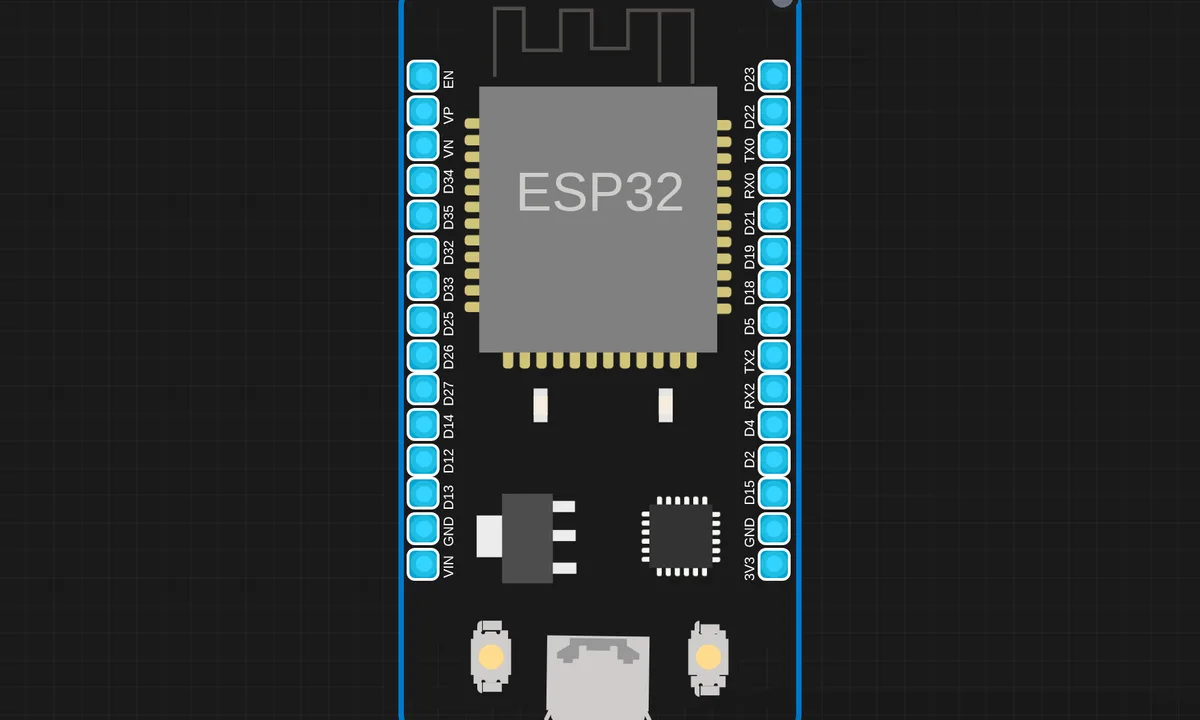
The exact circuit you get when you open this example — already wired, ready to run.
The sketch
# main.py
from machine import ADC, Pin, SoftI2C
import ssd1306
import time

# OLED setup
i2c = SoftI2C(scl=Pin(22), sda=Pin(21))
oled = ssd1306.SSD1306_I2C(128, 64, i2c)

# Sensor setup
sensor = ADC(Pin(34))
sensor.atten(ADC.ATTN_11DB)

# BPM variables
THRESHOLD = 2500
MIN_PEAK_INTERVAL = 300
last_peak_time = 0
peak_times = []
bpm = 0

# Graph buffer
graph = [0] * 80

def draw_heart(x, y):
    oled.pixel(x+1, y, 1); oled.pixel(x+2, y, 1)
    oled.pixel(x+4, y, 1); oled.pixel(x+5, y, 1)
    oled.pixel(x, y+1, 1); oled.pixel(x+1, y+1, 1)
    oled.pixel(x+2, y+1, 1); oled.pixel(x+3, y+1, 1)
    oled.pixel(x+4, y+1, 1); oled.pixel(x+5, y+1, 1)
    oled.pixel(x+6, y+1, 1)
    oled.pixel(x+1, y+2, 1); oled.pixel(x+2, y+2, 1)
    oled.pixel(x+3, y+2, 1); oled.pixel(x+4, y+2, 1)
    oled.pixel(x+5, y+2, 1)
    oled.pixel(x+2, y+3, 1); oled.pixel(x+3, y+3, 1)
    oled.pixel(x+4, y+3, 1)
    oled.pixel(x+3, y+4, 1)

while True:
    value = sensor.read()
    current_time = time.ticks_ms()

    # Peak detection
    if value > THRESHOLD:
        if time.ticks_diff(current_time, last_peak_time) > MIN_PEAK_INTERVAL:
            last_peak_time = current_time
            peak_times.append(current_time)
            if len(peak_times) > 10:
                peak_times.pop(0)
            if len(peak_times) >= 2:
                intervals = [time.ticks_diff(peak_times[i+1], peak_times[i])
                           for i in range(len(peak_times)-1)]
                avg_interval = sum(intervals) / len(intervals)
                bpm = int(60000 / avg_interval)

    # Update graph buffer
    graph_val = int((value / 4095) * 30)
    graph.pop(0)
    graph.append(graph_val)

    # Draw OLED
    oled.fill(0)

    # Draw waveform (top half)
    for i in range(len(graph) - 1):
        y1 = 32 - graph[i]
        y2 = 32 - graph[i+1]
        oled.line(i + 48, y1, i + 49, y2, 1)

    # Divider line
    oled.hline(0, 38, 128, 1)


    # Heart symbol + BPM (bottom half)
    draw_heart(4, 44)
    oled.text(": " + str(bpm) + " BPM", 14, 45)

    oled.show()
    time.sleep_ms(10)


# ssd1306.py
# MicroPython SSD1306 OLED driver, I2C and SPI interfaces

from micropython import const
import framebuf


# register definitions
SET_CONTRAST = const(0x81)
SET_ENTIRE_ON = const(0xA4)
SET_NORM_INV = const(0xA6)
SET_DISP = const(0xAE)
SET_MEM_ADDR = const(0x20)
SET_COL_ADDR = const(0x21)
SET_PAGE_ADDR = const(0x22)
SET_DISP_START_LINE = const(0x40)
SET_SEG_REMAP = const(0xA0)
SET_MUX_RATIO = const(0xA8)
SET_COM_OUT_DIR = const(0xC0)
SET_DISP_OFFSET = const(0xD3)
SET_COM_PIN_CFG = const(0xDA)
SET_DISP_CLK_DIV = const(0xD5)
SET_PRECHARGE = const(0xD9)
SET_VCOM_DESEL = const(0xDB)
SET_CHARGE_PUMP = const(0x8D)

# Subclassing FrameBuffer provides support for graphics primitives
# http://docs.micropython.org/en/latest/pyboard/library/framebuf.html
class SSD1306(framebuf.FrameBuffer):
    def __init__(self, width, height, external_vcc):
        self.width = width
        self.height = height
        self.external_vcc = external_vcc
        self.pages = self.height // 8
        self.buffer = bytearray(self.pages * self.width)
        super().__init__(self.buffer, self.width, self.height, framebuf.MONO_VLSB)
        self.init_display()

    def init_display(self):
        for cmd in (
            SET_DISP | 0x00,  # off
            # address setting
            SET_MEM_ADDR,
            0x00,  # horizontal
            # resolution and layout
            SET_DISP_START_LINE | 0x00,
            SET_SEG_REMAP | 0x01,  # column addr 127 mapped to SEG0
            SET_MUX_RATIO,
            self.height - 1,
            SET_COM_OUT_DIR | 0x08,  # scan from COM[N] to COM0
            SET_DISP_OFFSET,
            0x00,
            SET_COM_PIN_CFG,
            0x02 if self.width > 2 * self.height else 0x12,
            # timing and driving scheme
            SET_DISP_CLK_DIV,
            0x80,
            SET_PRECHARGE,
            0x22 if self.external_vcc else 0xF1,
            SET_VCOM_DESEL,
            0x30,  # 0.83*Vcc
            # display
            SET_CONTRAST,
            0xFF,  # maximum
            SET_ENTIRE_ON,  # output follows RAM contents
            SET_NORM_INV,  # not inverted
            # charge pump
            SET_CHARGE_PUMP,
            0x10 if self.external_vcc else 0x14,
            SET_DISP | 0x01,
        ):  # on
            self.write_cmd(cmd)
        self.fill(0)
        self.show()

    def poweroff(self):
        self.write_cmd(SET_DISP | 0x00)

    def poweron(self):
        self.write_cmd(SET_DISP | 0x01)

    def contrast(self, contrast):
        self.write_cmd(SET_CONTRAST)
        self.write_cmd(contrast)

    def invert(self, invert):
        self.write_cmd(SET_NORM_INV | (invert & 1))

    def show(self):
        x0 = 0
        x1 = self.width - 1
        if self.width == 64:
            # displays with width of 64 pixels are shifted by 32
            x0 += 32
            x1 += 32
        self.write_cmd(SET_COL_ADDR)
        self.write_cmd(x0)
        self.write_cmd(x1)
        self.write_cmd(SET_PAGE_ADDR)
        self.write_cmd(0)
        self.write_cmd(self.pages - 1)
        self.write_data(self.buffer)


class SSD1306_I2C(SSD1306):
    def __init__(self, width, height, i2c, addr=0x3C, external_vcc=False):
        self.i2c = i2c
        self.addr = addr
        self.temp = bytearray(2)
        self.write_list = [b"\x40", None]  # Co=0, D/C#=1
        super().__init__(width, height, external_vcc)

    def write_cmd(self, cmd):
        self.temp[0] = 0x80  # Co=1, D/C#=0
        self.temp[1] = cmd
        self.i2c.writeto(self.addr, self.temp)

    def write_data(self, buf):
        self.write_list[1] = buf
        self.i2c.writevto(self.addr, self.write_list)


class SSD1306_SPI(SSD1306):
    def __init__(self, width, height, spi, dc, res, cs, external_vcc=False):
        self.rate = 10 * 1024 * 1024
        dc.init(dc.OUT, value=0)
        res.init(res.OUT, value=0)
        cs.init(cs.OUT, value=1)
        self.spi = spi
        self.dc = dc
        self.res = res
        self.cs = cs
        import time

        self.res(1)
        time.sleep_ms(1)
        self.res(0)
        time.sleep_ms(10)
        self.res(1)
        super().__init__(width, height, external_vcc)

    def write_cmd(self, cmd):
        self.spi.init(baudrate=self.rate, polarity=0, phase=0)
        self.cs(1)
        self.dc(0)
        self.cs(0)
        self.spi.write(bytearray([cmd]))
        self.cs(1)

    def write_data(self, buf):
        self.spi.init(baudrate=self.rate, polarity=0, phase=0)
        self.cs(1)
        self.dc(1)
        self.cs(0)
        self.spi.write(buf)
        self.cs(1)
How it works
The firmware reads the pulse sensor’s analog output continuously, filters the signal, and detects the repeating peaks that mark heartbeats. The interval between peaks converts to beats per minute, displayed on the screen or serial output.
The signal processing is the lesson: a raw pulse signal is buried in noise, and the code’s filtering chain — baseline removal, smoothing, threshold detection — is what turns a wiggly voltage into a heart rate. The beat detection is threshold-plus-refractory-period, the same logic a commercial monitor uses in miniature.
Before you build it for real
This is not a medical device — the readings are a demonstration of the technique, not a diagnostic tool, and real monitors need clinical validation. The signal is fragile: finger pressure, motion and ambient light all corrupt the reading, and the filtering chain has to be tuned per sensor placement. And the refractory period matters — without a minimum interval between accepted beats, one heartbeat with a dicrotic notch counts as two, inflating the BPM reading.
Get the parts
Related examples
FAQ
How does a pulse sensor work?
An optical sensor shines light into the skin and reads the reflection — blood volume changes with each heartbeat, and the reflection follows. The firmware watches the analog signal’s peaks and counts the interval between them to compute beats per minute.
Why is the signal so noisy?
The pulse signal is tiny and rides on top of motion, ambient light and breathing artifacts. The firmware’s job is mostly filtering: removing the baseline wander and noise so the actual heartbeats stand out. Real monitors spend most of their code on that filter.