
Smart IoT Gas Monitoring System
Smart IoT Gas Monitoring System is a runnable microcontroller simulation example on SensBench — open the wired circuit, inspect the code, and compile real firmware in your browser, no install needed. Last updated Aug 14, 2026.
FREE SIMULATOR EXAMPLE · INTERMEDIATE
Smart IoT Gas Monitoring System
This example runs a smart gas monitoring system on the ESP32 — sensors evaluated locally for instant alarms, with every reading reported to the cloud. The measure-decide-report pipeline for gas safety.
| Board | ESP32 DevKit (Xtensa LX6, 240 MHz) |
|---|---|
| Difficulty | intermediate |
| Category | communication |
| Libraries | None — just the Arduino core |
| Runs in | Sensbench browser simulator — free, no account |
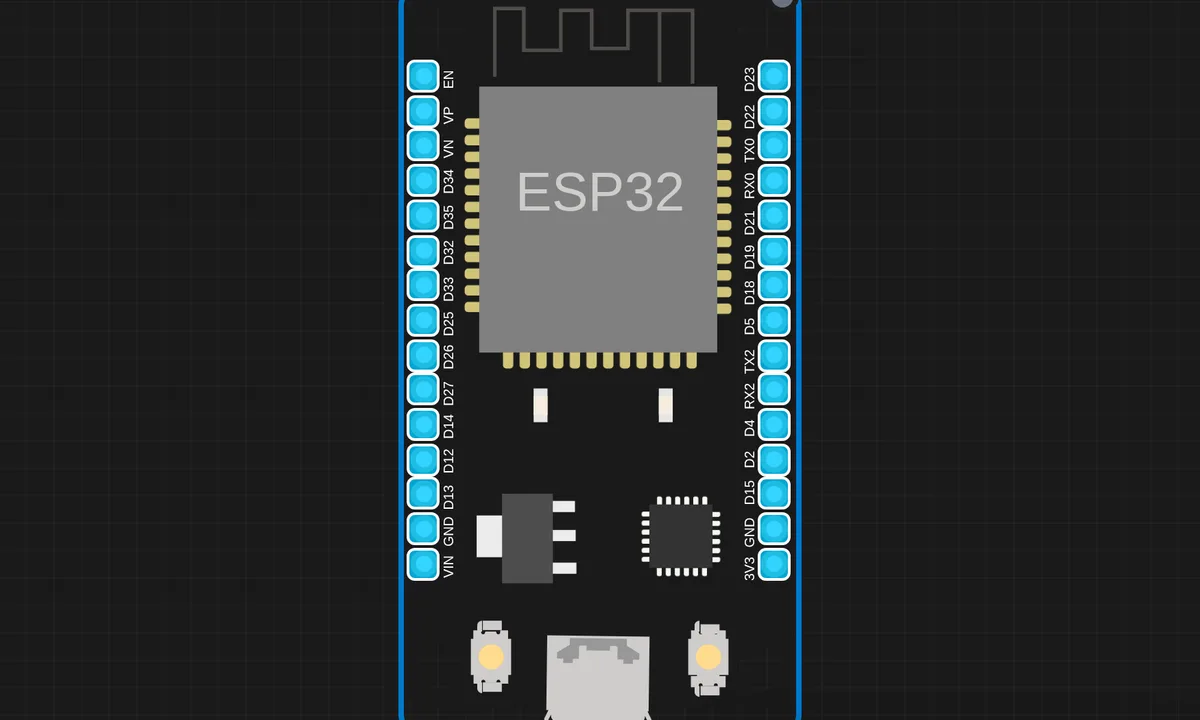
The exact circuit you get when you open this example — already wired, ready to run.
The sketch
# analyze.py
import pandas as pd
import matplotlib.pyplot as plt

# Read CSV
df = pd.read_csv(
    "data.csv",
    header=None,
    names=["time", "gas", "temp", "humidity", "soil"]
)

df["time"] = pd.to_datetime(df["time"])

sensors = [
    ("gas", "Gas Sensor"),
    ("temp", "Temperature"),
    ("soil", "Soil Moisture")
]

fig, axes = plt.subplots(3, 1, figsize=(12, 8), sharex=True)

for ax, (col, title) in zip(axes, sensors):
    mean = df[col].mean()
    std = df[col].std()
    threshold = mean + 2 * std

    alert = df[col] > threshold

    print(f"\n{title}")
    print("Mean:", mean)
    print("Std :", std)
    print("Alerts:", alert.sum())

    ax.plot(df["time"], df[col], label=col)
    ax.scatter(
        df[alert]["time"],
        df[alert][col],
        label="ALERT"
    )
    ax.axhline(threshold, linestyle="--", label="Threshold")
    ax.set_ylabel(col)
    ax.set_title(title)
    ax.legend()

axes[-1].set_xlabel("Time")
plt.suptitle("IoT Sensor Analytics Dashboard", fontsize=14)
plt.tight_layout()
plt.show()


# app.py
# from flask import Flask, request
# import csv
# from datetime import datetime

# app = Flask(__name__)

# @app.route("/")
# def home():
#     return "Flask server running OK"

# @app.route("/data", methods=["POST"])
# def receive():
#     data = request.json
#     with open("data.csv", "a", newline="") as f:
#         writer = csv.writer(f)
#         writer.writerow([
#             datetime.now(),
#             data["gas"],
#             data["temp"],
#             data["humidity"],
#             data["soil"]
#         ])
#     return {"status": "ok"}

# app.run(host="0.0.0.0", port=5000, debug=True)

# -------------------- IMPORTS --------------------
# Flask framework for building web server
# request       -> to receive JSON data from ESP32
# render_template -> to serve HTML dashboard
# jsonify       -> to send JSON response to frontend

from flask import Flask, request, render_template, jsonify

# CSV module to store sensor data logs
import csv

# datetime module to store timestamp
from datetime import datetime


# -------------------- FLASK APP INITIALIZATION --------------------
app = Flask(__name__)


# -------------------- LIVE DATA STORAGE --------------------
# This dictionary stores the latest sensor readings
# It is used by the dashboard and live graphs
latest_data = {
    "gas": 0,
    "temp": 0,
    "humidity": 0,
    "soil": 0,
    "status": "SAFE"
}


# -------------------- AI MEMORY (HISTORY BUFFER) --------------------
# List to store recent gas sensor values
gas_history = []

# Number of past readings used for moving average
WINDOW_SIZE = 10

# Sensitivity margin for anomaly detection
# If gas > average + margin → DANGER
GAS_MARGIN = 300


# -------------------- DASHBOARD ROUTE --------------------
# Loads the main dashboard page
@app.route("/")
def dashboard():
    return render_template("index.html", data=latest_data)


# -------------------- ESP32 DATA RECEIVER --------------------
# ESP32 sends sensor data to this route using POST request
@app.route("/data", methods=["POST"])
def receive():
    global latest_data, gas_history

    # Read JSON data sent by ESP32
    data = request.json

    # Extract sensor values (default = 0 if missing)
    gas = data.get("gas", 0)
    temp = data.get("temp", 0)
    humidity = data.get("humidity", 0)
    soil = data.get("soil", 0)

    # ---------------- AI LOGIC (Moving Average Based Detection) ----------------
    # Store current gas value in history
    gas_history.append(gas)

    # Keep only the last WINDOW_SIZE readings
    if len(gas_history) > WINDOW_SIZE:
        gas_history.pop(0)

    # Calculate average gas level
    avg_gas = sum(gas_history) / len(gas_history)

    # Detect abnormal gas rise
    # Sudden spike beyond threshold is marked as DANGER
    status = "DANGER" if gas > avg_gas + GAS_MARGIN else "SAFE"

    # Update latest data dictionary
    latest_data = {
        "gas": gas,
        "temp": temp,
        "humidity": humidity,
        "soil": soil,
        "status": status
    }

    # ---------------- CSV DATA LOGGING ----------------
    # Store all readings in CSV file for analysis
    with open("data.csv", "a", newline="") as f:
        writer = csv.writer(f)
        writer.writerow([
            datetime.now(),  # Timestamp
            gas,
            temp,
            humidity,
            soil,
            status
        ])

    # Send acknowledgment to ESP32
    return {"status": "ok"}


# -------------------- LIVE DATA API --------------------
# Frontend uses this route to fetch live data for graphs
@app.route("/latest")
def latest():
    return jsonify(latest_data)


# -------------------- RUN FLASK SERVER --------------------
if __name__ == "__main__":
    app.run(host="0.0.0.0", port=5000, debug=True)


# esp32_sensor_code.py
import network, urequests, time, dht
from machine import ADC, Pin

ssid = "kritish"
password = "@Krrs2069"

# MQ-2
mq2 = ADC(Pin(34))
mq2.atten(ADC.ATTN_11DB)

# Soil
soil = ADC(Pin(35))
soil.atten(ADC.ATTN_11DB)

# DHT
d = dht.DHT11(Pin(4))

# WiFi
wlan = network.WLAN(network.STA_IF)
wlan.active(True)
wlan.connect(ssid, password)

t = 0
while not wlan.isconnected() and t < 10:
    time.sleep(1)
    t += 1

if not wlan.isconnected():
    print("WiFi Failed")
    raise SystemExit

print("ESP IP:", wlan.ifconfig())

url = "http://10.201.102.81:5000/data"

while True:
    try:
        d.measure()
        temp = d.temperature()
        hum = d.humidity()
    except:
        temp, hum = None, None

    gas = mq2.read()
    soil_val = soil.read()

    payload = {
        "gas": gas,
        "temp": temp,
        "humidity": hum,
        "soil": soil_val
    }

    try:
        r = urequests.post(url, json=payload)
        print(payload, "->", r.text)
        r.close()
        del r
    except Exception as e:
        print("Failed", e)

    time.sleep(3)
How it works
The firmware reads the gas sensors, evaluates thresholds locally, and reports readings and alerts to a cloud dashboard. The pipeline has three stages: measure, decide locally, report remotely — the local decision keeps the alarm instant, the cloud adds visibility.
The threshold evaluation fires the local alarm path immediately — no network dependency for the safety-critical reaction. The cloud reporting runs alongside, so the dashboard gets every reading whether or not an alarm fired.
Before you build it for real
The local alarm path must not depend on the cloud — the design’s whole point is that the safety reaction works offline; a system that needs the network to alarm fails exactly when it matters. Gas sensors need warm-up and drift compensation — the MQ family’s baseline shifts with humidity and age, so thresholds need periodic recalibration. And the reporting cadence is a power and data budget: every reading uploaded drains battery and data allowance, so real deployments report on change, not on a fixed timer.
Get the parts
Related examples
FAQ
Why monitor gas over IoT?
Gas levels change slowly but matter urgently — a leak develops over minutes and every missed detection is dangerous. Cloud reporting adds the two things a local alarm lacks: remote visibility and history, so the data outlives the moment.
How is this different from the single-sensor examples?
The single-sensor examples (MQ4/MQ7/MQ135) teach one sensor’s threshold loop. This system combines sensors, local alarms and cloud reporting into one pipeline — the production shape the singles build toward.