
Temperature Based LED Indicator (MicroPython ESP32)
Temperature Based LED Indicator (MicroPython ESP32) is a runnable microcontroller simulation example on SensBench — open the wired circuit, inspect the code, and compile real firmware in your browser, no install needed. Last updated Aug 14, 2026.
FREE SIMULATOR EXAMPLE · INTERMEDIATE
Temperature Based LED Indicator (MicroPython ESP32)
This example drives a temperature-based LED indicator on the ESP32 — the sensor reading maps to a lit band of LEDs. The glanceable-status pattern for temperature monitoring.
| Board | ESP32 DevKit (Xtensa LX6, 240 MHz) |
|---|---|
| Difficulty | intermediate |
| Category | robotics |
| Libraries | None — just the Arduino core |
| Runs in | Sensbench browser simulator — free, no account |
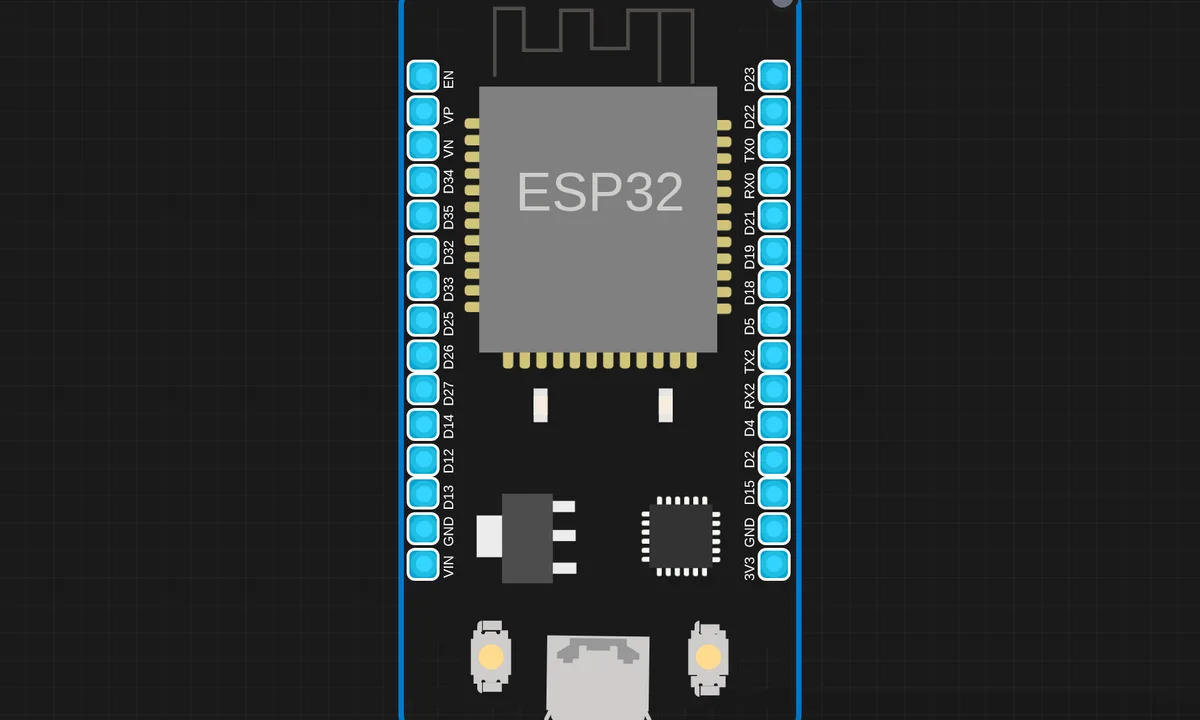
The exact circuit you get when you open this example — already wired, ready to run.
The sketch
# main.py
import network
import socket
from machine import Pin, PWM
from time import sleep_ms

# -------- WiFi --------
ssid = "kritish"
password = "pass"

wlan = network.WLAN(network.STA_IF)
wlan.active(True)
wlan.connect(ssid, password)

while not wlan.isconnected():
    pass

print("Open:", wlan.ifconfig()[0])

# -------- Motor --------
ENA = PWM(Pin(13), freq=1000)
IN1 = Pin(12, Pin.OUT)
IN2 = Pin(14, Pin.OUT)

IN1.on()
IN2.off()
ENA.duty(0)

def set_motor(speed):
    speed = int(speed)

    if speed <= 0:
        ENA.duty(0)
        return

    # kick start for 6V + L298N
    ENA.duty(1023)
    sleep_ms(150)
    ENA.duty(speed)

# -------- HTML --------
html = """<!DOCTYPE html>
<html>
<body>
<h2>ESP32 DC Motor Control</h2>
<input type="range" min="0" max="1023" value="0"
oninput="send(this.value)">
<p>Speed: <span id="v">0</span></p>

<script>
function send(val){
 document.getElementById("v").innerHTML = val;
 fetch("/set?speed=" + val);
}
</script>
</body>
</html>
"""

# -------- Server --------
addr = socket.getaddrinfo('0.0.0.0', 80)[0][-1]
s = socket.socket()
s.bind(addr)
s.listen(1)

print("Server running")

while True:
    cl, addr = s.accept()
    req = cl.recv(1024).decode()

    if "/set?speed=" in req:
        try:
            part = req.split("/set?speed=")[1]
            spd = part.split(" ")[0]
            set_motor(spd)
            print("Speed set:", spd)
        except:
            pass

        cl.send("HTTP/1.1 200 OK\r\n\r\nOK")
        cl.close()
        continue

    cl.send("HTTP/1.1 200 OK\r\nContent-Type: text/html\r\n\r\n")
    cl.send(html)
    cl.close()
How it works
The firmware reads the temperature sensor and maps the value onto the LED indicator — each LED representing a temperature band, lit in sequence as the reading climbs. The mapping thresholds are the calibration points.
The banding logic is the interface design: equal temperature steps per LED, or wider steps at the extremes where the eye cares less. The serial output prints the temperature and the lit band, so the visual and the number cross-check.
Before you build it for real
The sensor placement drives the reading — the ESP32’s own heat warms a board-mounted sensor by a degree or two, so the indicator’s bands shift with the enclosure. The band edges need hysteresis — a temperature hovering at a band boundary makes the LED flicker between bands without it. And the LEDs still need series resistors — the simulator’s free LEDs are the only ones that light without them.
Get the parts
Related examples
FAQ
How does temperature drive the LEDs?
The firmware maps the temperature reading to an LED pattern — typically more LEDs or a color change as the temperature rises. The mapping turns a number into a visual level, readable across the room without reading a display.
Why LEDs instead of a display?
An LED indicator is glanceable and cheap: the eye reads the pattern without focusing. For a thermostat’s status or a server room’s warning light, the LED bar is the right interface — a display would be over-engineering.