
ATtiny85: Blink LED
ATtiny85: Blink LED is a runnable microcontroller simulation example on SensBench — open the wired circuit, inspect the code, and compile real firmware in your browser, no install needed. Last updated Aug 14, 2026.
FREE SIMULATOR EXAMPLE · BEGINNER
ATtiny85: Blink LED
This example blinks an external LED from the ATtiny85’s PB1 (Digispark pin 1) through a 220 Ohm resistor. It is the tiny AVR’s hello world — the same blink pattern as every other board, squeezed into an 8-pin package.
| Board | ATtiny85 (8-pin AVR, 8 MHz internal) |
|---|---|
| Difficulty | beginner |
| Category | basics |
| Libraries | None — just the Arduino core |
| Runs in | Sensbench browser simulator — free, no account |
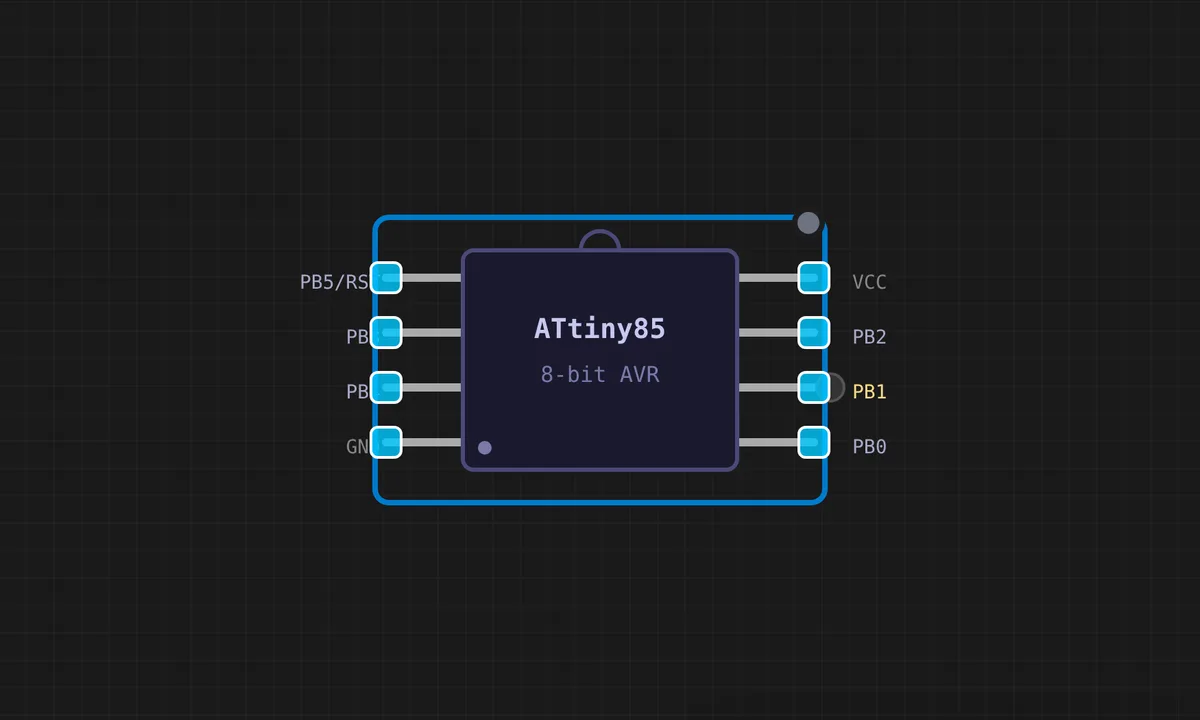
The exact circuit you get when you open this example — already wired, ready to run.
The sketch
// ATtiny85 — Blink an LED wired to PB1 (Digispark pin 1)
// PB1 -> 220 Ohm -> LED anode; LED cathode -> GND

void setup() {
  pinMode(1, OUTPUT);
}

void loop() {
  digitalWrite(1, HIGH);
  delay(500);
  digitalWrite(1, LOW);
  delay(500);
}
How it works
The sketch sets PB1 as output — pin 1 in the ATtiny85 Arduino core’s numbering — and toggles it with 500 ms delays. The wiring is explicit in the comments: PB1 through a 220 Ohm resistor to the LED anode, cathode to GND. That resistor is not optional decoration; the ATtiny85’s pins are unforgiving.
The loop is the same two-state toggle as every blink on every board — the lesson of the ATtiny85 is not the code, it is the packaging: an 8-pin AVR running at 8 MHz internally, capable of running this sketch for weeks on a coin cell.
Before you build it for real
The ATtiny85 has only 5 usable I/O pins, and each one is limited to about 40 mA absolute max — with no internal protection. The 220 Ohm series resistor in the wiring comment is genuinely mandatory: a bare LED on a 5 V supply can pull 30+ mA through the pin and the chip’s output driver will overheat. There is no built-in LED and no hardware serial (unless you bit-bang SoftwareSerial), so debugging on real hardware means blinking or a USB-TTL adapter. The Digispark’s 5 V rail and the chip’s internal 8 MHz oscillator are also paired: real boards can brown-out on USB current spikes, which the simulator never shows.
Get the parts
Related examples
FAQ
Why is the ATtiny85's pin number just 1?
The Arduino core for the ATtiny85 maps pin numbers to the chip’s physical pins: pin 1 is PB1, which is the Digispark board’s pin 1 — the pin nearest the USB on a Digispark. The mapping is fixed by the core, so pinMode(1, OUTPUT) is unambiguous once you know the convention.
Can I use the built-in LED instead?
The ATtiny85 has no onboard LED — unlike the Uno or Pico. Every ATtiny85 LED example wires an external one. The Digispark breakout’s pin 1 is the common choice because it is easy to reach and sits next to ground.