
ESP32-C3: Button + LED
ESP32-C3: Button + LED is a runnable microcontroller simulation example on SensBench — open the wired circuit, inspect the code, and compile real firmware in your browser, no install needed. Last updated Aug 14, 2026.
FREE SIMULATOR EXAMPLE · BEGINNER
ESP32-C3: Button + LED
This example wires a pushbutton to GPIO9 and an LED to GPIO8 of the ESP32-C3: hold the button and the LED lights, release it and the LED goes dark, with “Button pressed!” streaming to the Serial Monitor while you hold. It is the smallest possible input-to-output loop — the sketch to run when you want proof that GPIO reads work.
| Board | ESP32-C3 (RISC-V single-core, 160 MHz) |
|---|---|
| Difficulty | beginner |
| Category | basics |
| Libraries | None — just the Arduino core |
| Runs in | Sensbench browser simulator — free, no account |
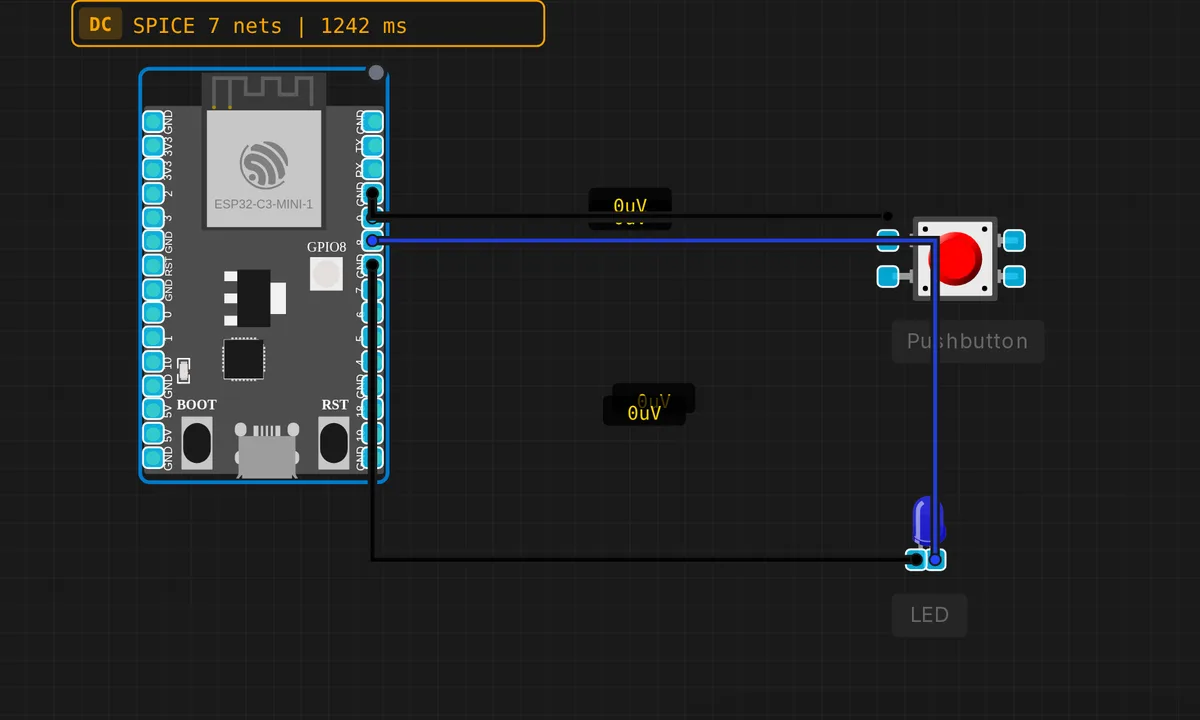
The exact circuit you get when you open this example — already wired, ready to run.
The sketch
// ESP32-C3 — Button controls LED
// Button on GPIO9 (INPUT_PULLUP), LED on GPIO8

#define BTN_PIN 9
#define LED_PIN 8

void setup() {
  pinMode(BTN_PIN, INPUT_PULLUP);
  pinMode(LED_PIN, OUTPUT);
  Serial.begin(115200);
  Serial.println("ESP32-C3 Button+LED ready");
  Serial.println("Hold button to light LED");
}

void loop() {
  bool pressed = digitalRead(BTN_PIN) == LOW;
  digitalWrite(LED_PIN, pressed ? HIGH : LOW);
  if (pressed) Serial.println("Button pressed!");
  delay(50);
}
How it works
The input side is one call: pinMode(BTN_PIN, INPUT_PULLUP) turns on the C3’s internal pull-up, so the button only needs to short GPIO9 to GND. That makes the logic active-low — the sketch reads digitalRead(BTN_PIN) == LOW as “pressed”, which trips up everyone who expects HIGH to mean on.
The loop is a 50 ms mirror: read the button, write the result straight to the LED with digitalWrite(LED_PIN, pressed ? HIGH : LOW). No state variable, no edge detection — the LED is a live copy of the pin. The price of that simplicity shows up in the Serial Monitor: Serial.println("Button pressed!") sits inside the loop, so holding the button logs the line about twenty times a second.
Before you build it for real
GPIO9 is not a random choice — on the real DevKitM-1 it is the pin behind the button labeled BOOT. Hold it low while the chip resets and the C3 boots into UART download mode instead of your sketch, which is exactly how you flash firmware — and exactly how a wired-down button can confuse a board that just power-cycled. Second, the sketch leans on the internal ~45 kΩ pull-up: fine for a tact switch on the same breadboard, too weak for a switch on a long cable run — add an external 10 kΩ pull-up if the wire leaves the board. And there is no debounce here; the 50 ms loop mostly hides contact bounce, but the moment you add press counting, bounces become double-counts.
Get the parts
Related examples
FAQ
Why does the code treat LOW as pressed?
Because INPUT_PULLUP holds the pin at 3.3 V until the button shorts it to GND — so a press reads LOW. Active-low wiring is the standard on dev boards precisely because it needs no external resistor: the chip provides the pull-up for free.
My Serial Monitor floods with "Button pressed!" — is that a bug?
No, it is the loop doing exactly what it is told: the print runs every 50 ms while the button is held, roughly twenty lines a second. To log once per press, store the previous state in a variable and print only when it changes from released to pressed.