
ESP32 Dual ADC Reader
ESP32 Dual ADC Reader is a runnable microcontroller simulation example on SensBench — open the wired circuit, inspect the code, and compile real firmware in your browser, no install needed. Last updated Aug 14, 2026.
FREE SIMULATOR EXAMPLE · BEGINNER
ESP32 Dual ADC Reader
This example reads two analog channels at once — GPIO34 and GPIO35 — at 12-bit resolution and prints both as voltages every 500 ms. No libraries, no external parts beyond two signal sources: it is the fastest way to watch analogRead() work, and a good excuse to learn which ESP32 pins make proper analog inputs.
| Board | ESP32 DevKit (Xtensa LX6, 240 MHz) |
|---|---|
| Difficulty | beginner |
| Category | circuits |
| Libraries | None — just the Arduino core |
| Runs in | Sensbench browser simulator — free, no account |
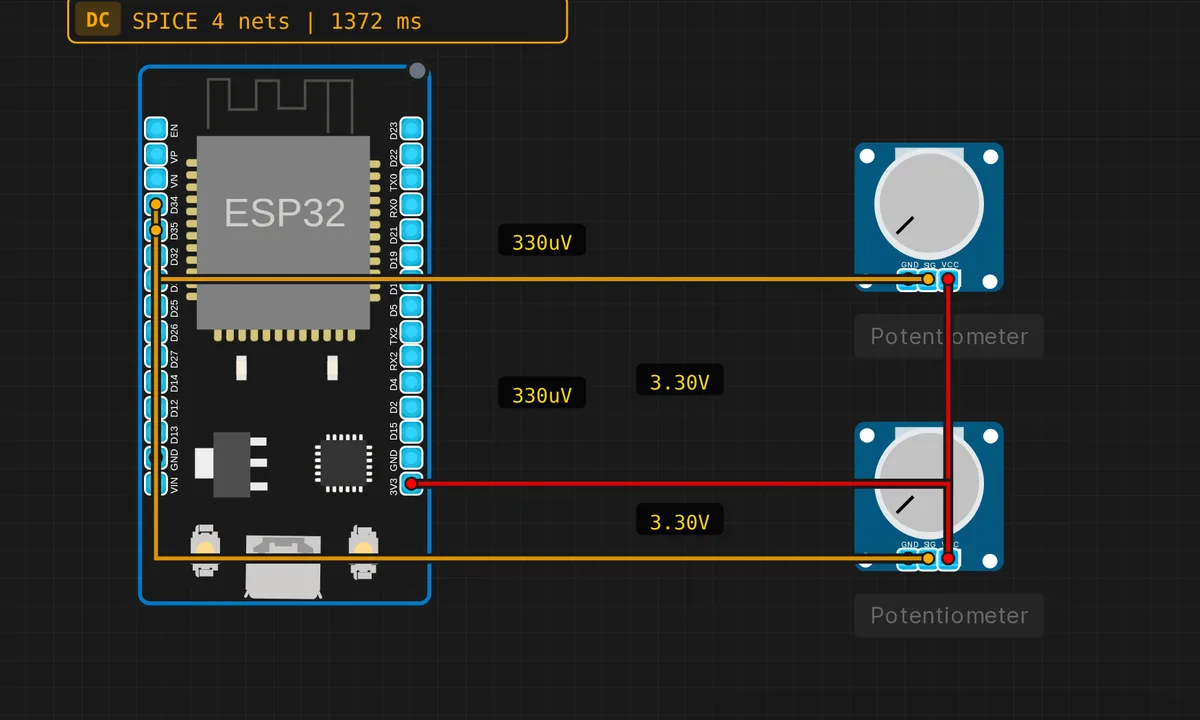
The exact circuit you get when you open this example — already wired, ready to run.
The sketch
// ESP32 dual ADC — 12-bit, 3.3V reference
void setup() {
  Serial.begin(115200);
  analogReadResolution(12);
}
void loop() {
  int ch1 = analogRead(34);
  int ch2 = analogRead(35);
  float v1 = ch1 * 3.3 / 4095.0;
  float v2 = ch2 * 3.3 / 4095.0;
  Serial.printf("CH1=%.3fV  CH2=%.3fV\n", v1, v2);
  delay(500);
}
How it works
analogReadResolution(12) sets the ADC width once in setup() — 12 bits means 4096 counts across the input range, which is why the loop divides by 4095.0. After that, each analogRead() takes a fresh blocking sample; there is no continuous mode here, just two reads back to back every 500 ms.
The math — ch1 * 3.3 / 4095.0 — assumes the ADC reads 0 at 0 V and 4095 at 3.3 V. That is a fair model for quick work, but notice the sketch converts to volts before printing: raw counts mean nothing until you know the reference, and doing the division on every read is the habit that saves you later.
The pin choice is not arbitrary. GPIO34 and GPIO35 are both ADC1 channels, and ADC1 keeps working while WiFi is on — the ADC2 pins (GPIO0, GPIO2, GPIO15 and friends) get claimed by the radio. These two are also input-only, with no output driver and no internal pull-ups, which is precisely what an analog input wants.
Before you build it for real
The simulator’s ADC is ideal; the real one is famously not. A physical ESP32 has a dead zone near 0 V and flattens out near the top of its range, so the tidy * 3.3 / 4095 conversion can be off by tens of millivolts unless you calibrate with esp_adc_cal. Second, floating inputs lie: with nothing driving GPIO34 or GPIO35, the pin picks up noise and prints wandering voltages that look like signal — tie unused channels somewhere defined. And if you later add WiFi, remember these are ADC1 pins for a reason: move a channel to an ADC2 pin and it silently stops working the moment the radio starts.
Get the parts
Related examples
FAQ
Why GPIO34 and GPIO35 specifically?
They are ADC1 channels, and ADC1 keeps working while WiFi is on — the ADC2 pins get claimed by the radio. They are also input-only pins with no output driver or internal pull-ups, which is exactly what a dedicated analog input wants.
Why are my real readings off near 0 V and 3.3 V?
The physical ESP32 ADC is nonlinear at both ends of its range, with a small dead zone near ground and compression near full scale. The * 3.3 / 4095 math assumes a perfect converter; on hardware, calibrate with esp_adc_cal or average and offset your readings.