
ESP32-C3 HTTP Server
ESP32-C3 HTTP Server is a runnable microcontroller simulation example on SensBench — open the wired circuit, inspect the code, and compile real firmware in your browser, no install needed. Last updated Aug 14, 2026.
FREE SIMULATOR EXAMPLE · INTERMEDIATE
ESP32-C3 HTTP Server
This example turns the ESP32-C3 into a working web server: after joining WiFi it serves a styled status page on / — request count, uptime in seconds and free heap — plus a JSON endpoint at /api/hello. Open the IoT Gateway link from the simulator and you are browsing HTML generated on a 160 MHz RISC-V chip.
| Board | ESP32-C3 (RISC-V single-core, 160 MHz) |
|---|---|
| Difficulty | intermediate |
| Category | communication |
| Libraries | None — WiFi.h ships with the Arduino core |
| Runs in | Sensbench browser simulator — free, no account |
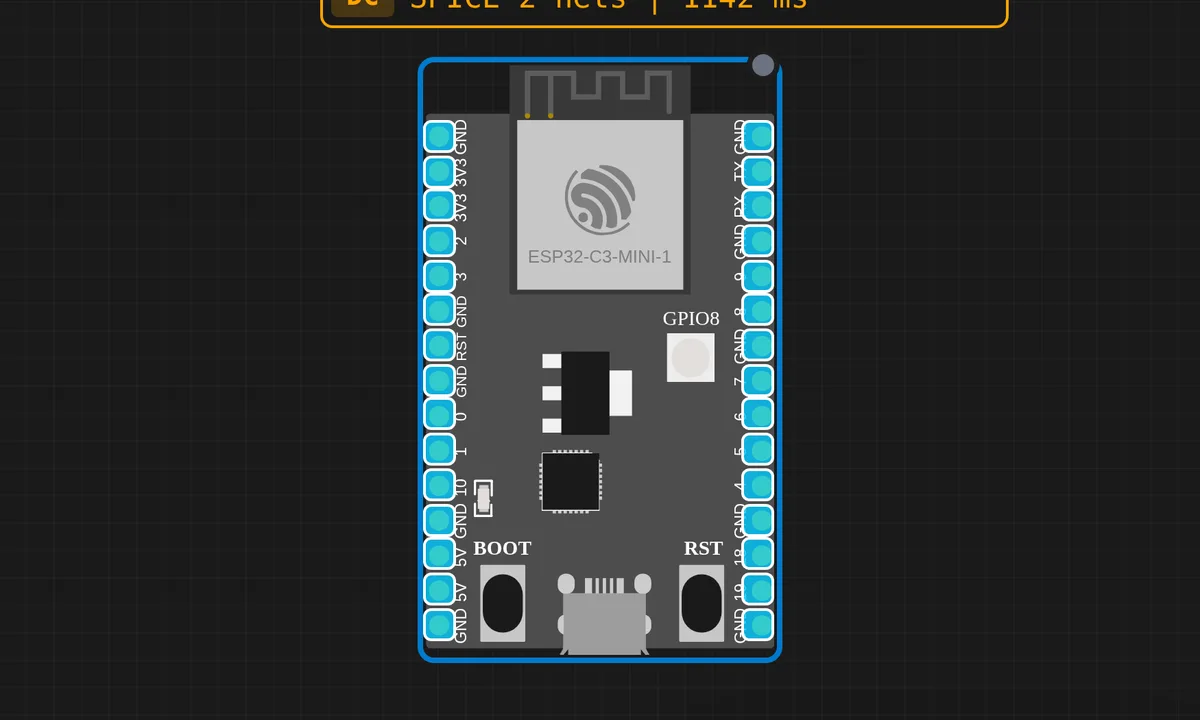
The exact circuit you get when you open this example — already wired, ready to run.
The sketch
#include <WiFi.h>
#include <WebServer.h>

const char* ssid = "sensbench-GUEST";
WebServer server(80);

int requestCount = 0;

void handleRoot() {
  requestCount++;
  String html = "<!DOCTYPE html><html><head>";
  html += "<meta charset='utf-8'>";
  html += "<meta name='viewport' content='width=device-width,initial-scale=1'>";
  html += "<title>ESP32-C3 Web Server</title>";
  html += "<style>body{font-family:sans-serif;max-width:600px;margin:40px auto;padding:0 20px;";
  html += "background:#1a1a2e;color:#e0e0e0}h1{color:#00d4ff}";
  html += ".card{background:#16213e;padding:20px;border-radius:10px;margin:10px 0}";
  html += ".stat{color:#00d4ff;font-size:1.2em}</style></head><body>";
  html += "<h1>Hello from ESP32-C3!</h1>";
  html += "<div class='card'><p>This page is served by an ESP32-C3 (RISC-V) running in the sensbench simulator.</p>";
  html += "<p>Requests served: <span class='stat'>" + String(requestCount) + "</span></p>";
  html += "<p>Uptime: <span class='stat'>" + String(millis() / 1000) + "s</span></p>";
  html += "<p>Free heap: <span class='stat'>" + String(ESP.getFreeHeap()) + " bytes</span></p>";
  html += "</div></body></html>";
  server.send(200, "text/html", html);
}

void setup() {
  Serial.begin(115200);
  delay(1000);
  Serial.println("ESP32-C3 HTTP Server");

  WiFi.begin(ssid, "", 6);
  Serial.print("Connecting to WiFi");
  while (WiFi.status() != WL_CONNECTED) {
    delay(500);
    Serial.print(".");
  }
  Serial.println(" Connected!");

  server.on("/", handleRoot);
  server.on("/api/hello", []() {
    server.send(200, "application/json", "{\"message\":\"Hello from ESP32-C3!\"}");
  });
  server.begin();

  Serial.printf("Server started at: http://%s/\n", WiFi.localIP().toString().c_str());
  Serial.println("Open the IoT Gateway link to access it from your browser.");
}

void loop() {
  server.handleClient();
}
How it works
The WebServer library is cooperative, not threaded. server.on("/", handleRoot) and the inline lambda for /api/hello only register route handlers — nothing is served until server.handleClient() runs, which is why that call is the entire body of loop(). Every browser hit is parsed, matched against the route table and dispatched inside that one function.
handleRoot() builds the whole page as a single Arduino String, concatenation by concatenation, then ships it with server.send(200, "text/html", html). Fine for a demo, terrible as a habit: every request allocates and frees a growing string on a heap that is small to begin with. The page printing ESP.getFreeHeap() is not decoration — hit refresh twenty times on real hardware and you can watch fragmentation nibble that number down.
The WiFi join uses the three-argument WiFi.begin(ssid, "", 6): empty password because the demo network is open, and channel 6 pinned so the radio skips scanning all 13 channels before associating. The blocking while loop then polls WiFi.status() every 500 ms until it sees WL_CONNECTED — only after that does server.begin() start listening on port 80.
Before you build it for real
Two lessons the simulator teaches gently and real hardware teaches with timeouts. First, never block loop(): the server only answers while handleClient() runs, so one stray delay(5000) or a busy sensor read makes the page hang — keep loop work short or move it to a task. Second, String concatenation fragments the heap: on a real board, enough refreshes of this exact sketch can leave plenty of total free heap but no contiguous block big enough for the next page — when you outgrow the demo, serve static strings from flash or stream with server.send_P() and chunked responses. And remember the C3 radio is 2.4 GHz only, so the network it joins must have a 2.4 GHz SSID.
Get the parts
Related examples
FAQ
How do I open the page?
In the simulator, use the IoT Gateway link shown when the server starts — it tunnels through to the board’s port 80. On real hardware, browse to the IP the sketch prints right after connecting; your laptop just needs to be on the same network.
Why does the page stop responding when I add code to loop()?
Because the server is polled, not threaded: requests are only handled inside server.handleClient(). Any blocking call in your loop — a long delay, a slow sensor read — starves it. Keep loop work short, or move the extra work onto a separate FreeRTOS task.