
Intel 8080 Banner Streamer
Intel 8080 Banner Streamer is a runnable microcontroller simulation example on SensBench — open the wired circuit, inspect the code, and compile real firmware in your browser, no install needed. Last updated Aug 14, 2026.
FREE SIMULATOR EXAMPLE · ADVANCED
Intel 8080 Banner Streamer
This example boots a clean-room Intel 8080 from a 328-byte embedded ROM: it prints a banner, then streams an uptime tick to the Serial Monitor every 50 ms. No Arduino — the CPU runs standalone, exactly like the 1974 original.
| Board | Intel 8080 custom chip (clean-room, booted from embedded ROM) |
|---|---|
| Difficulty | advanced |
| Category | circuits |
| Libraries | None — just the Arduino core |
| Runs in | Sensbench browser simulator — free, no account |
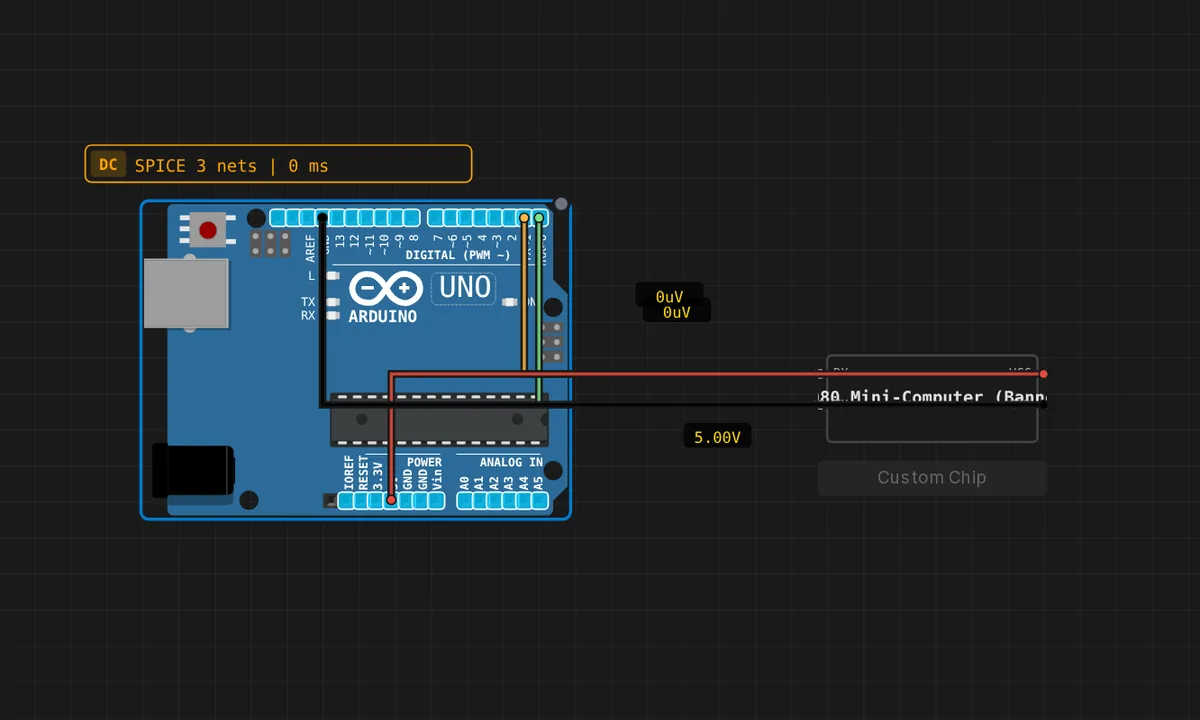
The exact circuit you get when you open this example — already wired, ready to run.
The sketch
/ i8080 banner streamer
//
// The bundled i8080 chip on the canvas runs its own embedded ROM. All
// this Arduino sketch does is set up Serial and forward bytes back and
// forth: the chip's UART output arrives at the AVR's RX path, the sketch
// echoes each byte so the Serial Monitor displays it.
//
// Steps:
//   1. Double-click the chip, switch to the Editor tab, click Compile.
//      (The backend compiles the embedded 8080 emulator + ROM to WASM.)
//   2. Hit Save, then Run.
//   3. Open the Serial Monitor — you should see the banner followed by
//      "uptime ticks: 0xNN" lines incrementing every ~50 ms, all driven
//      by real Intel 8080 instructions running in WASM.

void setup() {
  Serial.begin(9600);
}

void loop() {
  while (Serial.available()) {
    int c = Serial.read();
    Serial.write(c);
  }
}
How it works
A clean-room Intel 8080 core boots from its embedded 328-byte ROM, prints a banner over UART, then streams an uptime tick every ~50 ms. The chip is a self-contained component on the canvas — no Arduino, no upload cycle — powered and running the moment you click Run.
The UART output is the observation window: the banner proves the ROM code reached the print routine, and the incrementing hex tick proves the main loop is executing. The 50 ms cadence is the classic wait-loop timing of the era, done with instruction counting rather than a timer peripheral.
Before you build it for real
The 8080 is emulated as an instruction-set-accurate core, and the ROM is fixed at 328 bytes — the program fits because it was written for that budget, which is the constraint real 8080 firmware lived under. The UART is memory-mapped IO: the program writes to a port address, and the emulator routes it to the Serial Monitor — a pattern that looks alien next to Arduino’s Serial.print() but is how every 1970s system actually talked. Editing the source means opening the chip’s editor tab, not the sketch pane.
Related examples
FAQ
Why is the 8080 program inside a ROM instead of a sketch?
The example models the historical truth: an 8080 boots from memory, not from an upload. The 328-byte ROM holds the whole program, and the chip runs it on reset. The source is viewable in the chip’s editor tab — the program lives in the component, exactly like a real mask ROM.
What does the uptime tick prove?
The counter printed every ~50 ms proves the emulated CPU is executing instructions continuously — not playing a canned animation. Watch the hex tick upward and you are watching an 8080 increment a memory value in real time.