
Motor Speed Control (PWM)
Motor Speed Control (PWM) is a runnable microcontroller simulation example on SensBench — open the wired circuit, inspect the code, and compile real firmware in your browser, no install needed. Last updated Aug 14, 2026.
FREE SIMULATOR EXAMPLE · INTERMEDIATE
Motor Speed Control (PWM)
This example controls DC motor speed with a potentiometer on the Arduino Uno — the knob on A0 maps to PWM on the L293D’s enable pin. Fixed direction, continuously variable speed: the classic closed-loop-free speed controller.
| Board | Arduino Uno (ATmega328P) + logic / power circuit |
|---|---|
| Difficulty | intermediate |
| Category | circuits |
| Libraries | None — just the Arduino core |
| Runs in | Sensbench browser simulator — free, no account |
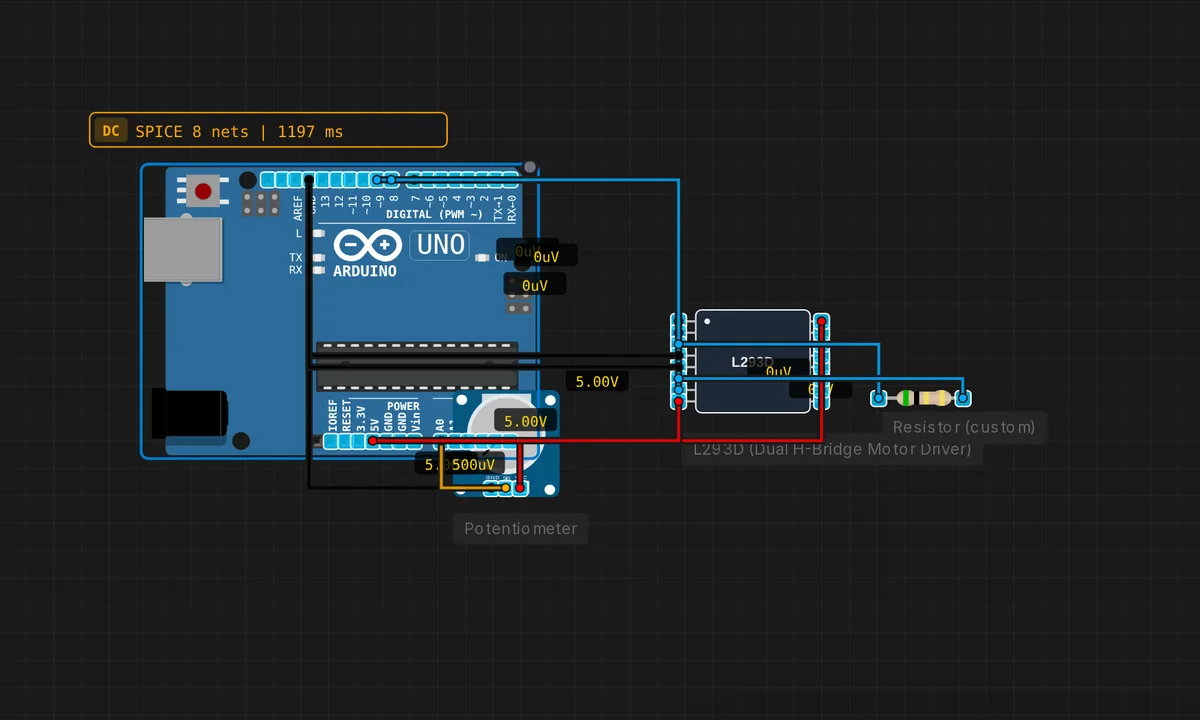
The exact circuit you get when you open this example — already wired, ready to run.
The sketch
// Motor speed via potentiometer + L293D
#define EN 9
#define IN1 7
#define IN2 8
void setup() { pinMode(EN,OUTPUT); pinMode(IN1,OUTPUT); pinMode(IN2,OUTPUT);
  digitalWrite(IN1,HIGH); digitalWrite(IN2,LOW); }
void loop() {
  int pot = analogRead(A0);
  int speed = map(pot, 0, 1023, 0, 255);
  analogWrite(EN, speed);
  Serial.print("Speed: "); Serial.println(speed);
  delay(100);
}
How it works
The direction pins are fixed forward in setup() — IN1 HIGH, IN2 LOW — and the loop reads the pot on A0, maps 0-1023 to 0-255, and writes the result to the enable pin with analogWrite(EN, speed). The serial line prints the speed value every 100 ms as the knob turns.
The 100 ms polling makes the knob feel directly connected to the motor: turn it and the speed follows within a tenth of a second. The mapping is linear, but real motor speed is only approximately linear with duty cycle — friction means the motor stalls below a few percent duty, which is why the pot’s bottom range feels dead on real hardware.
Before you build it for real
The motor stalls below a threshold duty cycle — friction and cogging mean the first 5-15% of the pot’s range produces a humming motor that does not spin, so the useful knob range is shorter than it looks. The PWM frequency matters: the default ~490 Hz is in the audible range, and the motor whines at low speeds — the same whine modern motor drivers avoid by running PWM above 20 kHz. And the L293D’s voltage drop eats low-speed headroom: at low duty the effective voltage is already marginal, so the motor stalls even sooner than the pot position suggests.
Get the parts
Related examples
FAQ
How does PWM set motor speed?
The L293D’s enable pin gates the H-bridge: PWM on it switches the motor supply on and off hundreds of times per second. The motor’s inertia averages the pulses, so the effective voltage — and thus the speed — follows the duty cycle. map() turns the pot’s 0-1023 reading into a 0-255 PWM value.
Why not control the direction from the pot too?
The pot is a single knob mapped to speed only; direction stays fixed forward (IN1 HIGH, IN2 LOW). Adding direction control means a center-zero pot, a switch, or two knobs — this example keeps the focus on the speed loop, the direction example is the L293D motor-control sibling page.