
Logic Probe (HIGH/LOW/FLOATING)
Logic Probe (HIGH/LOW/FLOATING) is a runnable microcontroller simulation example on SensBench — open the wired circuit, inspect the code, and compile real firmware in your browser, no install needed. Last updated Aug 14, 2026.
FREE SIMULATOR EXAMPLE · INTERMEDIATE
Logic Probe (HIGH/LOW/FLOATING)
This example turns the Arduino Uno into a logic probe: pin 7 is the tip, and three LEDs report HIGH (green), LOW (red) or floating (yellow). It is the digital debugger’s first tool — is the line up, down, or not connected at all?
| Board | Arduino Uno (ATmega328P) + logic / power circuit |
|---|---|
| Difficulty | intermediate |
| Category | circuits |
| Libraries | None — just the Arduino core |
| Runs in | Sensbench browser simulator — free, no account |
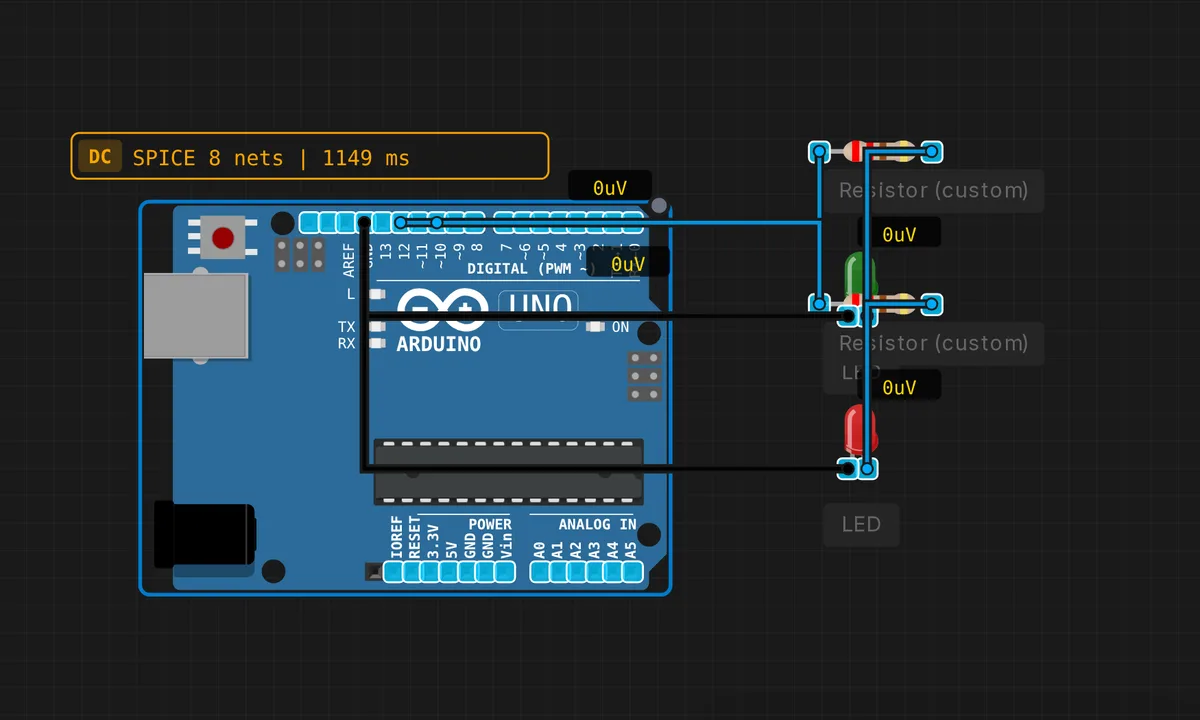
The exact circuit you get when you open this example — already wired, ready to run.
The sketch
// Logic probe — tests pin 7
void setup() {
  pinMode(10,OUTPUT); pinMode(11,OUTPUT); pinMode(12,OUTPUT); // R,Y,G
  pinMode(7,INPUT);
  Serial.begin(9600);
}
void loop() {
  int val = digitalRead(7);
  digitalWrite(12, val == HIGH);  // Green = HIGH
  digitalWrite(10, val == LOW);   // Red = LOW
  Serial.println(val ? "HIGH" : "LOW");
  delay(200);
}
How it works
Pin 7 is the probe tip — a plain INPUT with no pull-up, so an unconnected probe reads floating. Pins 10-12 drive three indicator LEDs (red, yellow, green). The loop reads the probe pin and drives the green LED on HIGH, the red LED on LOW, and the serial line prints the state.
The 200 ms sampling keeps the probe responsive while remaining readable. The floating case is the interesting one: with no pull-up, digitalRead(7) on a real board returns noise — sometimes HIGH, sometimes LOW — and a real probe would show the yellow LED flickering, revealing the undefined state the description promises.
Before you build it for real
The floating detection is the honest hard part: with no pull-up, a real pin 7 reads random values that change with ambient noise — the probe must decide that rapid flipping means floating, which this simple sketch leaves to the viewer’s eyes (the yellow LED path exists in the described design, the sketch prints the raw HIGH/LOW). A real logic probe handles fast signals too fast for an Arduino to see: the 200 ms sampling aliases anything above 2.5 Hz, so a 1 MHz clock reads as a random color. And the probe itself loads the circuit under test — the input impedance is not infinite, which is why real probes use FET inputs.
Get the parts
Related examples
FAQ
What is a logic probe for?
A logic probe answers the first question in every digital debug session: is this line HIGH, LOW, or floating? Instead of a multimeter’s slow voltage readings, the probe gives an instant LED answer. Real hardware probes are pocket tools; this example turns the Arduino into one.
Why is floating a third state?
An unconnected input is not HIGH or LOW — it is floating, drifting with noise and nearby signals. A probe that reports only HIGH/LOW hides that condition. The description promises a yellow LED for floating, and the sketch’s structure — pin 7 as plain INPUT, no pull-up — is exactly how floating happens.