
Arduino Nano Sensor Station
Arduino Nano Sensor Station is a runnable microcontroller simulation example on SensBench — open the wired circuit, inspect the code, and compile real firmware in your browser, no install needed. Last updated Aug 14, 2026.
FREE SIMULATOR EXAMPLE · BEGINNER
Arduino Nano Sensor Station
This example turns an Arduino Nano into a minimal two-sensor station: an NTC thermistor divider on A0 and a photoresistor (LDR) divider on A1, sampled once per second. Every reading prints the thermistor node voltage to two decimals and the light level as a percentage to the Serial Monitor at 9600 baud.
| Board | Arduino Nano (ATmega328P, 16 MHz) |
|---|---|
| Difficulty | beginner |
| Category | circuits |
| Libraries | None — just the Arduino core |
| Runs in | Sensbench browser simulator — free, no account |
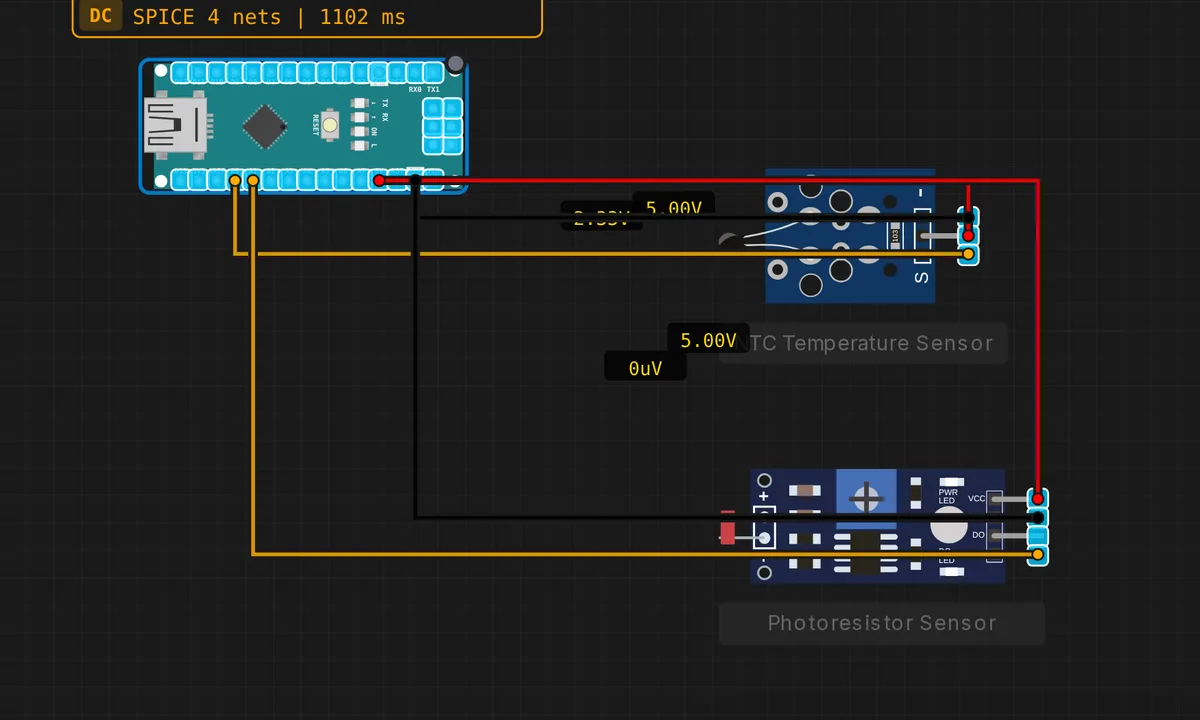
The exact circuit you get when you open this example — already wired, ready to run.
The sketch
// Nano sensor station — NTC + LDR
#define NTC_PIN A0
#define LDR_PIN A1
void setup() { Serial.begin(9600); }
void loop() {
  int tempRaw = analogRead(NTC_PIN);
  int lightRaw = analogRead(LDR_PIN);
  float tempV = tempRaw * 5.0 / 1023.0;
  float lightPct = lightRaw * 100.0 / 1023.0;
  Serial.print("Temp_V="); Serial.print(tempV,2);
  Serial.print("  Light="); Serial.print(lightPct,0); Serial.println("%");
  delay(1000);
}
How it works
Both channels go through analogRead(), which on the Nano’s ATmega328P returns a 10-bit value: 0 to 1023 against the default 5 V reference — about 4.9 mV per count. The sketch converts the thermistor reading straight to volts with tempRaw * 5.0 / 1023.0 and maps the LDR reading to a percentage of full scale. No libraries, no pin setup: the analog pins are inputs by default.
Notice what the temperature line actually prints: volts, not degrees. That is the honest first step — the NTC and a fixed resistor form a voltage divider whose midpoint moves as the thermistor’s resistance changes with temperature. Turning volts into °C takes one more step (the divider math plus the thermistor’s Beta equation), which is easy to bolt on once you trust the raw numbers.
Before you build it for real
Neither sensor works alone on a real breadboard: each needs a fixed resistor, typically 10 kΩ, to form a divider — sensor to 5 V, resistor to GND, analog pin at the junction. Without it the pin just reads a rail. Also know your reference: the ADC measures against VCC, and a Nano on a tired USB port may run at 4.5 V, shifting every reading — keeping the divider top on the same 5 V rail makes the ratio self-correcting. And never put more than 5 V into A0/A1; this ADC has no overvoltage forgiveness.
Get the parts
Related examples
FAQ
Why does the sketch print volts instead of degrees Celsius?
Because volts are what the ADC actually measures. The NTC’s resistance-to-temperature curve is nonlinear, so converting needs the thermistor’s Beta value and the Beta or Steinhart–Hart equation. Printing volts first lets you verify the wiring and the divider before trusting any calibrated number.
What fixed resistor should I pair with each sensor?
Pick one close to the sensor’s resistance in the middle of the range you care about — around 10 kΩ suits both a common 10 k NTC and a typical LDR indoors. Matching the two resistances puts the divider’s steepest, most sensitive region where you actually measure.