
Pico: 7-Segment Counter
Pico: 7-Segment Counter is a runnable microcontroller simulation example on SensBench — open the wired circuit, inspect the code, and compile real firmware in your browser, no install needed. Last updated Aug 14, 2026.
FREE SIMULATOR EXAMPLE · BEGINNER
Pico: 7-Segment Counter
This example drives a 7-segment LED display from the Raspberry Pi Pico, counting from 0 to 9 with each digit held for 700 ms. Seven GPIO pins (2 through 8) control the seven segments, and the Serial Monitor logs the current digit so you can cross-check the display against the code.
| Board | Raspberry Pi Pico (RP2040 dual-core Cortex-M0+, 133 MHz) |
|---|---|
| Difficulty | beginner |
| Category | displays |
| Libraries | None — just the Arduino core |
| Runs in | Sensbench browser simulator — free, no account |
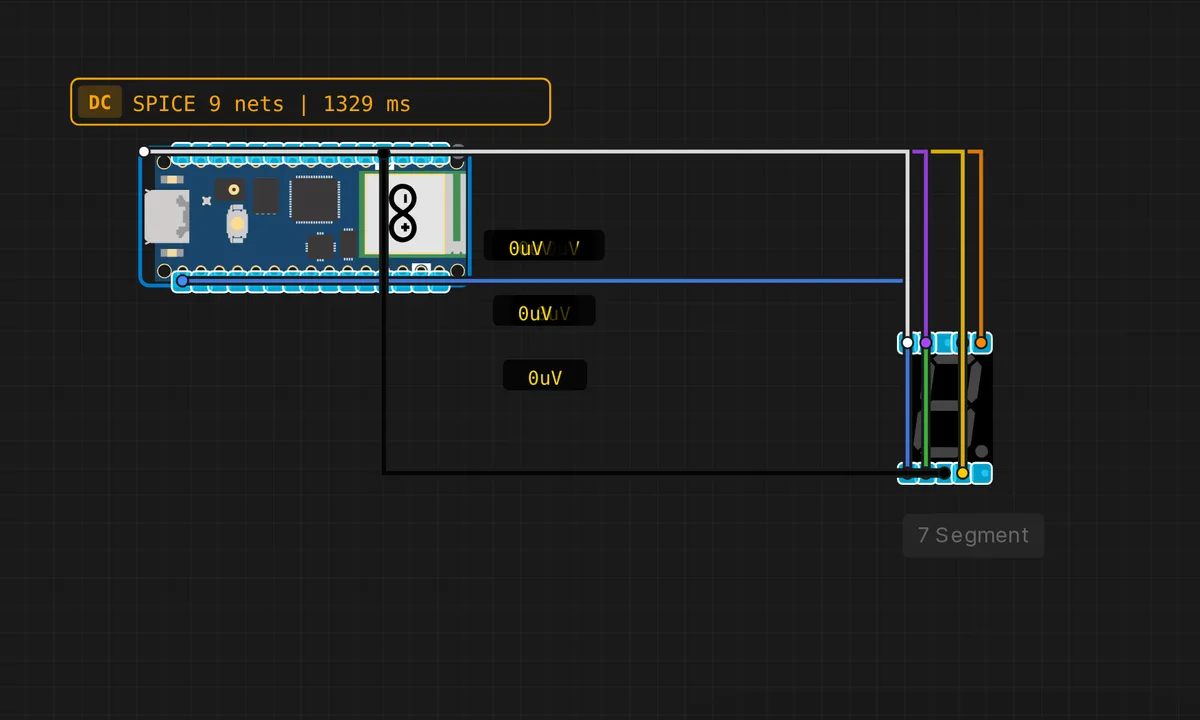
The exact circuit you get when you open this example — already wired, ready to run.
The sketch
// Raspberry Pi Pico — 7-Segment Display Counter 0-9
// Segments: a=2, b=3, c=4, d=5, e=6, f=7, g=8

const int SEG[7] = {2, 3, 4, 5, 6, 7, 8};

const bool DIGITS[10][7] = {
  {1,1,1,1,1,1,0}, // 0
  {0,1,1,0,0,0,0}, // 1
  {1,1,0,1,1,0,1}, // 2
  {1,1,1,1,0,0,1}, // 3
  {0,1,1,0,0,1,1}, // 4
  {1,0,1,1,0,1,1}, // 5
  {1,0,1,1,1,1,1}, // 6
  {1,1,1,0,0,0,0}, // 7
  {1,1,1,1,1,1,1}, // 8
  {1,1,1,1,0,1,1}, // 9
};

void showDigit(int d) {
  for (int i = 0; i < 7; i++)
    digitalWrite(SEG[i], DIGITS[d][i] ? HIGH : LOW);
}

void setup() {
  for (int i = 0; i < 7; i++) pinMode(SEG[i], OUTPUT);
  Serial.begin(115200);
  Serial.println("Pico 7-Segment Counter");
}

void loop() {
  for (int d = 0; d <= 9; d++) {
    showDigit(d);
    Serial.print("Digit: ");
    Serial.println(d);
    delay(700);
  }
}
How it works
The DIGITS array is a lookup table: each digit 0-9 is a row of seven booleans, one per segment (a through g). The showDigit() function loops through the seven segments and writes each one HIGH or LOW based on the pattern. The segment-to-pin mapping is in the SEG array — change the pin numbers there and the rest of the sketch follows.
The loop counts from 0 to 9 with a 700 ms delay between digits — slow enough to read each number, fast enough to feel like a counter. The Serial.print() logs the current digit so you can verify the display matches the code, which is useful when you are debugging a miswired segment.
Before you build it for real
Each segment of a 7-segment display is an LED, and each one needs a current-limiting resistor — typically 220 Ω per segment. Without resistors, the segments will draw far more current than the RP2040’s 12 mA per-pin limit and can burn out the GPIOs or the display. The simulator shows the display wired directly to the Pico, which is fine for simulation but will destroy real hardware. Also, the Pico’s total GPIO current budget is 50 mA — seven segments at 5 mA each is 35 mA, which is within budget but leaves little room for other peripherals.
Get the parts
Related examples
FAQ
Why does the display need seven GPIO pins?
Each segment (a through g) is an individual LED, so each needs its own control line. For a single digit this is fine — seven pins is cheap on a Pico with 26 GPIOs. If you want to drive multiple digits, you would add a shift register or a dedicated driver chip to reduce the pin count.
Can I display letters too?
Yes — add more patterns to the DIGITS array. Some letters are ambiguous on a 7-segment display (S looks like 5, B looks like 8), but A, C, E, F, H, L, P, and U are recognizable. The showDigit() function accepts any index, so you can extend the array with letter patterns.