
[Pico] ADC Read
[Pico] ADC Read is a runnable microcontroller simulation example on SensBench — open the wired circuit, inspect the code, and compile real firmware in your browser, no install needed. Last updated Aug 14, 2026.
FREE SIMULATOR EXAMPLE · BEGINNER
[Pico] ADC Read
This example reads the Raspberry Pi Pico’s three analog input channels (GPIO26-28) and the RP2040’s internal temperature sensor, printing all four values to the Serial Monitor once per second. It is a quick way to verify the ADC works, check voltage levels, and get a rough idea of the chip temperature — all without any external components.
| Board | Raspberry Pi Pico (RP2040 dual-core Cortex-M0+, 133 MHz) |
|---|---|
| Difficulty | beginner |
| Category | sensors |
| Libraries | None — just the Arduino core |
| Runs in | Sensbench browser simulator — free, no account |
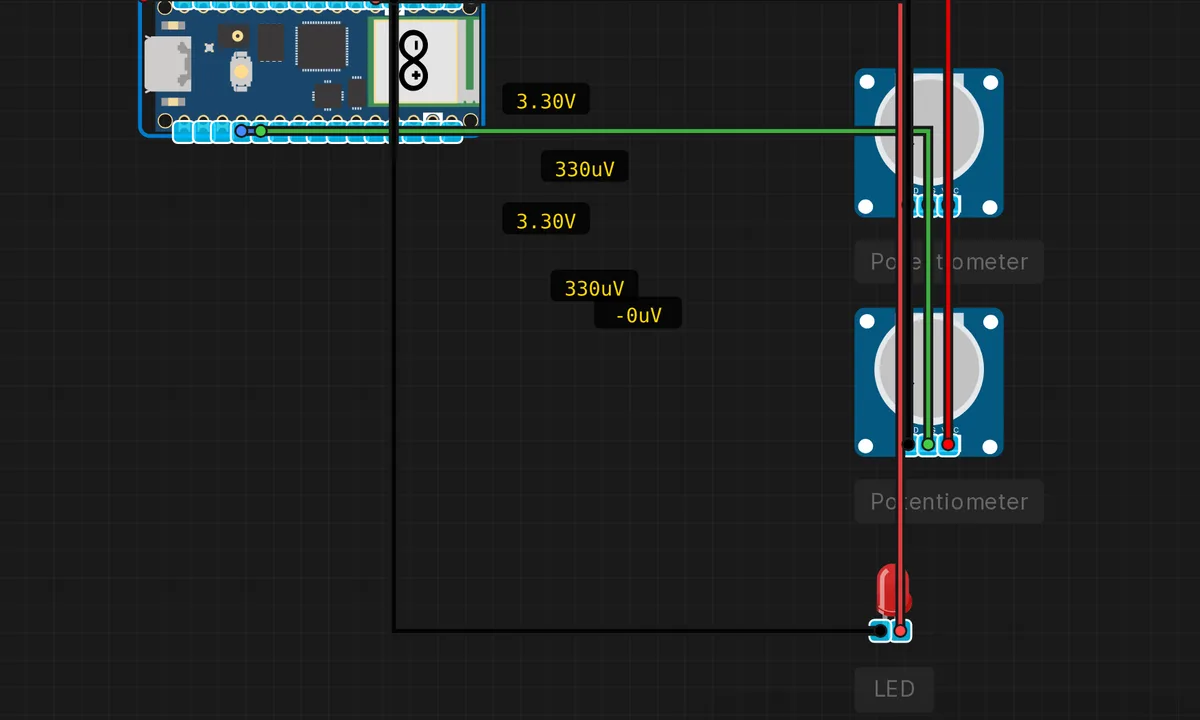
The exact circuit you get when you open this example — already wired, ready to run.
The sketch
// Raspberry Pi Pico — ADC Read Test
// Reads analog values from A0-A2 (GPIO26-28) and the internal temp sensor

void setup() {
  Serial.begin(115200);
  delay(500);
  Serial.println("=== Pico ADC Read ===");
  Serial.println("A0=GP26  A1=GP27  A2=GP28  Temp=internal");
  Serial.println("12-bit resolution (0-4095), 3.3V ref");
  Serial.println();

  analogReadResolution(12);
}

void loop() {
  int a0 = analogRead(A0);
  int a1 = analogRead(A1);
  int a2 = analogRead(A2);

  // Internal temperature sensor on channel 4
  // T = 27 - (V - 0.706) / 0.001721
  int tempRaw = analogRead(A3); // Channel 4 mapped to A3 by Pico core
  float voltage = tempRaw * 3.3f / 4095.0f;
  float tempC = 27.0f - (voltage - 0.706f) / 0.001721f;

  Serial.print("A0: "); Serial.print(a0);
  Serial.print("  A1: "); Serial.print(a1);
  Serial.print("  A2: "); Serial.print(a2);
  Serial.print("  Temp: "); Serial.print(tempC, 1); Serial.println(" C");

  delay(1000);
}
How it works
The sketch reads three analog inputs — A0 (GP26), A1 (GP27), A2 (GP28) — plus the internal temperature sensor mapped to A3 by the Pico Arduino core. The ADC is configured for 12-bit resolution, so each reading is 0-4095. The temperature calculation uses the RP2040 datasheet formula: the sensor output is ~0.706 V at 27 °C, with a slope of 1.721 mV/°C.
The loop reads all four channels once per second and prints them as a single line. The analogRead() calls are blocking — each one takes a few microseconds — but at one sample per second, the timing is negligible. The real work is in the temperature formula: three floating-point operations to convert raw ADC counts to degrees Celsius.
Before you build it for real
The Pico’s ADC reference is the 3.3 V supply rail, not a precision reference. If you power the Pico from USB, the 3.3 V rail can vary by ±5 % depending on the cable and hub — this directly shifts your ADC readings. For anything requiring accuracy, use an external precision reference or calibrate against a known voltage. Also, the ADC inputs are not 5 V tolerant — applying more than 3.3 V to GPIO26-29 will damage the RP2040. The input impedance is relatively low (~100 kΩ), so high-impedance sources will sag under load.
Related examples
FAQ
What is the ADC resolution on the Pico?
The RP2040 has a 12-bit SAR ADC with 5 input channels (GPIO26-29 and an internal temperature sensor). 12 bits gives you 0-4095, and at 3.3 V reference that means ~0.8 mV per LSB. The Arduino core’s analogReadResolution(12) sets the full 12-bit mode — you can lower it to 10 or 8 bits for faster reads at lower precision.
How accurate is the internal temperature sensor?
Not very — it is good for detecting trends (is the chip warming up?) but not for absolute measurements. The formula T = 27 - (V - 0.706) / 0.001721 is a first-order approximation from the datasheet; real accuracy is ±5 °C or worse without per-chip calibration. Use an external sensor like a DHT22 or NTC thermistor for anything that needs real numbers.