
Pico: Button + LED
Pico: Button + LED is a runnable microcontroller simulation example on SensBench — open the wired circuit, inspect the code, and compile real firmware in your browser, no install needed. Last updated Aug 14, 2026.
FREE SIMULATOR EXAMPLE · BEGINNER
Pico: Button + LED
This example lights an LED on GP3 while you hold a pushbutton wired to GP2 on the Raspberry Pi Pico. Press the button on the canvas and the LED follows your finger — no latching, no delay, no polling overhead. It is the first sketch where the Pico reacts to you instead of running a script.
| Board | Raspberry Pi Pico (RP2040 dual-core Cortex-M0+, 133 MHz) |
|---|---|
| Difficulty | beginner |
| Category | basics |
| Libraries | None — just the Arduino core |
| Runs in | Sensbench browser simulator — free, no account |
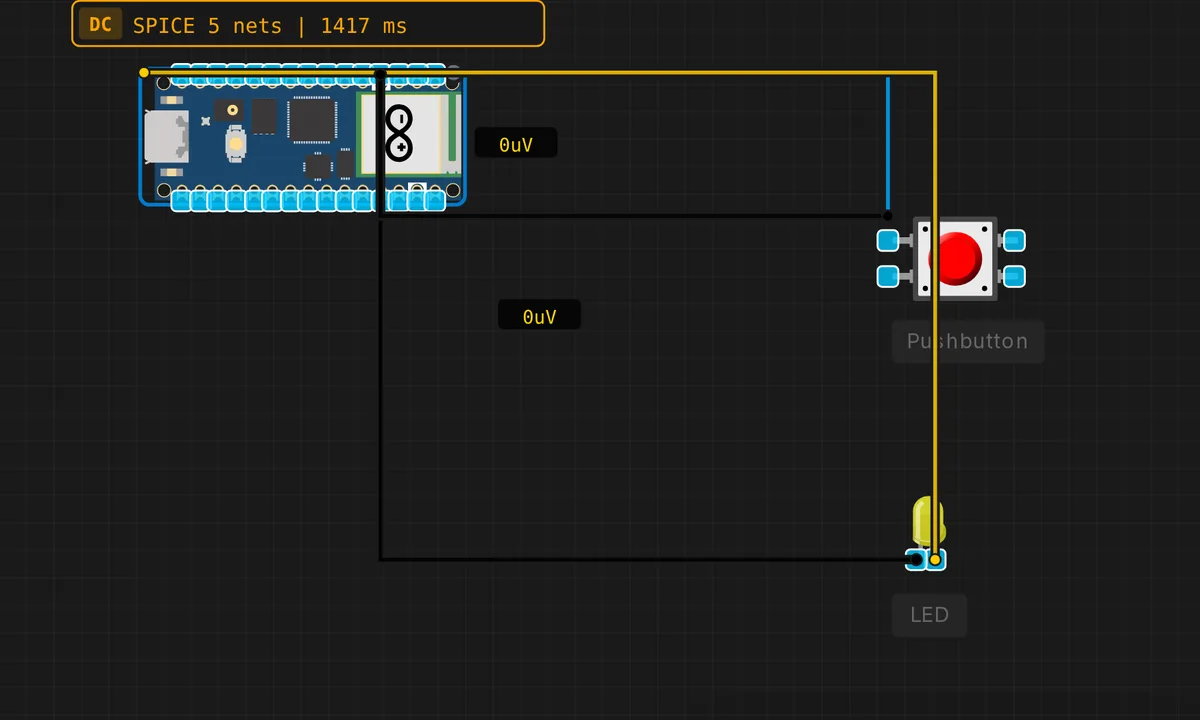
The exact circuit you get when you open this example — already wired, ready to run.
The sketch
// Raspberry Pi Pico — Button controls LED
// Button on GP2 (INPUT_PULLUP), LED on GP3

#define BTN_PIN 2
#define LED_PIN 3

void setup() {
  pinMode(BTN_PIN, INPUT_PULLUP);
  pinMode(LED_PIN, OUTPUT);
  Serial.begin(115200);
  Serial.println("Pico Button+LED ready — press button on GP2");
}

void loop() {
  bool pressed = digitalRead(BTN_PIN) == LOW;
  digitalWrite(LED_PIN, pressed ? HIGH : LOW);
}
How it works
The sketch uses INPUT_PULLUP on GP2 — the RP2040’s internal pull-up holds the pin at 3.3 V when the button is open, so no external resistor is needed. When the button closes, the pin is shorted to ground and reads LOW. The pressed variable is a clean boolean: digitalRead(BTN_PIN) == LOW.
The loop is a pure poll: every pass reads the button and writes the LED in two instructions. At 133 MHz, the latency between button press and LED response is measured in microseconds — the LED tracks the button state in real time. There is no debounce because there is nothing to debounce: the LED is just a mirror of the contact, bounce and all.
Before you build it for real
The simulator canvas shows the button wired between GP2 and GND, with the internal pull-up doing the work. On a real breadboard, a floating input pin reads random noise if you forget the pull-up — the sketch uses INPUT_PULLUP so you are safe, but if you ever change it to INPUT, you must add an external 10 kΩ resistor to 3.3 V. Also, the RP2040’s GPIOs are 3.3 V only — do not connect a 5 V button circuit directly to the pin.
Get the parts
Related examples
FAQ
Why does the button read LOW when pressed?
INPUT_PULLUP enables the RP2040’s internal pull-up resistor on GP2, holding the pin HIGH at rest. The button connects the pin to ground, so pressing it pulls the pin LOW. The logic is inverted — pressed = LOW, released = HIGH — and the sketch tests digitalRead(BTN_PIN) == LOW to detect a press.
Why is there no debounce?
The LED mirrors the button state directly — if the contacts bounce for 5 ms, the LED flickers for 5 ms, and your eye cannot see it. Debounce becomes essential when you are counting presses, toggling state, or triggering events — but for a simple mirror, it is unnecessary complexity.