
[Pico] I2C Scanner
[Pico] I2C Scanner is a runnable microcontroller simulation example on SensBench — open the wired circuit, inspect the code, and compile real firmware in your browser, no install needed. Last updated Aug 14, 2026.
FREE SIMULATOR EXAMPLE · INTERMEDIATE
[Pico] I2C Scanner
This example scans the Raspberry Pi Pico’s I2C bus — SDA on GP4, SCL on GP5 — and lists every device address that responds, with friendly names for common sensors and displays. It is the first tool to run when an I2C device is silent: the bus either shows the device or proves it is not wired correctly.
| Board | Raspberry Pi Pico (RP2040 dual-core Cortex-M0+, 133 MHz) |
|---|---|
| Difficulty | intermediate |
| Category | communication |
| Libraries | None — just the Arduino core |
| Runs in | Sensbench browser simulator — free, no account |
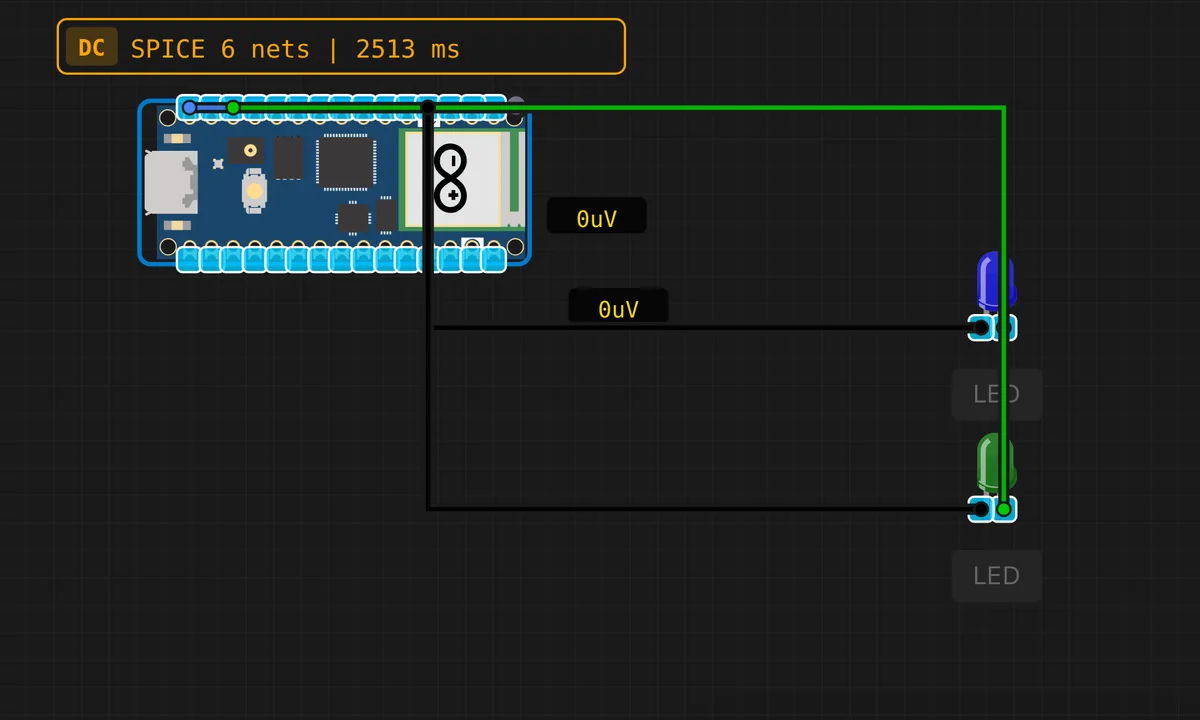
The exact circuit you get when you open this example — already wired, ready to run.
The sketch
// Raspberry Pi Pico — I2C Scanner
// Scans I2C bus (Wire / I2C0: SDA=GP4, SCL=GP5) for devices

#include <Wire.h>

void setup() {
  Serial.begin(115200);
  delay(500);
  Wire.begin(); // SDA=GP4, SCL=GP5 by default on Pico
  Serial.println("=== Pico I2C Scanner ===");
  Serial.println("Default I2C0: SDA=GP4, SCL=GP5");
  Serial.println();
}

void loop() {
  Serial.println("Scanning I2C bus...");
  int found = 0;

  for (byte addr = 1; addr < 127; addr++) {
    Wire.beginTransmission(addr);
    byte error = Wire.endTransmission();

    if (error == 0) {
      found++;
      Serial.print("  Device found at 0x");
      if (addr < 16) Serial.print("0");
      Serial.print(addr, HEX);

      // Identify known addresses
      switch (addr) {
        case 0x48: Serial.print(" (Temperature sensor)"); break;
        case 0x50: Serial.print(" (EEPROM)"); break;
        case 0x68: Serial.print(" (DS1307 RTC)"); break;
        case 0x27: Serial.print(" (LCD backpack)"); break;
        case 0x3C: Serial.print(" (SSD1306 OLED)"); break;
        default: break;
      }
      Serial.println();
    }
  }

  Serial.print("Scan complete. Found ");
  Serial.print(found);
  Serial.println(" device(s).");
  Serial.println();
  delay(5000);
}
How it works
The sketch initializes Wire on the Pico’s default I2C0 pins — SDA on GP4, SCL on GP5 — then loops through every 7-bit address from 1 to 126. For each one it calls Wire.beginTransmission(addr) and checks the result of Wire.endTransmission(): an error code of 0 means the device ACKed and is alive.
The scanner annotates well-known addresses with a friendly guess — 0x48 for a temperature sensor, 0x50 for EEPROM, 0x68 for an RTC, 0x27 for an LCD backpack, 0x3C for an SSD1306 OLED. The scan repeats every 5 seconds so you can add or remove a device and watch the list update live.
Before you build it for real
An I2C bus needs pull-up resistors on both SDA and SCL — the Pico’s internal pull-ups are weak (50 kOhm) and many boards rely on the module’s onboard 4.7 kOhm pull-ups. If you wire several bare chips without any module pull-ups, the scanner will find nothing even with perfect wiring. Also check the address collision case: two devices sharing an address will both ACK and corrupt each other’s traffic — the scanner will still report one address, which is the clue. And remember the Pico’s I2C pins are 3.3 V — a 5 V I2C device on the same bus needs level shifting, not just a shared ground.
Get the parts
Related examples
FAQ
Why does the scanner probe every address from 1 to 126?
I2C is a shared two-wire bus where every device listens on its own 7-bit address. The scanner walks all valid addresses and does a write transmission to each one — a device that ACKs is present, everything else is ignored. It is the standard first diagnostic when an I2C device is not responding.
Why do devices usually have addresses like 0x3C or 0x68?
Addresses are set by the chip manufacturer. 0x3C is the common SSD1306 OLED address, 0x68 is the classic DS1307 RTC and MPU6050 address, 0x50 is a typical EEPROM. Many modules expose address-select pins or solder pads (A0-A2) that let you shift the address to run several of the same chip on one bus.