
[Pico] Multi-Protocol Demo
[Pico] Multi-Protocol Demo is a runnable microcontroller simulation example on SensBench — open the wired circuit, inspect the code, and compile real firmware in your browser, no install needed. Last updated Aug 14, 2026.
FREE SIMULATOR EXAMPLE · ADVANCED
[Pico] Multi-Protocol Demo
This example runs a six-part bring-up suite on the Raspberry Pi Pico: I2C scan, EEPROM round-trip, RTC probe, SPI loopback, ADC sample, and a GPIO blink — all in one sketch with labeled verdicts in the Serial Monitor. It is the fastest way to prove every peripheral on the RP2040 works.
| Board | Raspberry Pi Pico (RP2040 dual-core Cortex-M0+, 133 MHz) |
|---|---|
| Difficulty | advanced |
| Category | communication |
| Libraries | None — just the Arduino core |
| Runs in | Sensbench browser simulator — free, no account |
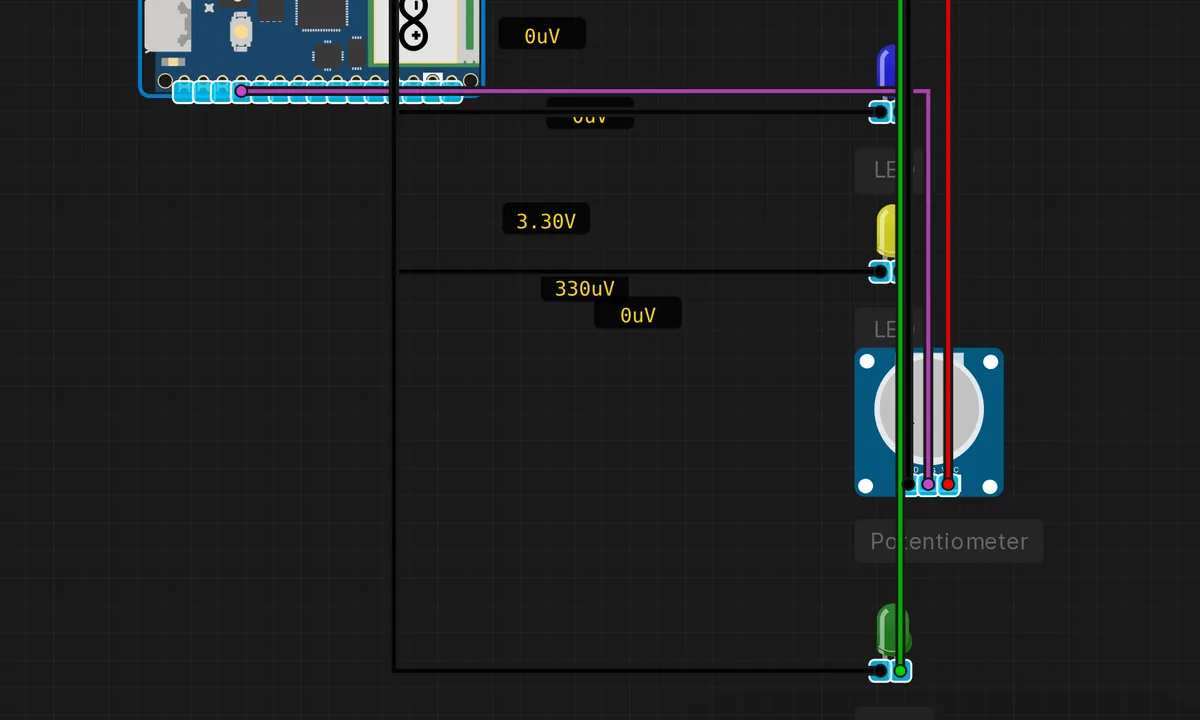
The exact circuit you get when you open this example — already wired, ready to run.
The sketch
// Raspberry Pi Pico — Multi-Protocol Demo
// Tests Serial, I2C, SPI, and ADC all together

#include <Wire.h>
#include <SPI.h>

void setup() {
  pinMode(LED_BUILTIN, OUTPUT);
  Serial.begin(115200);
  delay(500);

  Serial.println("==============================");
  Serial.println(" Pico Multi-Protocol Demo");
  Serial.println("==============================");
  Serial.println();

  // ── 1. I2C Scanner ──
  Wire.begin();
  Serial.println("[I2C] Scanning bus...");
  int found = 0;
  for (byte addr = 1; addr < 127; addr++) {
    Wire.beginTransmission(addr);
    if (Wire.endTransmission() == 0) {
      found++;
      Serial.print("  Found device at 0x");
      if (addr < 16) Serial.print('0');
      Serial.println(addr, HEX);
    }
  }
  Serial.print("  Total devices: "); Serial.println(found);
  Serial.println();

  // ── 2. I2C EEPROM R/W ──
  Serial.println("[I2C] EEPROM test at 0x50...");
  Wire.beginTransmission(0x50);
  Wire.write(0x00); // register 0
  Wire.write(0x42); // data
  Wire.endTransmission();
  delay(5);

  Wire.beginTransmission(0x50);
  Wire.write(0x00);
  Wire.endTransmission();
  Wire.requestFrom(0x50, 1);
  if (Wire.available()) {
    byte val = Wire.read();
    Serial.print("  Wrote 0x42, Read 0x");
    Serial.print(val, HEX);
    Serial.println(val == 0x42 ? " — OK" : " — FAIL");
  }
  Serial.println();

  // ── 3. I2C RTC ──
  Serial.println("[I2C] Reading DS1307 RTC at 0x68...");
  Wire.beginTransmission(0x68);
  Wire.write(0x00);
  Wire.endTransmission();
  Wire.requestFrom(0x68, 3);
  if (Wire.available() >= 3) {
    byte sec = ((Wire.read() & 0x7F) >> 4) * 10 + (Wire.read() & 0x0F);
    byte min2 = Wire.read();
    (void)sec; (void)min2;
    Serial.println("  RTC responded OK");
  }
  Serial.println();

  // ── 4. SPI Loopback ──
  Serial.println("[SPI] Loopback test...");
  SPI.begin();
  SPI.beginTransaction(SPISettings(1000000, MSBFIRST, SPI_MODE0));
  byte tx = 0xAB;
  byte rx = SPI.transfer(tx);
  Serial.print("  TX: 0x"); Serial.print(tx, HEX);
  Serial.print("  RX: 0x"); Serial.println(rx, HEX);
  SPI.endTransaction();
  Serial.println();

  // ── 5. ADC ──
  Serial.println("[ADC] Reading analog channels...");
  analogReadResolution(12);
  int a0 = analogRead(A0);
  Serial.print("  A0 (GP26): "); Serial.println(a0);
  Serial.println();

  // ── 6. GPIO ──
  Serial.println("[GPIO] Blinking LED...");
  for (int i = 0; i < 3; i++) {
    digitalWrite(LED_BUILTIN, HIGH);
    delay(200);
    digitalWrite(LED_BUILTIN, LOW);
    delay(200);
  }
  Serial.println("  3 blinks done");
  Serial.println();

  Serial.println("=== All protocol tests complete ===");
}

void loop() {
  // Heartbeat
  static unsigned long last = 0;
  if (millis() - last >= 3000) {
    last = millis();
    Serial.print("[Heartbeat] ");
    Serial.print(millis() / 1000);
    Serial.println("s");
  }
}
How it works
The sketch runs six tests in sequence inside setup(), each labeled with a banner: an I2C bus scan, an I2C EEPROM write/read at 0x50, a DS1307 RTC probe at 0x68, an SPI loopback at 1 MHz, a 12-bit ADC read on A0, and a three-blink GPIO check on the built-in LED. Every test prints its own verdict, so you can see exactly which subsystem passed or failed.
The EEPROM test is the sharpest one: it writes 0x42 to register 0 and reads it back, printing OK only if the value survived the round trip. The SPI test loops 0xAB and checks the echo. The ADC test just samples A0 — with nothing connected the reading is noise, which is the expected pass condition at this stage.
Before you build it for real
A suite like this assumes everything is wired before setup runs — if the EEPROM test fails because the chip was plugged in late, the rest of the results are still valid, but the failure is a wiring error, not a code error. On real hardware, the 5 ms EEPROM write delay is the difference between reliable and corrupt storage. And note the ADC test reads a floating pin: a real analog input without a defined voltage reads semi-random noise, which is expected here — do not mistake it for a fault, but do not ship that as a measurement either.
Get the parts
Related examples
FAQ
Why combine everything into one sketch?
It is a bring-up test: one upload, one serial window, and every peripheral the Pico offers gets exercised in sequence. If the whole suite passes, the board, core, and your wiring are all sound — the same idea as a factory self-test. It also demonstrates that I2C, SPI, ADC and GPIO can coexist on one chip without fighting.
What is the heartbeat for?
The loop is deliberately empty — the tests ran once in setup(). The heartbeat keeps the sketch alive visibly: if the board resets or crashes, the heartbeat stops, and the serial output tells you where it died.