
[Pico] Serial LED Control
[Pico] Serial LED Control is a runnable microcontroller simulation example on SensBench — open the wired circuit, inspect the code, and compile real firmware in your browser, no install needed. Last updated Aug 14, 2026.
FREE SIMULATOR EXAMPLE · BEGINNER
[Pico] Serial LED Control
This example turns the Pico’s built-in LED into a serial-controlled peripheral: send 1 to turn it on, 0 to turn it off, and ? to check its current state. It is a tiny command-line interface for a single GPIO — the pattern scales to control motors, relays, or an entire sensor array from your computer.
| Board | Raspberry Pi Pico (RP2040 dual-core Cortex-M0+, 133 MHz) |
|---|---|
| Difficulty | beginner |
| Category | communication |
| Libraries | None — just the Arduino core |
| Runs in | Sensbench browser simulator — free, no account |
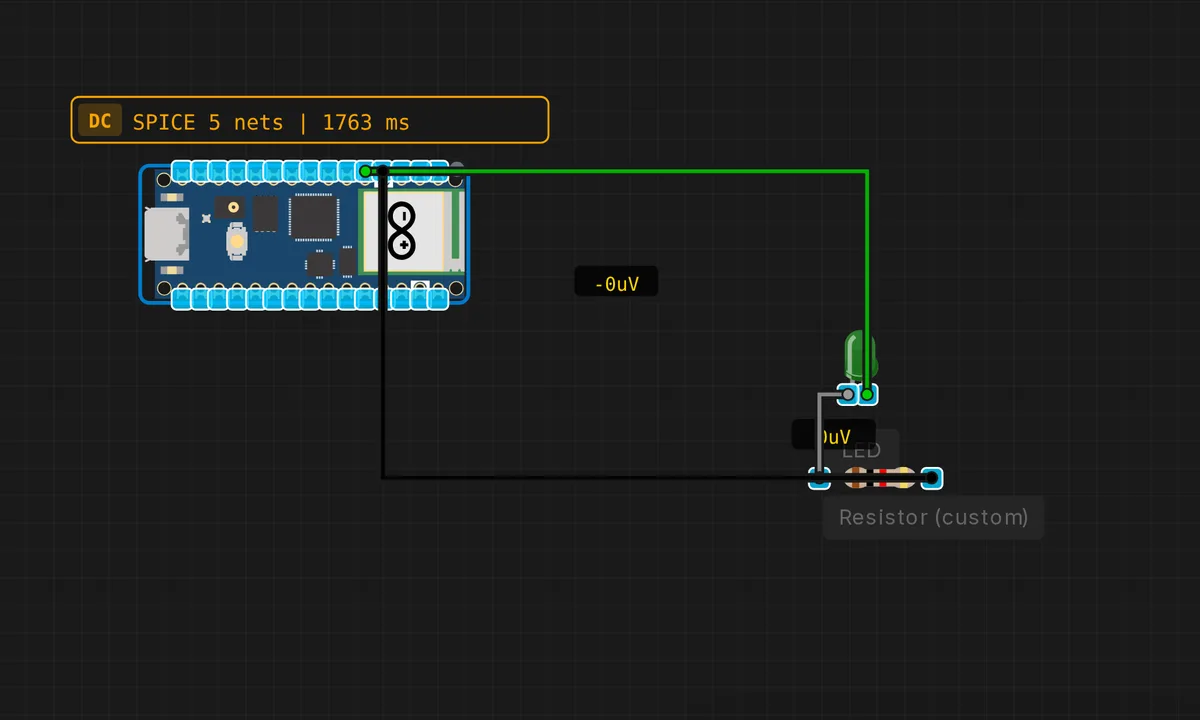
The exact circuit you get when you open this example — already wired, ready to run.
The sketch
// Raspberry Pi Pico — Serial LED Control
// Send '1' to turn LED ON, '0' to turn OFF, '?' for status

void setup() {
  pinMode(LED_BUILTIN, OUTPUT);
  Serial.begin(115200);
  delay(500);
  Serial.println("=== Pico LED Control ===");
  Serial.println("Commands: 1=ON  0=OFF  ?=status");
}

void loop() {
  if (Serial.available()) {
    char cmd = Serial.read();
    switch (cmd) {
      case '1':
        digitalWrite(LED_BUILTIN, HIGH);
        Serial.println("LED: ON");
        break;
      case '0':
        digitalWrite(LED_BUILTIN, LOW);
        Serial.println("LED: OFF");
        break;
      case '?':
        Serial.print("LED: ");
        Serial.println(digitalRead(LED_BUILTIN) ? "ON" : "OFF");
        break;
      default:
        if (cmd >= ' ') {
          Serial.print("Unknown command: ");
          Serial.println(cmd);
        }
        break;
    }
  }
}
How it works
The switch statement on the received character is the core of the sketch: '1' turns the LED on, '0' turns it off, and '?' reads the current state with digitalRead() — a useful trick because it confirms the pin state matches what you think you set, not just what you last wrote.
Unknown characters are echoed back with a message, which is a friendly debugging touch: if you type 'x' by accident, the sketch tells you instead of silently ignoring it. The if (cmd >= ' ') guard filters out non-printable control characters like newlines and carriage returns that would otherwise spam the output.
Before you build it for real
The serial input is unbuffered: every character is processed immediately. If you paste a long string into the Serial Monitor, each character triggers a separate switch evaluation — fast enough at 133 MHz, but it means there is no command queuing or atomicity. On real hardware, if you send commands faster than the loop can process them (which is nearly impossible at 115200 baud with this simple code), characters will be dropped. The Pico’s USB CDC has a hardware FIFO, but it is finite — batch your commands with a small delay between them if you are scripting against this sketch.
Related examples
FAQ
Can I add more commands?
Yes — add more case branches to the switch statement. For example, case 't': could toggle the LED, and case 'b': could blink it three times. The switch pattern scales cleanly to a dozen commands before you need to refactor.
Why does the sketch read only one character at a time?
Single-character commands are simple and deterministic — you never have to worry about line endings, buffer sizes, or partial reads. For a production system you would want multi-character commands with a delimiter, but this sketch is about proving the control loop works, not building a full CLI.