
[Pico] SPI Loopback
[Pico] SPI Loopback is a runnable microcontroller simulation example on SensBench — open the wired circuit, inspect the code, and compile real firmware in your browser, no install needed. Last updated Aug 14, 2026.
FREE SIMULATOR EXAMPLE · INTERMEDIATE
[Pico] SPI Loopback
This example runs an SPI loopback test on the Raspberry Pi Pico’s SPI0 peripheral — MISO GP16, CS GP17, SCK GP18, MOSI GP19. It clocks five test bytes out and checks that each one returns intact, printing a per-byte MATCH or DIFFER verdict to the Serial Monitor.
| Board | Raspberry Pi Pico (RP2040 dual-core Cortex-M0+, 133 MHz) |
|---|---|
| Difficulty | intermediate |
| Category | communication |
| Libraries | None — just the Arduino core |
| Runs in | Sensbench browser simulator — free, no account |
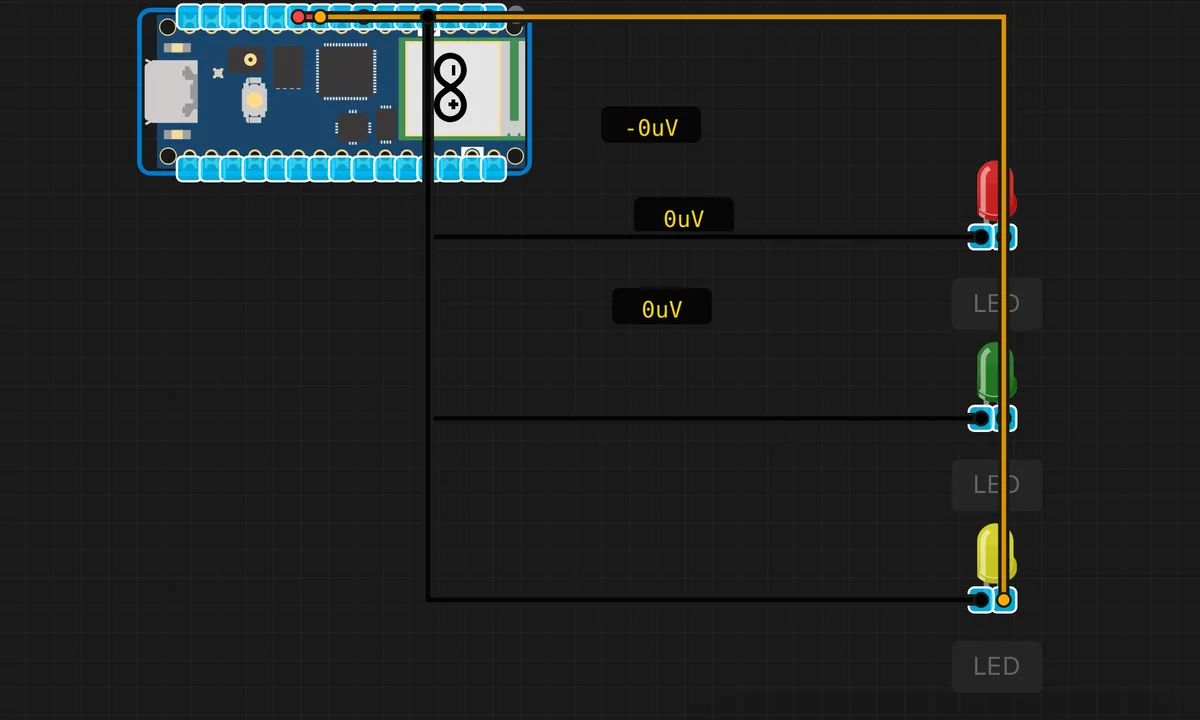
The exact circuit you get when you open this example — already wired, ready to run.
The sketch
// Raspberry Pi Pico — SPI Loopback Test
// Sends bytes over SPI0 and reads the loopback response
// Default SPI0 pins: MISO=GP16, MOSI=GP19, SCK=GP18, CS=GP17

#include <SPI.h>

void setup() {
  Serial.begin(115200);
  delay(500);
  Serial.println("=== Pico SPI Loopback Test ===");
  Serial.println("SPI0: MISO=GP16, MOSI=GP19, SCK=GP18");
  Serial.println();

  SPI.begin();
  SPI.beginTransaction(SPISettings(1000000, MSBFIRST, SPI_MODE0));

  // Send test bytes
  byte testBytes[] = {0x55, 0xAA, 0xFF, 0x00, 0x42};
  int count = sizeof(testBytes);

  Serial.println("Sending bytes and reading loopback:");
  for (int i = 0; i < count; i++) {
    byte rxByte = SPI.transfer(testBytes[i]);
    Serial.print("  TX: 0x");
    if (testBytes[i] < 16) Serial.print('0');
    Serial.print(testBytes[i], HEX);
    Serial.print("  RX: 0x");
    if (rxByte < 16) Serial.print('0');
    Serial.print(rxByte, HEX);
    Serial.print("  ");
    Serial.println(rxByte == testBytes[i] ? "MATCH" : "DIFFER");
  }

  SPI.endTransaction();
  Serial.println();
  Serial.println("SPI test complete.");
}

void loop() {
  delay(10000);
}
How it works
The sketch starts SPI0 at 1 MHz with SPI.beginTransaction(SPISettings(1000000, MSBFIRST, SPI_MODE0)) — a conservative speed that works with nearly any peripheral. It then sends five test bytes (0x55, 0xAA, 0xFF, 0x00, 0x42) with SPI.transfer(), which transmits and receives simultaneously: each call clocks one byte out on MOSI and captures one byte in on MISO.
The result table prints TX vs RX for every byte with a MATCH/DIFFER verdict. In a loopback wiring the bytes should always match — if they do not, the issue is either the clock polarity (mode mismatch), a wiring fault, or a bit-order mismatch, and the printout tells you exactly which byte went wrong.
Before you build it for real
SPI has no address arbitration and no error detection — unlike I2C, there is no ACK and nothing tells you the peripheral heard you. The loopback test hides this by looping TX to RX, so a passing loopback only proves the master side works, not the actual peripheral wiring. On real hardware, the CS (chip select) line is the third wire people forget: without CS asserted low, most SPI peripherals ignore everything on MOSI. And at higher clock speeds, long jumper wires become antennas — the 1 MHz setting here is deliberately safe; pushing 20 MHz across a breadboard often produces garbage the simulator never sees.
Get the parts
Related examples
FAQ
What is a loopback test?
Loopback connects the SPI master’s MOSI output to its own MISO input — usually with a jumper wire, or internally in the simulator — so every transmitted byte comes straight back. If TX and RX match, the SPI peripheral, clock, and pin routing all work; it is the standard first test for any new SPI setup.
What do the SPI mode and bit order settings mean?
SPI_MODE0 means the clock idles low and data is sampled on the rising edge — the most common mode, used by many displays and SD cards. MSBFIRST sends the most significant bit first. Both are negotiated with the peripheral: a device that wants SPI_MODE3 will misread data sent in MODE0.