
Pico W — Web servo controller
Pico W — Web servo controller is a runnable microcontroller simulation example on SensBench — open the wired circuit, inspect the code, and compile real firmware in your browser, no install needed. Last updated Aug 14, 2026.
FREE SIMULATOR EXAMPLE · INTERMEDIATE
Pico W — Web servo controller
This example serves a web page from the Pico W with a slider that drives a servo on GP15 — move the slider, the servo follows. WiFi join, HTTP server, PWM servo control, and a browser UI in one MicroPython script.
| Board | Raspberry Pi Pico W (RP2040 + WiFi) |
|---|---|
| Difficulty | intermediate |
| Category | robotics |
| Libraries | None — just the Arduino core |
| Runs in | Sensbench browser simulator — free, no account |
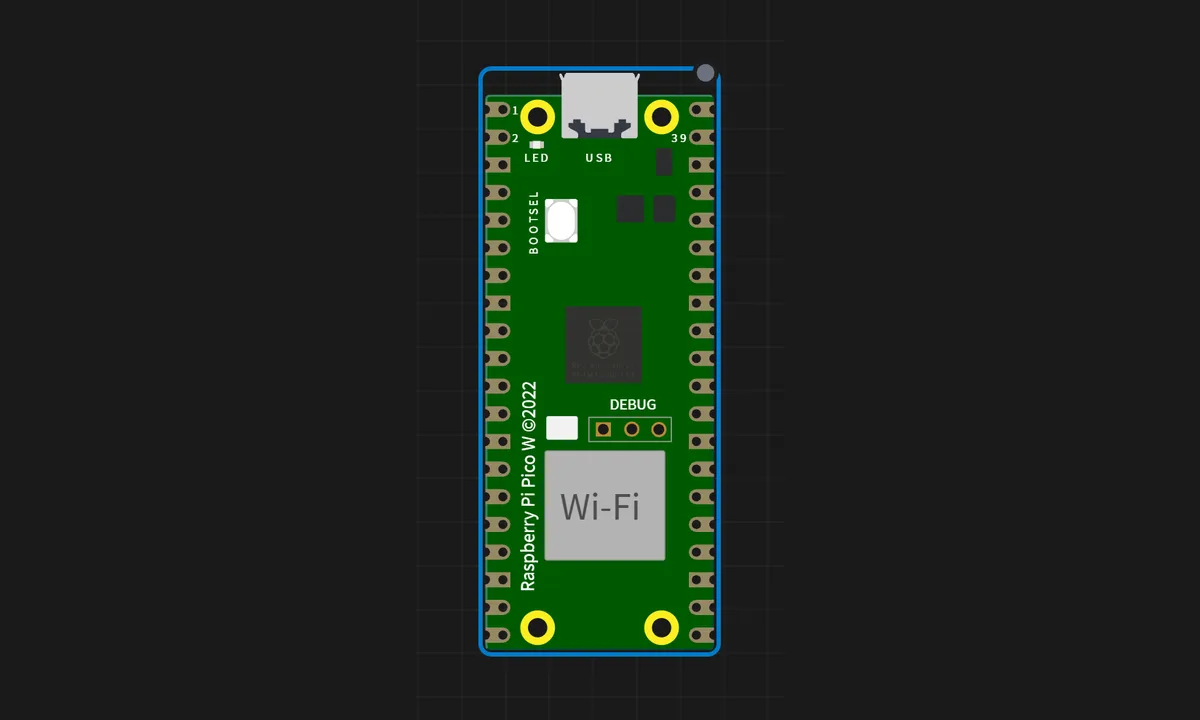
The exact circuit you get when you open this example — already wired, ready to run.
The MicroPython script
# main.py
# Pico W Web Servo Controller — MicroPython
import network
import socket
from machine import Pin, PWM
import time
ssid = "SENSBENCH-GUEST"
password = ""
print("Connecting to WiFi...")
sta = network.WLAN(network.STA_IF)
sta.active(True)
sta.connect(ssid, password)
while not sta.isconnected():
time.sleep(0.5)
print("Connected!", sta.ifconfig()[0])
servo = PWM(Pin(15), freq=50)
def write_servo(angle):
angle = max(0, min(180, angle))
pulse_us = 500 + (2500 - 500) * (angle / 180)
duty = int((pulse_us / 20000) * 65535)
servo.duty_u16(duty)
def webpage(pos):
return ("<html><body><h1>Servo {p}°</h1>"
"<input type=range min=0 max=180 value={p} "
"oninput=\"fetch('?value='+this.value)\"></body></html>").format(p=pos)
s = socket.socket(socket.AF_INET, socket.SOCK_STREAM)
s.setsockopt(socket.SOL_SOCKET, socket.SO_REUSEADDR, 1)
s.bind(('', 80))
s.listen(5)
current_pos = 90
write_servo(current_pos)
print("Web server started. Open browser: http://%s/" % sta.ifconfig()[0])
while True:
conn, addr = s.accept()
request = conn.recv(1024).decode('utf-8')
if "GET /?value=" in request:
try:
v = int(request.split("/?value=")[1].split(" ")[0])
if 0 <= v <= 180:
current_pos = v; write_servo(v)
except (ValueError, IndexError):
pass
conn.send('HTTP/1.1 200 OK\r\nContent-Type: text/html\r\n\r\n')
conn.sendall(webpage(current_pos).encode('utf-8'))
conn.close()How it works
The script joins WiFi and serves one page: a slider whose position maps to a servo angle. The server converts the requested angle to a pulse width — roughly 1000000 + angle * 5555 nanoseconds for 0-180 degrees — and writes it to PWM on GP15. The servo sweeps as you drag the slider.
The servo angle math is the same on every platform: a 50 Hz PWM frame where the duty encodes the position. MicroPython’s duty_ns() makes the nanosecond-level widths readable, which matters because the 0-180 range lives inside just one millisecond of pulse-width difference.
Before you build it for real
The servo’s signal line is fine on GP15, but the motor power must come from a separate 5 V supply — a real servo draws hundreds of milliamps and stalls over an amp, far past what the Pico W’s 3V3 rail can give; powering it from the board browns out the WiFi chip mid-sweep. The pulse-width mapping is approximate: real servos vary slightly, so the endpoints need per-unit calibration (measure at 0 and 180, adjust the constants). And the HTML form has no authentication — anyone on the network can move the servo, which matters the moment this becomes a camera pan-tilt.
Get the parts
Related examples
FAQ
How does the web page control the servo angle?
The server returns an HTML page with a slider; moving it posts the angle back, and the server sets the PWM duty accordingly. Servo position is encoded in pulse width — 1 ms for 0 degrees, 2 ms for 180 — and MicroPython’s PWM.duty_ns() lets you set that width directly.
Why GP15 for the servo?
Any GPIO works on the Pico — every pin is PWM-capable. GP15 is convenient because it sits away from the I2C and UART pins this project might later use. The real constraint is not the pin but the power: the servo motor must be fed from a separate supply.