
STM32F4 Discovery LED Blink
STM32F4 Discovery LED Blink is a runnable microcontroller simulation example on SensBench — open the wired circuit, inspect the code, and compile real firmware in your browser, no install needed. Last updated Aug 14, 2026.
FREE SIMULATOR EXAMPLE · BEGINNER
STM32F4 Discovery LED Blink
This example blinks the STM32F4 Discovery’s onboard PD12 green LED and prints a startup banner to Serial. The Discovery’s LEDs are active-HIGH — a welcome relief after the Blue Pill’s inverted polarity, and the fastest way to verify an F407VG toolchain.
| Board | STM32F4 Discovery (STM32F407VG, Cortex-M4, 168 MHz) |
|---|---|
| Difficulty | beginner |
| Category | basics |
| Libraries | None — just the Arduino core |
| Runs in | Sensbench browser simulator — free, no account |
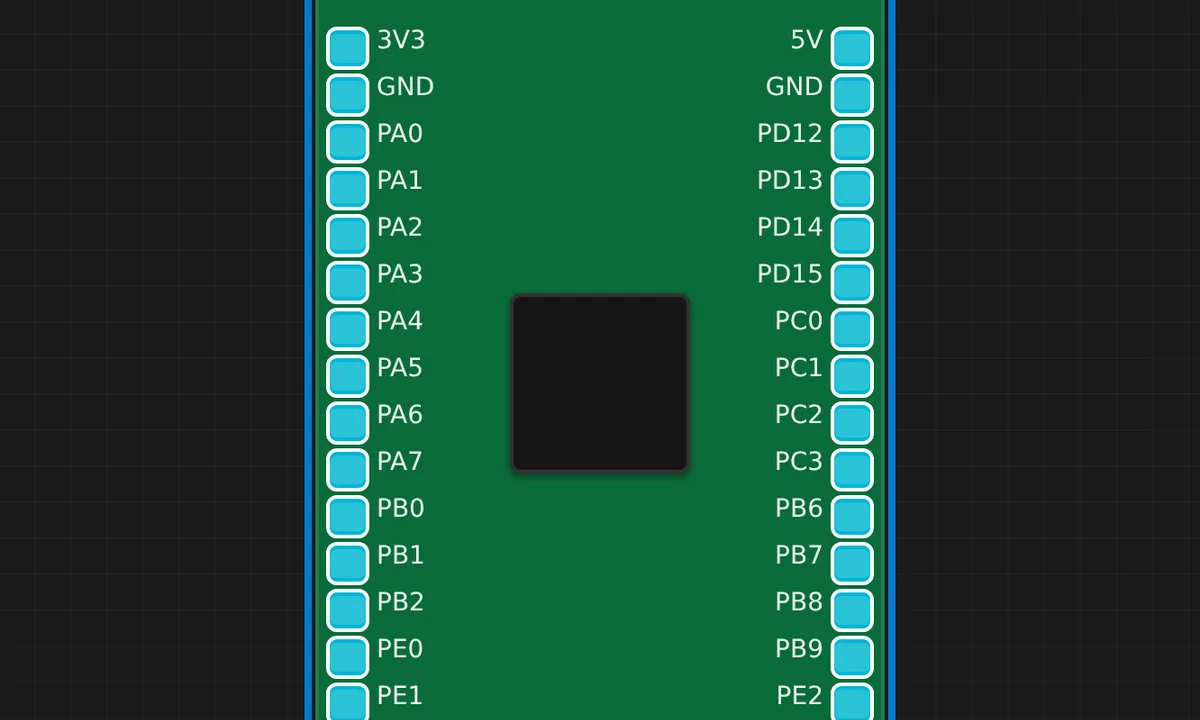
The exact circuit you get when you open this example — already wired, ready to run.
The sketch
// STM32F4 Discovery (STM32F407VG) — onboard LEDs PD12..PD15 (active HIGH).
// PD12 green, PD13 orange, PD14 red, PD15 blue. Runs under QEMU (libqemu-arm).

void setup() {
  pinMode(PD12, OUTPUT);
  Serial.begin(115200);
  Serial.println("SENSBENCH STM32F4 Discovery");
}

void loop() {
  digitalWrite(PD12, HIGH);
  delay(200);
  digitalWrite(PD12, LOW);
  delay(200);
}
How it works
The F4 Discovery carries four user LEDs on PD12-PD15 — green, orange, red, blue — all active-HIGH. This sketch configures PD12 as output and blinks the green LED at 200 ms, printing a board banner to Serial at 115200 baud.
The loop alternates HIGH and LOW with 200 ms delays. Because this board’s LEDs are active-HIGH, the code reads like Arduino convention — the natural expectation, and a contrast to the Blue Pill’s inverted logic that the same emulator renders side by side.
Before you build it for real
The Discovery is the classic STM32 evaluation board and its onboard ST-LINK debugger is the first thing to know about: it can power the board, but the 3.3 V rail is limited and a project with motors or displays should use an external supply. The PD12-PD15 LEDs share the port with other peripherals — on the Discovery, some of these pins also connect to onboard hardware, so check the board schematic before reusing them for custom wiring. And unlike the emulated core, real F407 bring-up involves boot pin states (BOOT0/BOOT1) that select flash vs system memory; the QEMU model always boots from flash.
Related examples
FAQ
Why is this LED active-HIGH when the Blue Pill's is active-LOW?
Board design. The F4 Discovery wires its LEDs from the pins through resistors to ground, so the pin sources current to light them — HIGH = on, LOW = off. The Blue Pill wires the LED the other way. Always check the schematic of the actual board; the polarity is a per-board choice, not an STM32 convention.
How do I light the other three LEDs?
PD13 (orange), PD14 (red) and PD15 (blue) sit next to PD12 with identical wiring. Change the pinMode and digitalWrite target to any of those pins and the same code pattern works — the board’s four LEDs share one port.