
Netduino 2 Serial Counter
Netduino 2 Serial Counter is a runnable microcontroller simulation example on SensBench — open the wired circuit, inspect the code, and compile real firmware in your browser, no install needed. Last updated Aug 14, 2026.
FREE SIMULATOR EXAMPLE · BEGINNER
Netduino 2 Serial Counter
This example prints an incrementing counter and uptime from a Netduino 2 (STM32F205, Cortex-M3) over serial at 115200 baud. The onboard PA10 LED toggles as a heartbeat — serial works fully in the emulator today, GPIO visuals arrive as the F205 SoC wiring completes.
| Board | Netduino 2 (STM32F205, Cortex-M3, 120 MHz) |
|---|---|
| Difficulty | beginner |
| Category | communication |
| Libraries | None — just the Arduino core |
| Runs in | Sensbench browser simulator — free, no account |
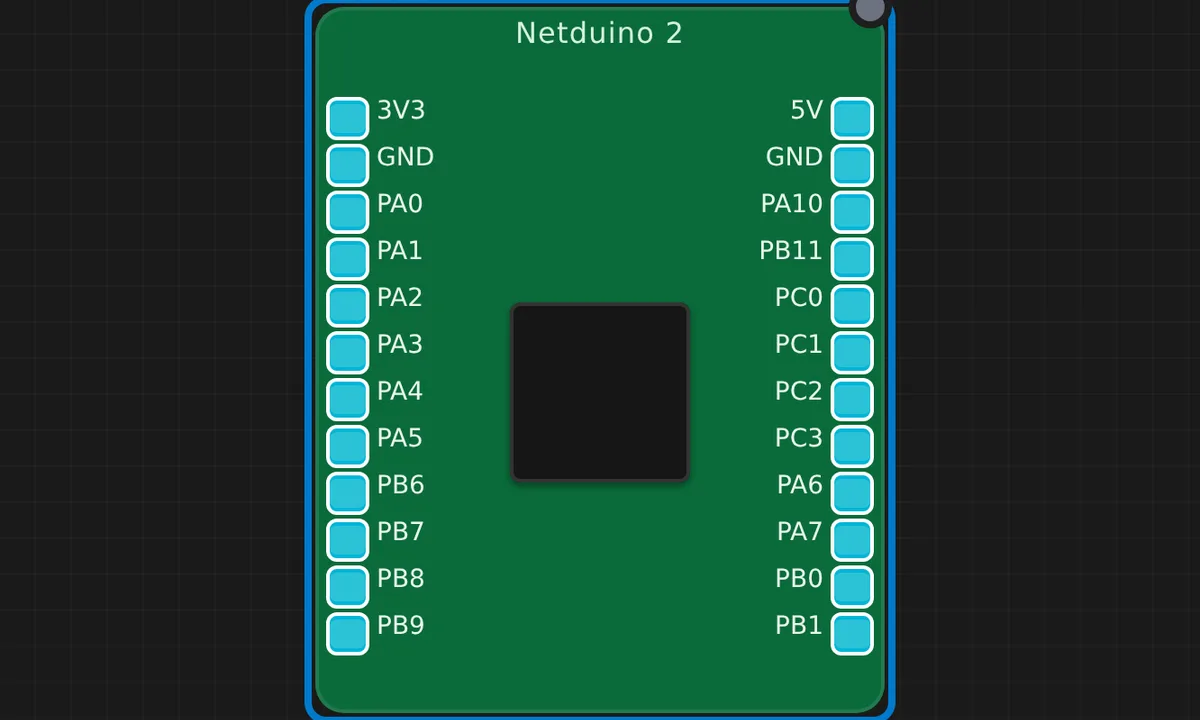
The exact circuit you get when you open this example — already wired, ready to run.
The sketch
// Netduino 2 (STM32F205) — serial counter at 115200 baud.
// Onboard LED is on PA10; GPIO becomes visual once the F205 SoC is wired.
unsigned long n = 0;

void setup() {
  Serial.begin(115200);
  pinMode(PA10, OUTPUT);
  Serial.println("Netduino 2 ready");
}

void loop() {
  n++;
  Serial.print("count=");
  Serial.print(n);
  Serial.print("  uptime_ms=");
  Serial.println(millis());
  digitalWrite(PA10, n % 2 ? HIGH : LOW);
  delay(1000);
}
How it works
The sketch prints an incrementing counter and millis() uptime once per second — the same living-heartbeat pattern as the Blue Pill counter example, but on the F205. PA10 is configured as output and toggles with n % 2, a heartbeat that is expected to light the onboard LED once the SoC wiring in the emulator is complete.
The 115200 baud serial is the reliable subsystem here: every loop iteration produces one clean line of count and uptime. Reading the output gives you the same information a scope would — the loop is alive, the timing is honest, and millis() never lies.
Before you build it for real
This example’s honesty is its value: the emulation currently models the F205’s serial path completely but the GPIO/LED path is still being wired, so do not treat a dark PA10 LED as a sketch failure — check the description before debugging. On real hardware the F205 is 3.3 V logic, 5 V-tolerant on many pins, and the Netduino’s classic bootloader re-entry (hold the button through reset) is required to flash new firmware — a step the QEMU model skips, so your first physical flash may still surprise you.
Related examples
FAQ
Why does the description say GPIO/LED support is limited?
The Netduino 2 runs an STM32F205, and in this emulation the F205 SoC’s GPIO wiring is still being mapped — the serial subsystem works today, but the onboard LED on PA10 is not guaranteed visual in every emulated scenario. It is an honest limitation of the model, not a code bug.
Can I use this sketch on a real Netduino 2?
The sketch itself is plain Arduino-style code that a real F205 runs fine. On silicon, PA10 really does drive the onboard LED and millis() really does tick — the emulation is the part that is catching up, not the sketch.