
Blog
ESP32 + LoRa: Build a Long-Range Wireless Sensor Node (Up to 8km)

The Problem
WiFi works great — until you need to put a sensor in your garden 200 meters away. Or on a farm across the valley. Or inside a metal warehouse. WiFi dies at 50 meters. Bluetooth at 10.
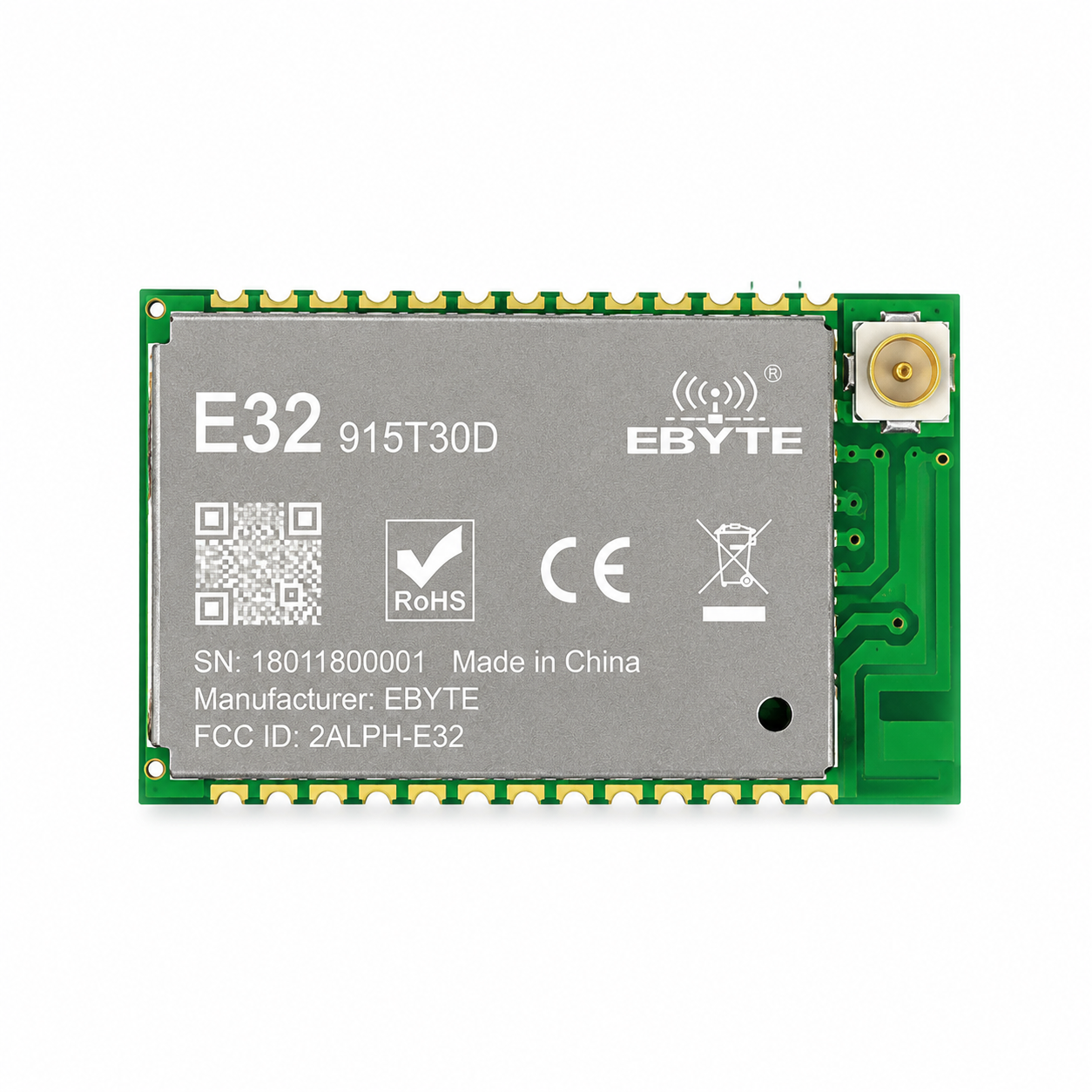
LoRa changes everything. Using the E32 LoRa module (915MHz, 1W), you can send sensor data up to 8 kilometers — no cell tower, no WiFi, no monthly fees.
What You’ll Build
A battery-powered LoRa sensor node that:
- Reads temperature and humidity
- Transmits data over LoRa to a receiver
- Goes into deep sleep for 10 minutes between readings (battery lasts months)
Difficulty: Beginner | Time: 45 minutes | Cost: ~$40 in parts
Hardware Required (Bill of Materials)
| Part | Model | Qty | Price | Buy |
|---|---|---|---|---|
| Microcontroller (Sender) | ESP32 DevKitC V4 | 1 | $13.49 | View Product |
| Microcontroller (Receiver) | ESP32-C3 SuperMini | 1 | $7.49 | View Product |
| LoRa Module | E32-915T30D (915MHz) | 2 | $11.99 ea | View Product |
| Temp/Humidity Sensor | DHT22 | 1 | $5.24 | View Product |
| Battery Power | 18650 Battery Shield | 1 | $11.99 | View Product |
| Breadboard | 830-point | 1 | $4.49 | View Product |
| Jumper Wires | M-M 40pcs | 1 | $2.99 | View Product |
Frequency Warning: E32 modules come in 433MHz, 868MHz, and 915MHz versions. They CANNOT communicate with each other. Make sure both modules are the SAME frequency. The US uses 915MHz.
Step 1: Wiring (Sender Node)
The E32 LoRa module uses UART serial — much simpler than SPI-based LoRa modules. No complex libraries needed!
| E32 LoRa Pin | ESP32 Pin | Note |
|---|---|---|
| VCC | 5V | Power (check your module specs) |
| GND | GND | Ground |
| RXD | GPIO 17 (TX2) | E32 RX ← ESP32 TX |
| TXD | GPIO 16 (RX2) | E32 TX → ESP32 RX |
| M0 | GND | Set to transmission mode |
| M1 | GND | Set to transmission mode |
| DHT22 DATA | GPIO 13 | Sensor data |
TX↔RX crossing: UART is like a phone call — your mouth (TX) connects to their ear (RX). Always cross-connect: module TXD → ESP32 RX2, module RXD → ESP32 TX2.
Step 2: Sender Code
Upload this to the sender ESP32 (the one with the DHT22 sensor):
#include <HardwareSerial.h>
#include "DHT.h"

HardwareSerial LoRaSerial(2); // ESP32 Serial2 (GPIO 16, 17)

#define DHTPIN 13
#define DHTTYPE DHT22
DHT dht(DHTPIN, DHTTYPE);

// Deep sleep: 10 minutes between readings
#define uS_TO_S_FACTOR 1000000ULL
#define TIME_TO_SLEEP  600

void setup() {
  Serial.begin(115200);
  Serial.println("sensbench LoRa Sensor Node");

  LoRaSerial.begin(9600);
  dht.begin();
  delay(2000);

  float h = dht.readHumidity();
  float t = dht.readTemperature();

  if (isnan(h) || isnan(t)) {
    Serial.println("Sensor read failed!");
  } else {
    String data = "T:" + String(t, 1) + "C H:" + String(h, 1) + "%";
    Serial.println("Sending: " + data);
    LoRaSerial.println(data);
  }

  Serial.println("Deep sleeping for 10 minutes...");
  Serial.flush();

  esp_sleep_enable_timer_wakeup(TIME_TO_SLEEP * uS_TO_S_FACTOR);
  esp_deep_sleep_start();
}

void loop() {
  // Not reached after deep sleep
}
Step 3: Receiver Code
Upload this to the receiver ESP32 (connected to your computer):
#include <HardwareSerial.h>

HardwareSerial LoRaSerial(2);

void setup() {
  Serial.begin(115200);
  Serial.println("sensbench LoRa Receiver");
  LoRaSerial.begin(9600);
}

void loop() {
  if (LoRaSerial.available()) {
    String data = LoRaSerial.readString();
    Serial.print("Received: ");
    Serial.println(data);
  }
}
Step 4: Test It
- Power the sender node with the 18650 battery shield
- Connect the receiver to your computer and open Serial Monitor (115200 baud)
- Every 10 minutes, you’ll see temperature and humidity arrive from up to 8km away
Why This Works So Well
- Deep Sleep: The ESP32 draws only 10µA in deep sleep. With a 2000mAh 18650 battery, the sensor node can run for 3+ months on a single charge.
- UART LoRa: Unlike SPI-based LoRa (SX1276), the E32 module uses simple serial communication. No complex library, no SPI wiring mess, no configuration registers.
- 1W Power (30dBm): The E32-915T30D is the high-power version. Standard modules output 20dBm (100mW). This one outputs 30dBm (1000mW) — 10x the power, 3x the range.
Going Further
- Add more sensor nodes: Each node sends data on a different schedule to avoid collisions
- Forward to cloud: Connect the receiver ESP32 to WiFi and forward LoRa data to MQTT
- Solar power: Add a small solar panel to the 18650 battery shield for permanent deployment
- Build a mesh: Multiple receiver nodes can relay data across even longer distances