
Blog
DFRobot Sensors in the Sensbench Simulator: From ECG to HuskyLens

Most simulator boards deal in clean signals: a pin goes high, an LED turns on. DFRobot’s catalog is the other kind of electronics. A heartbeat is not clean. Neither is the CO level in a garage, the pH of an aquarium, or the question “is somebody in this room right now?” Those are exactly the sensors DFRobot is known for, and they are what this partnership brings to Sensbench: hardware that measures the messy physical world, with the messy physical world simulated too, as sliders and controls you can drag while your code runs.
This is the fourth post in our series on the companies supporting Sensbench, after Seeed Studio, M5Stack, and Pimoroni.
Start with the UNIHIKER
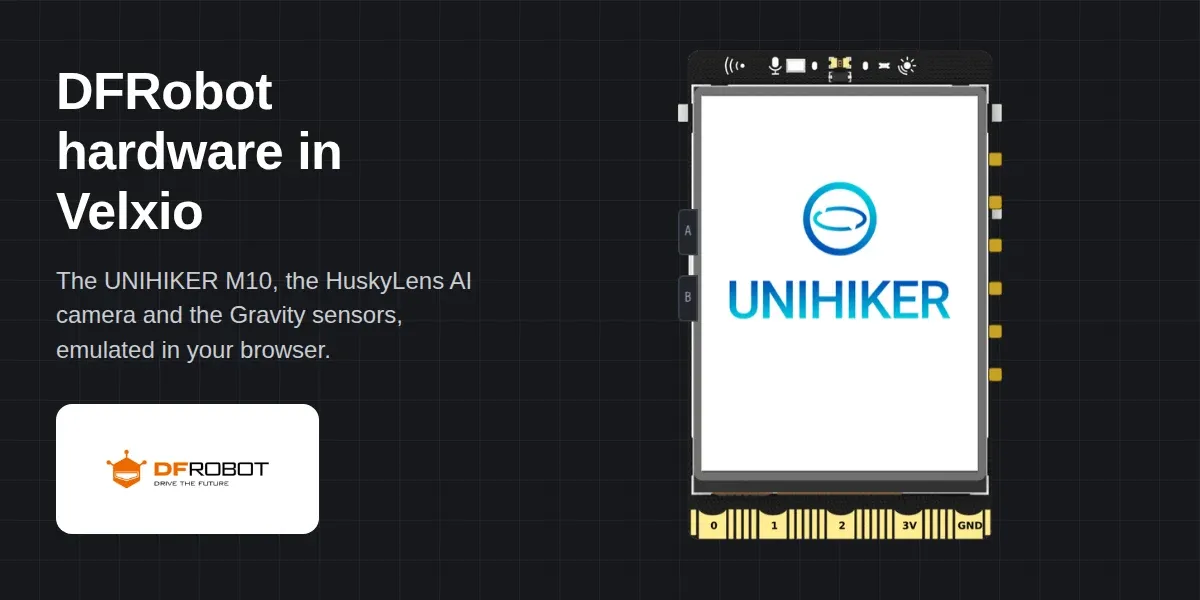
The UNIHIKER M10 is DFRobot’s single-board computer for education: a 2.8-inch touch screen on the front, a full Linux system inside, Python as the first language, and edge connectors a classroom can clip things onto without a breadboard. In Sensbench it boots as what it is: a small Linux machine with a screen.
Open the UNIHIKER system time example and press Run. This is DFRobot’s own “system time” exercise from their wiki: a Python script draws the date and a clock on the built-in screen and refreshes it once a second. Nothing about it was adapted for the simulator; the point is that the lesson a teacher already uses works as published. From there the other UNIHIKER examples go where a classroom goes: a traffic light on the edge pads, a digital piano, a starry sky you can touch, and an IoT smart home that reports into the SIoT dashboard, the way the wiki teaches it.
One note on plans: the UNIHIKER runs a full Linux guest, which is heavier than the browser boards, so it needs a paid Sensbench plan. Everything else in this post, the sensors and the HuskyLens on an Arduino Uno or ESP32, runs on the free plan.
A heartbeat you can argue with
The Gravity ECG example is the one to show someone first. Wire-free, it opens with an AD8232 heart-rate front end connected to an Uno, and a red LED that flashes on every R spike, a pulse you can see on the board. Then drag the BPM slider from 40 to 180 and watch the LED keep up while the serial monitor prints the computed heart rate.
That slider is the whole idea of simulated sensors. On a desk, testing your tachycardia alarm means finding a person whose heart does 180 beats per minute. In Sensbench it means dragging a control, and the alarm example does exactly that: thresholds, hysteresis, the logic you would actually have to get right before this kind of circuit is useful.
The Gravity line, six sensors in

Each of these is in the component picker today, each with its own physical control:
- C4001 mmWave presence sensor. Radar, not a PIR: it sees presence, distance, and direction. The examples cover a presence readout, a night-light, distance zones, and approaching-or-leaving detection.
- AD8232 ECG, as above: four examples from a serial-plotter trace to the alarm.
- MQ7 carbon monoxide. From a raw reading to a calibrated ppm readout to a three-LED air quality meter and a 200 ppm alarm.
- Analog pH kit. A readout, an aquarium range guard, a trend arrow, and a two-pump dosing controller, which is a genuinely tricky control problem in twenty lines.
- Soil moisture probe. Threshold watering, a calibrated percentage with a bar graph, auto-irrigation with hysteresis, and an ESP32 millivolt readout.
- DF2301Q offline voice recognition. The module that listens for “hello robot” without a cloud behind it. In the voice-controlled light you type or pick the phrase and the module reacts the way the real one hears it.
HuskyLens, an AI camera that learns
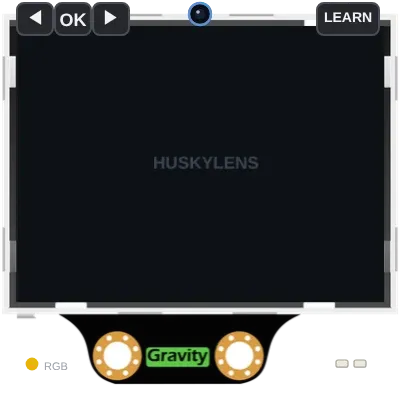
The HuskyLens is DFRobot’s camera with the neural network on board: it recognises faces, objects, colours, and lines, and you teach it by pressing its learn button. In Sensbench it keeps that personality. You feed it scenes, it reports what it sees over I2C or UART, and DFRobot’s own Arduino library talks to it unmodified; both of DFRobot’s official examples run as published. The gallery builds on that with a face-recognition door greeter, a pan servo that follows the object, and a line-following steering signal, which is most of a robot before you own a robot.
Working with DFRobot
DFRobot supported this work and provided the hardware, and their documentation culture did a lot of the rest: every Gravity module has a public wiki page with the protocol laid out, and the UNIHIKER lessons are written down step by step. When a company documents hardware that thoroughly, “make the simulation match the documentation” becomes a testable claim, and their libraries running unmodified is the test.
We want to thank the DFRobot team for treating a browser simulator as a real place for their hardware to live. For a subject like sensors this matters more than usual: a class can calibrate a pH controller with no liquids on the table, and someone deciding whether a C4001 fits their project can find out at zero cost.
Honest notes: what the simulator won’t tell you
Before you get too comfortable, keep in mind that the simulator is a polite fiction. The ECG slider gives you a clean, repeatable waveform; real AD8232 signals are noisy, with baseline wander and motion artifacts that will drive your filter design crazy. The MQ7 slider sits at a stable ppm; real MQ7 sensors need a warm-up period and drift with temperature and humidity. The pH slider is a smooth analog value; real pH probes need calibration buffers and can be finicky about fouling. The soil moisture slider is a nice linear curve; real probes suffer from corrosion and soil salinity. The HuskyLens learns instantly in the simulator; on real hardware, lighting and angle matter, and you’ll likely need to retrain.
Also, the simulator doesn’t model power glitches, brownouts, or the occasional floating pin that plagues real breadboards. Your code might run flawlessly in the sim and then fail on real hardware because you forgot a pull-up resistor. So use the simulator to nail down your logic, but don’t skip the datasheet.
When it doesn’t work
- Symptom: The ECG LED doesn’t flash when you drag the BPM slider. Cause: You might have the AD8232 wired wrong—check that the OUT pin goes to A0 and the LED is on pin 13 with the correct polarity.
- Symptom: The MQ7 reads 0 ppm no matter what. Cause: The sensor needs a warm-up time in the simulator; wait a few seconds after starting the simulation.
- Symptom: The HuskyLens doesn’t recognize anything. Cause: You haven’t taught it a scene yet—press the learn button in the simulator and then present the object.
- Symptom: The pH value stays at 7.0. Cause: You might be using the wrong analog pin; the pH sensor typically connects to A1.
- Symptom: The serial monitor prints garbage. Cause: Baud rate mismatch—make sure your code and the monitor are set to the same baud rate, usually 9600.
Next steps
Once you’ve played with the basics, try combining sensors. Use the C4001 to detect presence and trigger the HuskyLens to take a snapshot. Or use the soil moisture sensor to control a virtual pump and log the data to the serial plotter. The simulator is a sandbox—go make a mess.
Ready to get started? Open the simulator and pick a DFRobot example from the gallery.