
Blog
Arduino SPI Loopback: Prove the Bus Before You Blame the Device

I2C puts everything on two shared wires and sorts it out with addresses. SPI takes the opposite approach: dedicated lines, a clock from the master, and a chip-select wire per device. It’s faster, it’s simpler electrically, and it costs you pins. The TFT display project used it already — this time we slow down and look at the bus itself.
An SPI loopback is the protocol’s equivalent of the serial echo: send a byte, get a byte back, compare. With no slave attached, the simulator echoes what you send, which is exactly enough to prove the peripheral works. Eight bytes, one pass, verdicts in hex.
No wiring at all (and why that’s fine)
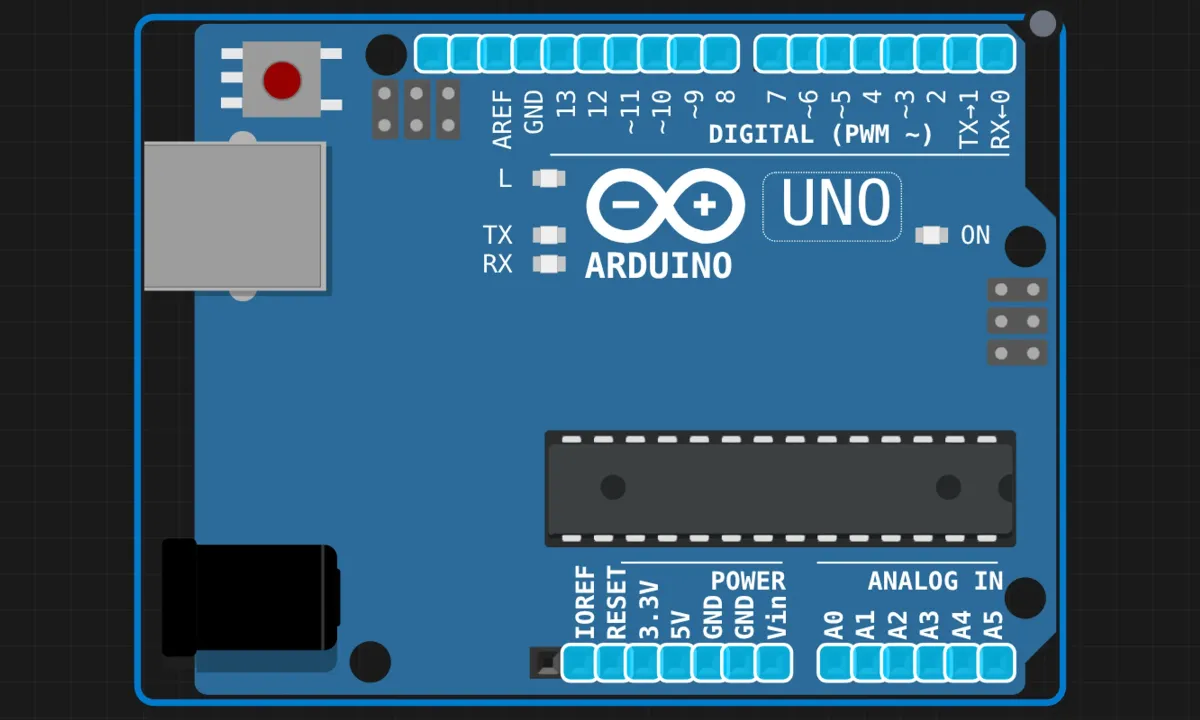
The Uno’s SPI hardware lives on four specific pins:
- 11 — MOSI (master out, slave in): data leaving the Arduino
- 12 — MISO (master in, slave out): data coming back
- 13 — SCK: the clock, generated by the master
- 10 — SS (slave select): which device is being addressed, active low
On a real bench, a loopback means soldering a jumper from pin 11 to pin 12 — MOSI talking straight into MISO. In the simulator the echo is built in, so the canvas stays clean. The pins above are fixed by the hardware; unlike I2C’s addressable free-for-all, SPI signals can’t move to other pins without giving up the hardware peripheral.
The sketch
// SPI loopback test
// Sends 8 bytes, prints TX and RX for each.
// No slave attached: the sim echoes each byte back.

#include <SPI.h>

#define SS_PIN 10

void setup() {
  Serial.begin(9600);
  Serial.println("========================");
  Serial.println("  SPI Protocol Test");
  Serial.println("========================");
  Serial.println();

  pinMode(SS_PIN, OUTPUT);
  digitalWrite(SS_PIN, HIGH);   // idle = not selected
  SPI.begin();
  SPI.setClockDivider(SPI_CLOCK_DIV16);  // 16 MHz / 16 = 1 MHz SCK

  Serial.println("SPI initialized.");
  Serial.print("Clock divider: 16 (");
  Serial.print(F_CPU / 16);
  Serial.println(" Hz)");
  Serial.println();

  Serial.println("Sending test pattern via SPI:");
  byte testData[] = {0xAA, 0x55, 0xFF, 0x00, 0x42, 0xDE, 0xAD, 0xBE};

  digitalWrite(SS_PIN, LOW);    // select the (virtual) slave

  for (int i = 0; i < sizeof(testData); i++) {
    byte sent = testData[i];
    byte received = SPI.transfer(sent);

    Serial.print("  TX: 0x");
    if (sent < 16) Serial.print("0");
    Serial.print(sent, HEX);
    Serial.print("  RX: 0x");
    if (received < 16) Serial.print("0");
    Serial.print(received, HEX);

    if (sent == received) {
      Serial.println("  (loopback OK)");
    } else {
      Serial.println();
    }
  }

  digitalWrite(SS_PIN, HIGH);   // deselect

  Serial.println();
  Serial.println("SPI test complete.");
}

void loop() {
  delay(1000);
}
Run it
Run, open the serial monitor, and the eight bytes march past: TX 0xAA / RX 0xAA (loopback OK), and so on down the line. The pattern isn’t random — 0xAA and 0x55 are alternating-bit patterns (10101010, 01010101), the classic choice because they exercise every data line on every clock edge. 0xFF and 0x00 cover the rails. And 0xDE, 0xAD, 0xBE… well, engineers have been hiding words in hex since hex existed.
The ideas actually worth keeping
SPI.transfer()is full-duplex, always. Every clock pulse pushes one bit out on MOSI and pulls one in on MISO — simultaneously. There’s no “just send” or “just receive”; reading means transmitting something (usually 0x00 as a placeholder), and writing means receiving something (usually ignored). When a sensor datasheet says “read register 0x01,” what you actually do is transfer the address, then transfer a dummy byte while the answer rides back.- SS is not optional, even in a loopback. The line
pinMode(SS_PIN, OUTPUT)protects you from a genuine trap: on the AVR, if the SS pin is ever an input that reads low, the SPI hardware silently demotes itself from master to slave. Your transfers then go nowhere, no error, no warning. Setting it as an output and driving it HIGH is the cheapest insurance in embedded. - The clock divider is a negotiation. DIV16 gives 1MHz — sedate and universally tolerated. The Uno’s SPI can run at 8MHz (DIV2), and the TFT project leans on that speed. But long wires, cheap level shifters, and grumpy old chips all have opinions. Start slow, speed up when it works.
- Modes 0–3 exist. Clock polarity and phase — which edge the data is sampled on. Default mode 0 covers most modern parts; when a device returns garbage that looks shifted by one bit, the mode is the first suspect.
SPI.setDataMode()is the fix.
Honest limitations of this test
- A loopback proves the peripheral, not the protocol. It confirms the SPI hardware shifts bits correctly — it says nothing about whether you’d understand a real slave. Real devices have command sets, timing requirements, and opinions about how long CS stays low. This is the smoke test, not the interview.
- One CS wire per device adds up. Two SPI displays need two select pins; five sensors need five. I2C’s addressing starts looking attractive fast. (There are tricks — daisy-chaining, muxes — but they all cost complexity instead.)
- No addressing means no discovery. There’s no SPI equivalent of the I2C scanner. If a device doesn’t answer, you get 0xFF or 0x00 and no explanation. The loopback habit — prove the bus before blaming the device — is the closest thing SPI has to a diagnostic.
When the bytes don’t come back
- RX is always 0xFF or 0x00 (real hardware) → MISO isn’t connected, or the slave isn’t powered. In a pure loopback with a wire from 11 to 12, check the jumper itself.
- Arduino acts like it lost master status → SS pin left floating as an input. The fix is two lines, both already in this sketch.
- Works at DIV16, breaks at DIV2 → wires too long or the slave can’t keep up. SPI has no ACK bit; the master never learns the byte was missed. Speed problems look like data problems.
- Data looks bit-shifted → wrong SPI mode. Try
SPI.setDataMode(SPI_MODE1)throughMODE3before rewiring anything.
Where this leads
The natural next step is a real slave: the TFT display from the earlier project is SPI, and now you know what CS, MOSI, and SCK were doing in that wiring list. After that, two Arduinos talking SPI to each other — one master sketch, one slave sketch — is the full-duplex idea made visible. Or take the test pattern habit into any new SPI device bring-up: send known bytes, log what comes back, and only then start reading the datasheet’s register map.
Open the simulator and load the SPI loopback example. Then change the clock divider to SPI_CLOCK_DIV2 and run it again — the output won’t change, but you’ll know the bus just moved eight times faster. On real hardware, that experiment occasionally produces garbage instead, and now you know why that’s informative too.