
Blog
Wokwi Alternatives: Sensbench vs Wokwi, Tinkercad, Proteus, Fritzing

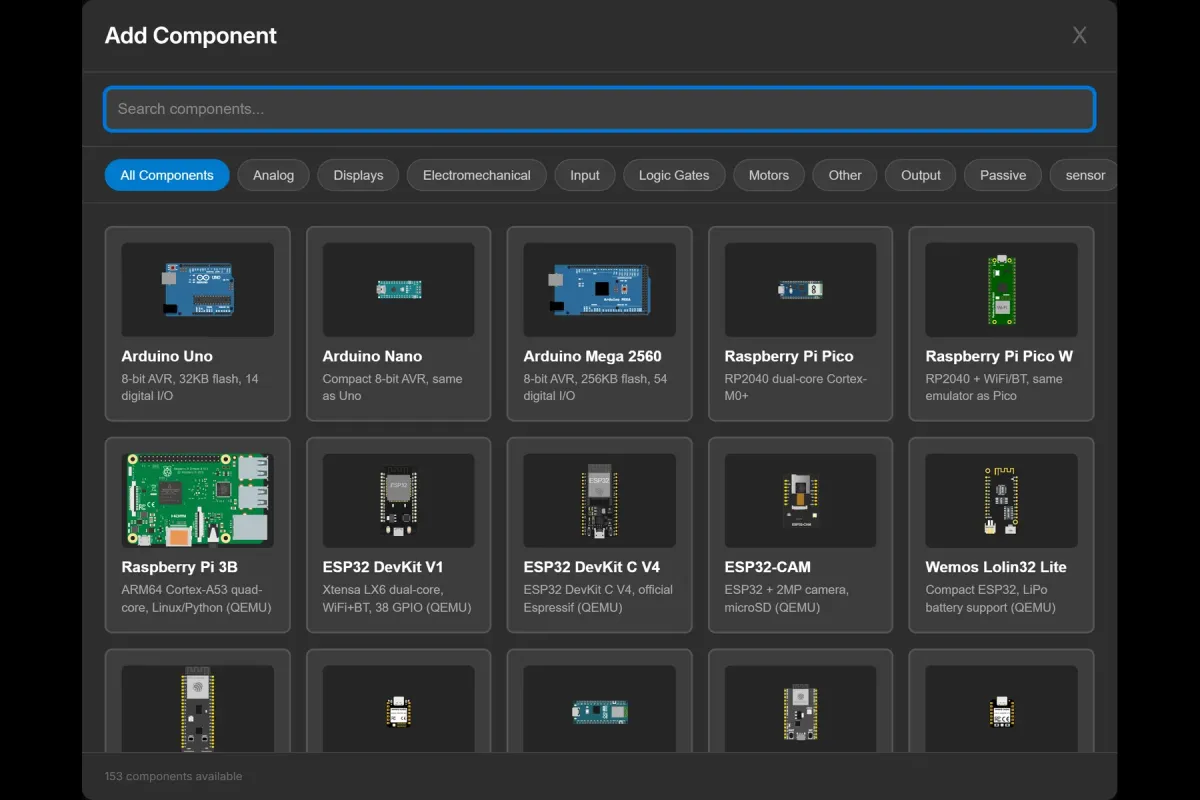
Picking a circuit simulator in 2026 means choosing between five names that keep coming up: Wokwi, Tinkercad, Proteus, Fritzing — and us, Sensbench. This is our honest attempt at that comparison, written knowing full well that we have a horse in the race. So a promise up front: where another tool is the better choice, this article says so, in plain words. A comparison that only flatters its author is marketing dressed as documentation, and you can get that anywhere.
One more disclosure before the table: we’re the youngest tool on this list by years. That shows up in a few places below, and pretending otherwise would be the fastest way to lose the one thing a simulator needs from you — trust that what you see is what the hardware will do.
At a glance
| Tool | Cost | Where it runs | Strongest at |
|---|---|---|---|
| Sensbench | Free | Browser | Zero-install Arduino / Pico / ESP32 emulation with a guided example library |
| Wokwi | Free + paid tiers | Cloud (browser, VS Code) | Language breadth (MicroPython, Rust, Zephyr) and a mature VS Code workflow |
| Tinkercad | Free | Cloud (browser) | Absolute beginners, classrooms, breadboard basics |
| Proteus | Paid (one-time) | Windows desktop | Professional mixed-signal simulation and PCB design |
| Fritzing | Open-source (GPL) | Desktop | Breadboard diagrams, schematics, PCB documentation |
Sensbench vs Wokwi
Wokwi is the tool that proved cycle-accurate microcontroller emulation could live in a browser tab, and the whole category — us included — exists in the space it opened up. That’s said once, sincerely, and then we can be honest about the comparison.
Where Wokwi leads, plainly:
- Languages. Wokwi supports MicroPython, CircuitPython, Rust, Zephyr, and ESP-IDF alongside Arduino C++. Sensbench today is Arduino-flavored C++. If your project lives in MicroPython or Rust, this comparison is over and Wokwi wins it.
- The VS Code extension. Wokwi’s extension has a real debugger, CI integration, and years of polish. If your workflow is “simulate inside my editor, in my repo, on my CI runner,” that’s a mature path on Wokwi and not something we offer.
- Maturity. Years of development, a large community, a deep library of community chips and example projects. Age isn’t a feature, but the bug reports a tool has already survived are.
Where we’d argue for Sensbench:
- A focused board set, done carefully. Arduino Uno, Raspberry Pi Pico (W), and ESP32 — the three boards that dominate learning and prototyping — each with working examples that go well past “blink”: I2C scanners, RTC clocks, EEPROM read/write, SPI loopbacks, multi-protocol bring-up drills.
- The example library is the tutorial. Every example ships with a full walkthrough (you’re reading one of them now), including the parts that don’t work — floating ADC pins, missing pull-ups, register-decode bugs. The goal is a simulator you learn from, not just on.
- Zero friction. No account wall to try an example, no install, no license file. Open the editor, press Run, watch the serial monitor. The whole first session is under a minute.
Choose Wokwi if you need MicroPython, Rust, or Zephyr, or if the VS Code + CI workflow is the point. Give Sensbench a run if you want an Uno, Pico, or ESP32 doing something interesting inside a minute of deciding to try.
Sensbench vs Tinkercad
Tinkercad Circuits is the friendliest on-ramp in the category, full stop. Drag-and-drop breadboard, a handful of basic components, an Arduino Uno, block-based code for kids — Autodesk built the right tool for someone’s very first LED, and classrooms everywhere rely on it for exactly that.
We aim at the step after. When the Tinkercad project wants a second board type, an I2C device with registers, an SPI bus, or a Pico instead of an Uno, that’s where its parts drawer ends and ours starts. The progression we imagine is: Tinkercad for week one, Sensbench for month two.
Choose Tinkercad to teach a first circuit lesson. Choose Sensbench the moment the question becomes “but what if I want to read a sensor over I2C?”
Sensbench vs Proteus
Proteus is a professional Windows suite for mixed-signal simulation and schematic-to-PCB design, and we will not pretend otherwise: for deep analog accuracy and professional PCB work, it is more powerful and more mature than anything in this browser-based category, ours included. It’s also a paid desktop install — pricing runs from a few hundred to several thousand dollars depending on the modules.
Sensbench sits at the opposite end of that trade: instant, free, in the browser, shareable with a link. Nobody will lay out a four-layer board in it. Plenty of people will verify that their DS1307 decode logic is right before flashing a chip, which is a different and much more common job.
Choose Proteus for professional analog and PCB design. Choose Sensbench for “does my firmware actually work” answered in a browser tab, for free, before lunch.
Sensbench vs Fritzing
Fritzing isn’t really a competitor — it’s a different tool that shares a shelf with us. It draws breadboard layouts and schematics and documents PCBs beautifully; it does not run your code. If you’ve ever admired the clean breadboard wiring diagrams in an Arduino tutorial, there’s a good chance Fritzing drew them.
The two compose well: document the build in Fritzing so other people can wire it, then run and debug the firmware in Sensbench so you know it works. No rivalry, just sequence.
Choose Fritzing to draw and document a circuit. Choose Sensbench to compile, run, and watch the circuit behave over time.
What we’re not
Every comparison article has a “why us” section; the honest ones also have this one. Sensbench today does not run MicroPython, Rust, or Zephyr. It has no VS Code extension and no CI integration. Its component library covers the common learning and prototyping parts, not a professional’s full drawer. And the community around it is young — which means fewer forum answers when you get stuck, and a roadmap that changes faster than a five-year-old tool’s would.
If any of those are your deciding factor, the sections above name the tool that does it better, and we mean the recommendation. The comparison that only flatters the author, remember, isn’t worth reading.
When to choose what
- Brand new to electronics, or teaching kids? Start with Tinkercad. Move to Sensbench when you want more boards, real buses, and instruments.
- Need MicroPython, Rust, Zephyr, or a VS Code + CI workflow? Wokwi.
- Professional mixed-signal accuracy and PCB design? Proteus.
- Documenting a breadboard build or drawing a PCB? Fritzing.
- Want an Uno, Pico, or ESP32 running your actual firmware in a browser, free, with worked examples that explain the bugs too? That’s the gap we built Sensbench for.
Try it
The fastest way to evaluate any simulator is thirty seconds inside it. Open the Sensbench editor, load the blink example for the board you own (or the board you’re curious about), and press Run. If the serial monitor says hello back, you already know more about this tool than this article can tell you.
Comparison written October 2026. Tools in this category change quickly — pricing and feature details for Wokwi, Tinkercad, Proteus, and Fritzing were accurate to the best of our knowledge at the time of writing, and their own sites are the authority.