
Blog
Arduino I2C EEPROM: Write, Read Back, and Actually Verify

Your Arduino forgets everything when the power dies. Mostly that’s fine — until it isn’t. Calibration values, user settings, the state a machine should wake up in: all of it needs somewhere to live that isn’t RAM. The Uno has 1KB of EEPROM built in, but the interesting version of this problem is the external I2C EEPROM — a $0.20 chip like the AT24C32 that gives you 4KB or more on the same two-wire bus as everything else.
This project writes a test pattern to a virtual EEPROM at address 0x50 and reads it back, checking every byte. Boring on purpose: read-after-write with verification is exactly how you should treat any storage chip the first time you meet it.
The invisible circuit
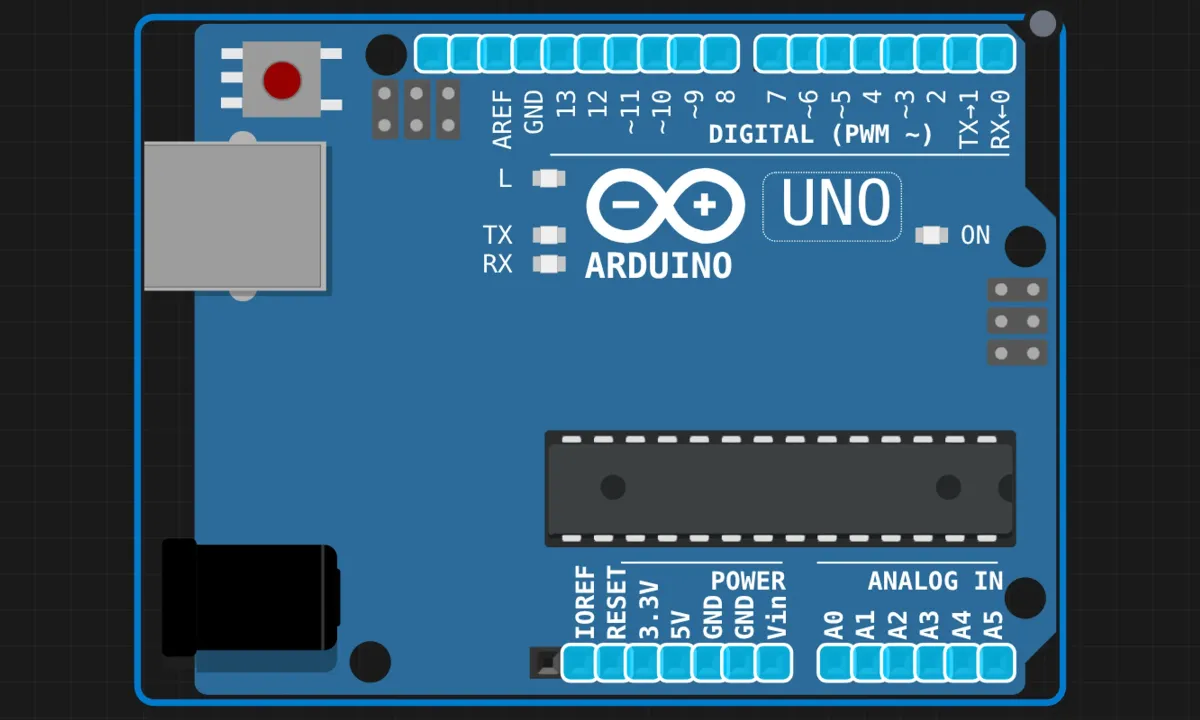
There’s nothing to wire. The simulator provides the EEPROM on the I2C bus internally — SDA on A4, SCL on A5, as always — so the canvas is just an Uno.
On a real bench you’d use an AT24Cxx module with the standard four-wire hookup (SDA, SCL, 5V, GND), and the code below wouldn’t change by a single character. That’s the appeal of bus devices: the software genuinely doesn’t care whether the chip is simulated or soldered.
The sketch
// I2C EEPROM read/write test
// Virtual EEPROM at 0x50 — write a pattern, read it back, verify

#include <Wire.h>

#define EEPROM_ADDR 0x50

void writeEEPROM(byte reg, byte value) {
  Wire.beginTransmission(EEPROM_ADDR);
  Wire.write(reg);    // which memory cell
  Wire.write(value);  // what to store
  Wire.endTransmission();
  delay(5);           // the chip physically needs a few ms to commit the write
}

byte readEEPROM(byte reg) {
  // "dummy write": set the address pointer, send no data
  Wire.beginTransmission(EEPROM_ADDR);
  Wire.write(reg);
  Wire.endTransmission();

  Wire.requestFrom(EEPROM_ADDR, 1);
  if (Wire.available()) {
    return Wire.read();
  }
  return 0xFF;  // bus went silent
}

void setup() {
  Wire.begin();
  Serial.begin(9600);

  Serial.println("============================");
  Serial.println(" I2C EEPROM R/W Test (0x50)");
  Serial.println("============================");
  Serial.println();

  // write 10, 20, 30, ... into cells 0-7
  Serial.println("Writing test data...");
  for (byte i = 0; i < 8; i++) {
    byte value = (i + 1) * 10;
    writeEEPROM(i, value);
    Serial.print("  Write reg[");
    Serial.print(i);
    Serial.print("] = ");
    Serial.println(value);
  }

  Serial.println();
  Serial.println("Reading back...");

  // read back and verify every byte
  byte errors = 0;
  for (byte i = 0; i < 8; i++) {
    byte expected = (i + 1) * 10;
    byte actual = readEEPROM(i);
    Serial.print("  Read  reg[");
    Serial.print(i);
    Serial.print("] = ");
    Serial.print(actual);

    if (actual == expected) {
      Serial.println("  [OK]");
    } else {
      Serial.print("  [FAIL] expected ");
      Serial.println(expected);
      errors++;
    }
  }

  Serial.println();
  if (errors == 0) {
    Serial.println("All tests PASSED!");
  } else {
    Serial.print(errors);
    Serial.println(" test(s) FAILED.");
  }
}

void loop() {
  // done in setup — nothing left to do
  delay(1000);
}
The two moves that matter
- The write takes time. Flash-style memory cells don’t commit instantly — the chip needs a few milliseconds of internal cooking after
endTransmission(). Thedelay(5)isn’t paranoia; datasheet says up to 5ms for the AT24C series. Skip it and hammer the chip with back-to-back writes, and some of them silently never happen. (The simulator’s EEPROM is fast and forgiving. Real silicon is not.) - The read starts with a fake write. To read cell 3, you first write the number 3 to the chip — that’s you setting its internal address pointer — then issue
requestFrom()to pull the byte back out. If you did the RTC project, this is the same register-pointer dance, one byte instead of seven.
And the verification loop is the whole point of the exercise. Writing without reading back is how you ship a logger that records nothing. The pattern — write known values, read, compare, count errors — is worth copying into every storage driver you ever bring up.
Honest notes on EEPROMs
- They wear out. An AT24C cell is rated for roughly 100,000 write cycles. That sounds like a lot until someone writes a counter to the same cell once per second — that’s the rating gone in about a day. Notice this sketch writes in
setup(), once. Storage you update constantly wants wear leveling, or a different technology (FRAM) entirely. 0xFFis a lying sentinel. The read function returns 0xFF when the bus doesn’t answer — but 0xFF is also the natural state of an erased EEPROM cell. So “failed read” and “blank memory” are indistinguishable here. For a demo it’s fine; for real code, checkWire.available()at the call site or return a status separately.- Byte-at-a-time is slow. Real chips support page writes — up to 32 bytes in one transaction. This demo ignores that on purpose (simple beats fast at 8 bytes), but a data logger writing hundreds of bytes per minute will want it.
- The address isn’t always 0x50. Real AT24C chips have A0–A2 pins that shift the address, letting eight of them share one bus — or collide at the same address if you leave them floating. When a real chip doesn’t answer, check those three pins before anything else.
When it fails
- Every read returns 0xFF, all FAIL → the chip isn’t on the bus. In the sim that means the example didn’t load its virtual EEPROM (reload the project); on hardware it’s address or wiring — and this is exactly what the I2C scanner is for.
- Intermittent failures on real hardware → raise the write delay to 10ms. Cheap clone chips sometimes need longer than the datasheet admits.
- First reads fail, later ones pass → same cause, marginal version. The chip is still finishing a write when the next transaction arrives.
Make it hold something real
The upgrade path: store a struct instead of single bytes — serialize a small settings object (brightness, volume, last mode) into a byte array and write it to cells 0–15 with a checksum byte at the end. On boot, read it back and verify the checksum before trusting it. That pattern — bytes, offset, checksum — is the skeleton of every “remember my settings” feature in existence. Strings work too: write the length first, then the characters.
Open the simulator and load the EEPROM example. Watch the eight writes and eight verified reads scroll by, then change the expected value on line 86 to something wrong and run it again. A test that CAN fail is the only kind worth having — watching it catch your sabotage is the whole lesson.