
Blog
Arduino Serial LED Control: Boss the Board Around with 1 and 0

The serial echo proved the wire works. This project makes the wire do something: type 1 in the serial monitor and an LED turns on, type 0 and it turns off, type ? and the board reports its own state. Single characters, instant obedience.
It’s a small demo, but the shape — text command in, hardware action out — is how a surprising amount of real equipment is controlled. Bench power supplies, 3D printers, motor controllers: somewhere inside, there’s a loop reading characters and switching pins. This is that loop, fifteen lines long, running in your browser.
The circuit
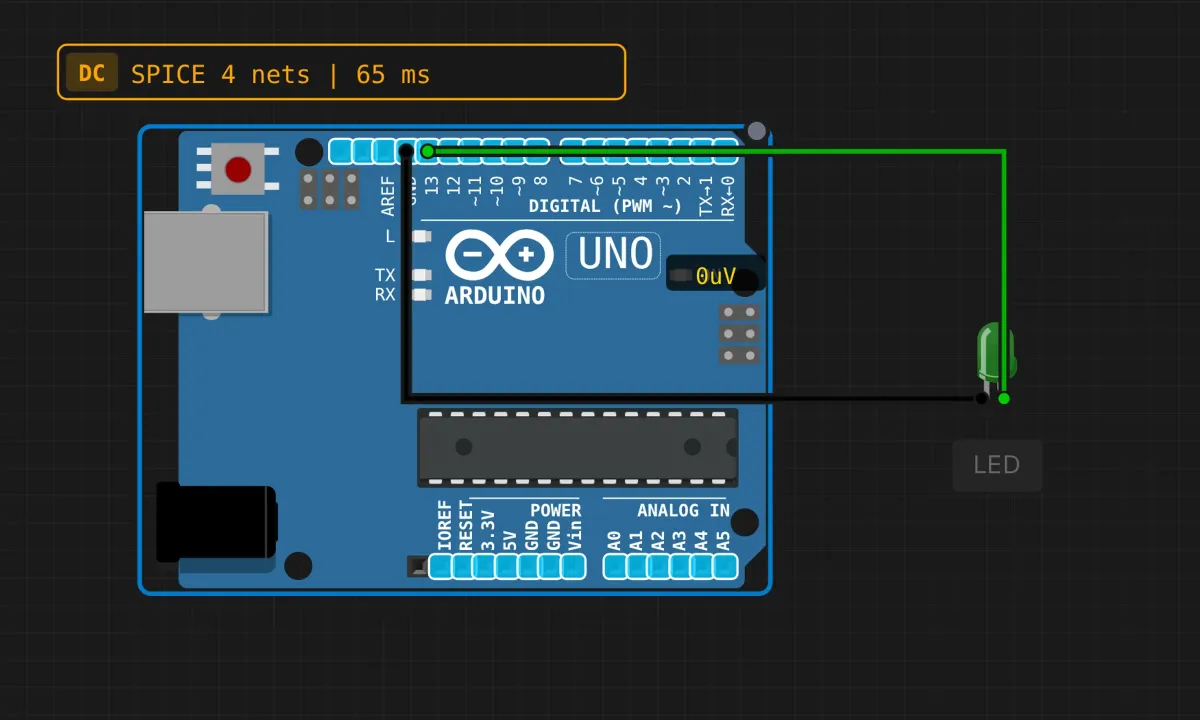
Two components: an Uno, and one green LED. Anode (long leg) to pin 13 — green wire — cathode to GND, black wire. Done.
Why pin 13 specifically? Because the Uno also has its tiny onboard LED hanging off pin 13, so your external LED and the board’s own indicator light together. Two confirmations for the price of one wire.
One correction to what you’ll read elsewhere: pin 13 does not spare you the series resistor on real hardware. The onboard LED has its own resistor and buffer; your external LED is still a bare diode hanging off a GPIO. In the simulator the LED model forgives this. On a breadboard, add 220Ω in series — the “pin 13 has a built-in resistor” claim is a myth that has quietly shortened the life of many LEDs.
The sketch
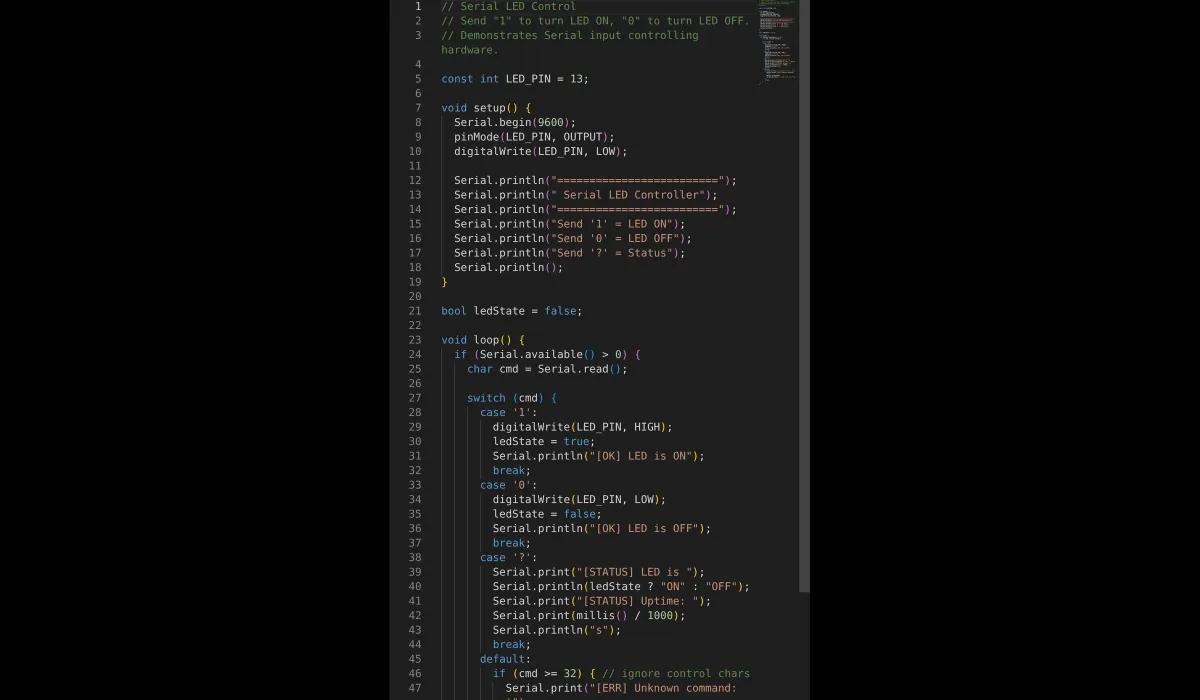
// Serial LED control
// '1' = on, '0' = off, '?' = status report

const int LED_PIN = 13;

void setup() {
  Serial.begin(9600);
  pinMode(LED_PIN, OUTPUT);
  digitalWrite(LED_PIN, LOW);

  Serial.println("=========================");
  Serial.println(" Serial LED Controller");
  Serial.println("=========================");
  Serial.println("Send '1' = LED ON");
  Serial.println("Send '0' = LED OFF");
  Serial.println("Send '?' = Status");
  Serial.println();
}

bool ledState = false;

void loop() {
  if (Serial.available() > 0) {
    char cmd = Serial.read();

    switch (cmd) {
      case '1':
        digitalWrite(LED_PIN, HIGH);
        ledState = true;
        Serial.println("[OK] LED is ON");
        break;
      case '0':
        digitalWrite(LED_PIN, LOW);
        ledState = false;
        Serial.println("[OK] LED is OFF");
        break;
      case '?':
        Serial.print("[STATUS] LED is ");
        Serial.println(ledState ? "ON" : "OFF");
        Serial.print("[STATUS] Uptime: ");
        Serial.print(millis() / 1000);
        Serial.println("s");
        break;
      default:
        if (cmd >= 32) { // printable chars only
          Serial.print("[ERR] Unknown command: '");
          Serial.print(cmd);
          Serial.println("'  (use 1, 0, or ?)");
        }
        break;
    }
  }
}
Run it and boss the board around
Run, open the serial monitor, and the banner prints your command menu. Send 1: the canvas LED lights, the onboard L lights, and the monitor confirms [OK] LED is ON. Send ? and you get state plus uptime. Three commands and the thing already feels like a device with an interface.
Why it’s built this way
switchinstead of if-chains. With two commands it hardly matters; with twelve it matters a lot. Command handlers grow — start with the structure that scales.ledStateexists because you can’t ask a pin. There’s nodigitalRead()-the-output worth trusting for “is the LED on?” — the honest source of truth is a variable you maintain yourself. Every embedded program that “remembers” what it did does exactly this.- The
defaultcase ignores control characters (cmd >= 32filters out newline, carriage return, and friends below ASCII 32). Without it, every Enter key would print an error for an invisible character. This is the newline tax from the echo project, paid properly this time. - Errors answer back.
[ERR]with the offending character in quotes is a debugging gift to your future self — when something “doesn’t work,” the first question is always what did the board actually receive?
The honest limitations
- It’s one character at a time, forever. Send “10” and the board obediently turns the LED on, then off, in two separate loop iterations. There’s no concept of a message. That’s the next step (buffer until newline), and it’s a bigger rewrite than it sounds — which is why it isn’t in this sketch.
- Anyone on the wire owns the LED. No framing, no checksum, no authentication — a stray noise byte on a real serial line is a valid command as far as this parser is concerned. Fine on your desk; not how you’d control a garage door.
- Pin 13’s onboard LED loads the pin slightly differently than other pins on real hardware (that buffer again). Irrelevant for an indicator, but if you ever wonder why pin 13 behaves “a bit different” with heavy loads — that’s why.
- The sim’s monitor appends a newline unless you set line endings to “none” — which is exactly why the
defaultfilter exists. Real serial terminals all have their own opinion about line endings. Plan for it.
When it doesn’t obey
- Banner prints, commands ignored → check the LED wiring, not the serial. Polarity first: long leg to pin 13.
- Error spam you didn’t type → that’s your newline characters being rejected. Set the monitor to “No line ending,” or enjoy the reminder that Enter is a character too.
- LED follows commands but looks dim on real hardware → you skipped the series resistor and the pin is current-limiting itself. Add the 220Ω.
- Nothing anywhere → sim not running, or monitor not open. The banner only prints once, at boot — reset the sim if you missed it.
Natural upgrades
Add a second LED on pin 12 with commands 2/3 and you’ve got channels. Move the LED to a PWM pin and accept brightness values — though that means parsing multi-digit numbers, which forces the newline-buffer rewrite, which teaches you string handling on a 2KB microcontroller. Good. That’s the point where this stops being a demo.
Open the simulator and load the serial LED example — LED already wired to 13, controller already running. Type ? first. Asking a machine for its status and getting a straight answer never stops being a little satisfying.